3ds Max | Scripts

Pivot placer

10 votes

With this script you can replace pivot where you want.
on the selected vertex, at the center of the selected edge or face, or at the center of the object.
You also can create a point as pivot.

FurniList

0 votes

A useful tool for furniture designers and small businesses that require the cutting of various materials (natural wood, laminated wood, MDF, plexiglass, etc.) without the use of CNC machines. It is a real time saver for quickly obtaining the consumption when cutting the panels.

IMPORTANT:

Selection Toolbox

1 vote


Quick Select

Objects In View
– Selects all objects visible in the current viewport

Objects Not In View
– Selects all objects not visible in the current viewport

Push 2

6 votes

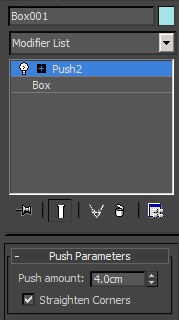
This scripted plug-in was wanted in the forum. It is like the original push modifier but with the option "Straighten Corners" of the shell modifier. You can "push in" and "push out".   -- Update V1.4a --


Building generator

1 vote

Mouse Wheel Grow/Shrink Selection

16 votes

This script will allows you to use the mouse wheel to grow and shrink verts/edges/faces selection on Editable Poly and Edit_Poly objects.

Usage:
Assign it to a keyboard shortcut or button. After pressing the keyboard key/button, use the mouse wheel to grow or shrink the selection. While the tool is active you can pan, rotate and zoom(Ctrl+Alt+MMB) object in viewport and continue to add new verts/edges/faces to selection. Click on viewport with LMB or RMB to stop the tool.

How the script works:

Run it.

View Slicer

32 votes

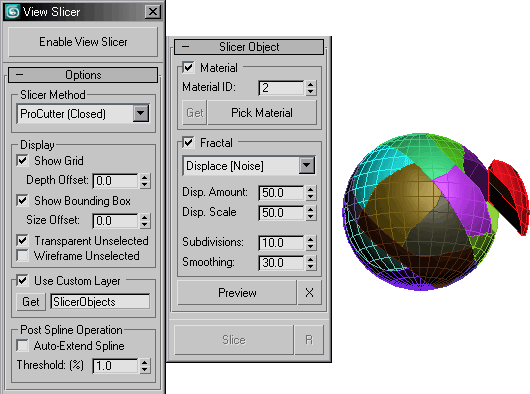
Able to draw a spline over the current view angle to use as a slicer for a selected object.

Elements to Objects

17 votes

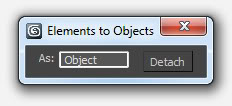
A simple detach tool that explodes the selected objects into their elements.

Key Transfer

171 votes

Save & Restore Views

7 votes

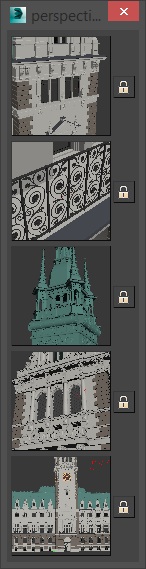
A simple script that is pretty similar to max's own "Save active perspective view" and "Restore active perspective view" functionality just that there are 5 slots with preview images. Un-comment the first 2 lines to install it as a macroscript. Click the little lock symbol to save a view, click the image button to restore it. 

Syndicate content