3ds Max | Scripts

Poorman's Render Element Manager

1 vote

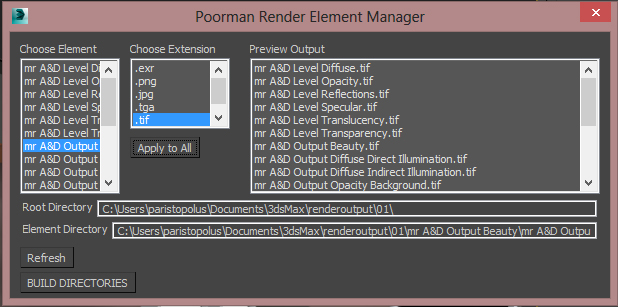
A very simple manager for designating locations for each of the render elements in your scene. It builds out a sub-directory in the main image output directory. It allows you to choose the file extension visually, as well

NOTE: This script has been tested on Max 2012 and up.

UPDATE: Added a button to clear elements and fixed a bug that was causing the manager to not pick up the original settings.

FaceGrabO v1.5

11 votes

Handy to create twin faces from face selection of sublevel editablepoly to becoming new object for raw model or maybe final model.

Camera Location

5 votes

A simple script that facilitates the modification of XYZ values of cameras but instead of picking from the selection floater (or the Select by name screen) - you can select form a cameras-only list and change the values on the fly. Press the Switch to camera button to view the changes from the camera view. View screenshot

HCG Asset Browser

38 votes

NEW Video!!!

HCG Asset Browser Interface

Features:

Vertex Killer

22 votes

This tool will remove any SELECTED vertices that are shared by ONLY and EXACTLY 2 edges. Useful to make mip models for games - when you need to simplify the mesh by hand.

Stairs Extruder

0 votes

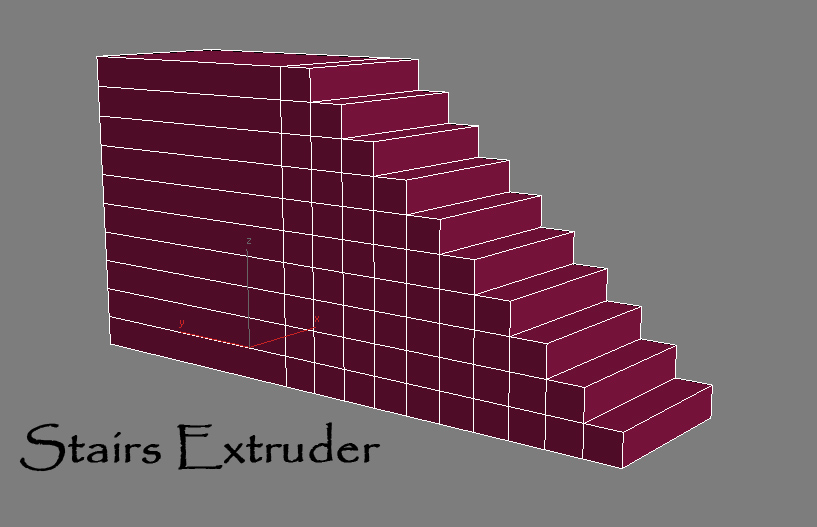
Simple Script that do incremental face extrusion (useful to create stairs for example)

# Installation:

1-extract files

2-copy Stair Extruder.mse to 3dsmax\script folder

3-copy StairExtruderMacro.ms to 3dsmax\script\startup folder

4-restart 3ds max or run StairExtruderMacro.ms from script menu run.

5-add it to ur desired UI (menu,quad,toolbar...)

PolyDens Viewer

2 votes

Character on biped

1 vote

Very flexible and fast script to generate a bone based skeleton over the 3ds max's biped. Useful for exportation into game engines like Unity or UDK
If you need bones rig, but want to use biped layers and motion captures in 3dsmax, this script is for you!

To start, just create biped, custom it in figure mode to match your character. When done, create a new empty layer, select any bip element, and click on script button. Bones will be created automatically on biped structure.

Features:
- Bones names are Unity3d Engine ready

CleanupTools

3 votes

pp_CleanupTools.mcr
By Patrick Probst ([email protected])
www.patrickprobst.de / www.notanotherpixel.com
If you got any feature requests, problems or anything else regarding this script or another one I wrote, don't hesitate to contact me!

I am not responsible for any damage caused by this or any other of my scripts to your scene, software or computer!

What this macroscript does:
It will check your scene for stuff which could be optimized or cleaned up, like layers, deleting reactor collisions or noteTracks,

LightLinker

1 vote

pp_LightLinker.ms
By Patrick Probst ([email protected])
www.patrickprobst.de / www.notanotherpixel.com
If you got any feature requests, problems or anything else regarding this script or another one I wrote, don't hesitate to contact me!

I am not responsible for any damage caused by this or any other of my scripts to your scene, software, computer or cat/dog/wife!

What this macroscript does:
It will let you link lights to objects or vice versa so that the according light only influences the chosen geometry.
Use it just like the normal "Select and Link"-Tool of 3ds max.

Syndicate content