3ds Max | Scripts

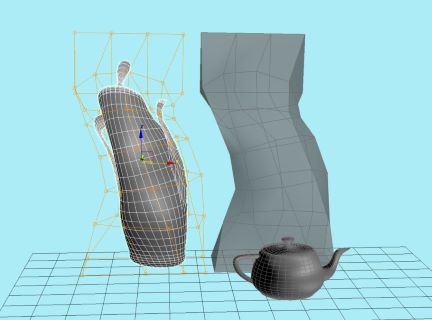
PolyLattice3 - Use EPoly as FFD deformers

2 votes

Box Creator

1 vote

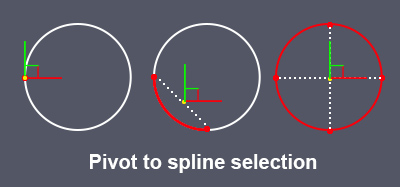
Pivot to spline selection

0 votes

Sets the pivot in the center of the spline selection.
Works with vertices, segments and splines.

pivot to spline selection

SteamRoller

14 votes

Steamroller unwraps every objects in a selection using Max's built-in flatten function based on the specified parameters. Steamroller is mainly intended as a quick and dirty method of quickly unwrapping lightmap UVs on large sets of objects, similar to the automatic unwrap in Render to Texture.

Copy and Paste Object Properties

3 votes

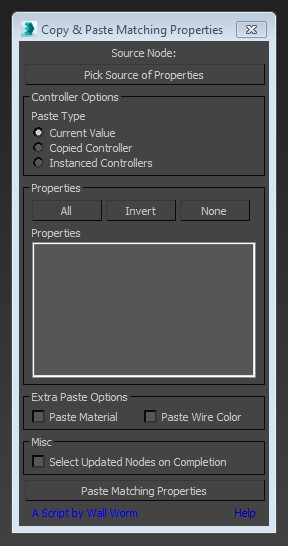
This little script will help you transfer arbitrary properties from one object to another. All properties that you selected that have matching names and types in the destination nodes will get the property values of the source node. You also have the option of instancing the source value's controller across the updated properties.

copy and paste maxscript

Quick Attach

22 votes

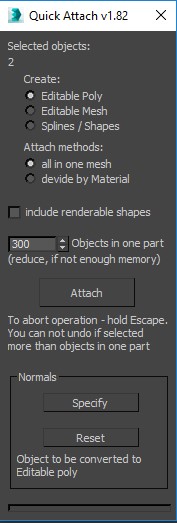
This script quickly brings together a large number of objects. just this script can be used to reset Xforms.

Connect Edges

1 vote

Just a simple modifier to connect edges selected with the previous "edit poly" "editable poly" or "poly select" modifier. Currently I tested my script on 3dsmax 2020, I will try to test it on older version of 3ds max and update this page if I can. If you have any question or any requirement, don't hesitate to ask me or to contact me. I will be happy to answer you.

Spline Tangent Aligner

3 votes

Spline Tangent Aligner is a simple macro that aligns the tangents of selected spline knots and makes them parallel. Useful when working with knots with the Bezier Corner type.

ClaverTech_AlignToSurface

22 votes

 AlignToSurfaceLogo

Description: This MouseTool is made to help place a node onto the surface of some geometry based upon mouse click location. it will place the node by its pivot point and orient its local z axis to the normal of the intersection. (Additional: Added a new Ability to click and drag to rotate around the Nodes Local Z axis)  Hope its helpful to someone besides me. Heres the code... Enjoy

V-Ray MultiMatte / Object ID Manager

1 vote

V-Ray MultiMatte and Object ID Manager.

Handling ObjectIDs in Max can be a hassle. This hopefully simplifies life for you. You can:

- Easily set IDs on all selected objects.
- Select objects by their ID.
- List all IDs in the scene
- Clear IDs
- Automatically clear out old MultiMatte Render elements and recreate only the ones you need in the scene!

v2.0:

- Refined UI
- Added incremental add and use next available ID option 

Syndicate content