3ds Max | Scripts

FurniList

0 votes

A useful tool for furniture designers and small businesses that require the cutting of various materials (natural wood, laminated wood, MDF, plexiglass, etc.) without the use of CNC machines. It is a real time saver for quickly obtaining the consumption when cutting the panels.

IMPORTANT:

Selection Toolbox

1 vote


Quick Select

Objects In View
– Selects all objects visible in the current viewport

Objects Not In View
– Selects all objects not visible in the current viewport

Push 2

6 votes

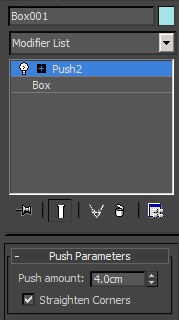
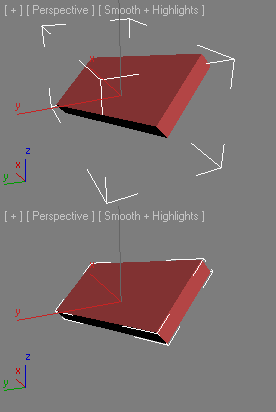
This scripted plug-in was wanted in the forum. It is like the original push modifier but with the option "Straighten Corners" of the shell modifier. You can "push in" and "push out".   -- Update V1.4a --


Building generator

1 vote

Mouse Wheel Grow/Shrink Selection

16 votes

This script will allows you to use the mouse wheel to grow and shrink verts/edges/faces selection on Editable Poly and Edit_Poly objects.

Usage:
Assign it to a keyboard shortcut or button. After pressing the keyboard key/button, use the mouse wheel to grow or shrink the selection. While the tool is active you can pan, rotate and zoom(Ctrl+Alt+MMB) object in viewport and continue to add new verts/edges/faces to selection. Click on viewport with LMB or RMB to stop the tool.

How the script works:

Run it.

View Slicer

32 votes

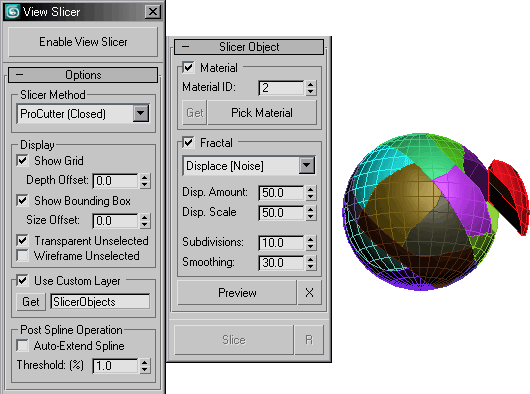
Able to draw a spline over the current view angle to use as a slicer for a selected object.

Elements to Objects

17 votes

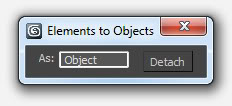
A simple detach tool that explodes the selected objects into their elements.

Key Transfer

171 votes

Save & Restore Views

7 votes

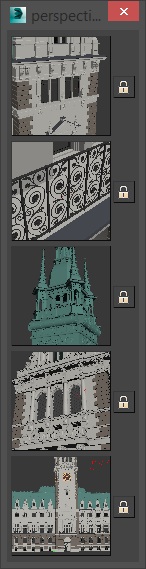
A simple script that is pretty similar to max's own "Save active perspective view" and "Restore active perspective view" functionality just that there are 5 slots with preview images. Un-comment the first 2 lines to install it as a macroscript. Click the little lock symbol to save a view, click the image button to restore it. 

Fit Bounding Box

6 votes

Minimize volume Bounding Box

Syndicate content