
Create Walkthrough Camera
Version:
1.0
Date Updated:
07/17/2008 Create Walkthrough Camera v1.0
The idea behind Walkthrough Camera
was to speed up workflow in terms of
attaching a camera to a path. This way
it's done with only a couple of mouse
clicks.
Additional Info:
Installation
Each Maxscript comes zipped, along with .txt manual file, and any .jpgs required.
To install the script;-
1) Download the file (follow the link below).
2) Unzip the file and copy the content to your Scripts folder for 3dsMax (version 8 or higher).
Use
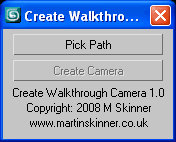
Pick Path - Pick the path you want your camera to follow.
Create Camera - Creates a camera which moves along chosen path.
It's as simple as that! Pick your path then create your camera - done.