Tagged 'performance'

Master Scene Cleanup (Empty Nodes, Zombie Tracks & Memory Flush)

0 votes

Master Scene Cleanup is a single-dialog utility that bundles four common 3ds Max scene-maintenance tasks into one toolbar button. Bloated .max files, mysterious slowdowns, and inflated save times are often caused by leftover empty geometry, dormant Track View managers ("zombie tracks"), and unflushed memory — this script targets all of them in one pass, with checkboxes so you can pick exactly which operations to run.
What it cleans:

EIndicator

3 votes

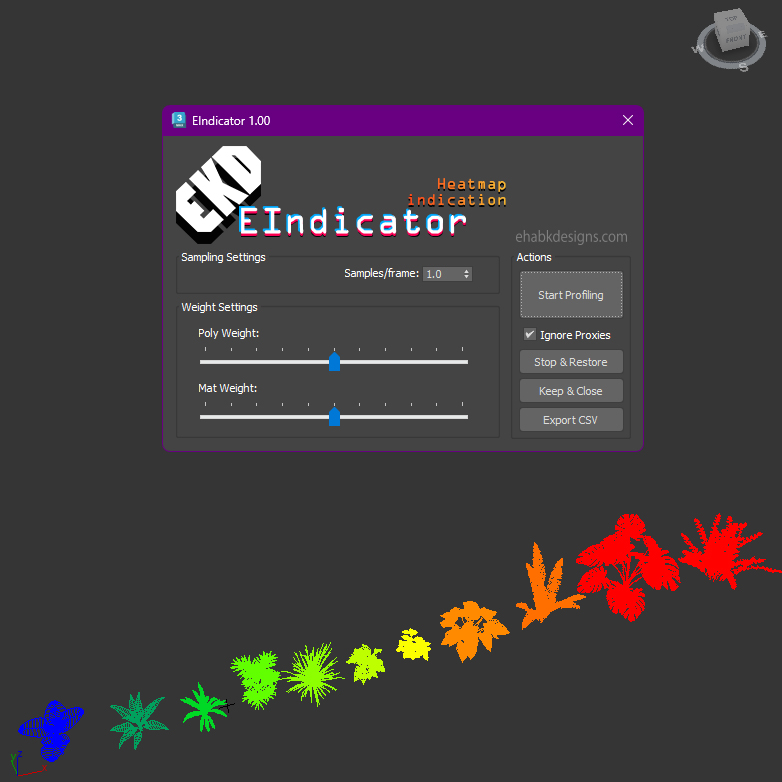
Introducing the EIndicator:
An advanced performance analysis tool designed for Autodesk 3ds Max versions 2020 through 2024. This script empowers users to evaluate and visualize scene performance by analyzing polygon counts and material complexities.

EIndicator UI

Key features include:

Display As Box

5 votes


This is a very small, but useful script for 3ds Max. It can increase the performance of the viewport by showing all objects in the scene as a box, except the selected objects. So you can see the selected objects normally and you can work on it.

Bug report: [email protected]

Version info:

1.0 (2013. Apr 30.) First release.

Max viewport performance enhancer

0 votes

**HOTFIX 2019.1.1 FIXT THIS ISSUE, NO NEED FOR THIS SCRIPT**

This script was made to fix the poor performance of the 3ds max 2019.1 viewport.
It accomplishes this by adding a mesh select to every geometry object in the scene. By doing so you will see a improvement by about 1000% depended on which graphics card is in the system.

*forest pack is not supported, you will need to manually delete the modifier from the forrest pack

made by www.jenshaerssens.com commissioned by www.BELLY.BE

Syndicate content