Simple, free script which selects edge „loops” by minimum angle rule.

Script
By Tamyl · Credited author: Kamil Małagowski · 2014-12-18
Simple, free script which selects edge „loops” by minimum angle rule.
 KoTTBarsik · 2020-04-23
Ребят скиньте скрипт, а то там регаться надо.
Можно все FREE с km-3d, если не жалко.
sc2proton@yandex.ru
Заранее спасибо!
Bugs :(
 Nik · 2014-12-23
Когда я добавляю скрипт в папку Plugins, то начинаются глюки во viewport.
Это происходит при открытии сцены.
Некоторые объекты не отображаются. Это точно проверено.
Происходит из-за этого плагина Пробовал убирать, потом добавлять скрипт в Plugins.
Объекты в сцене присутствуют, но не отображаются.
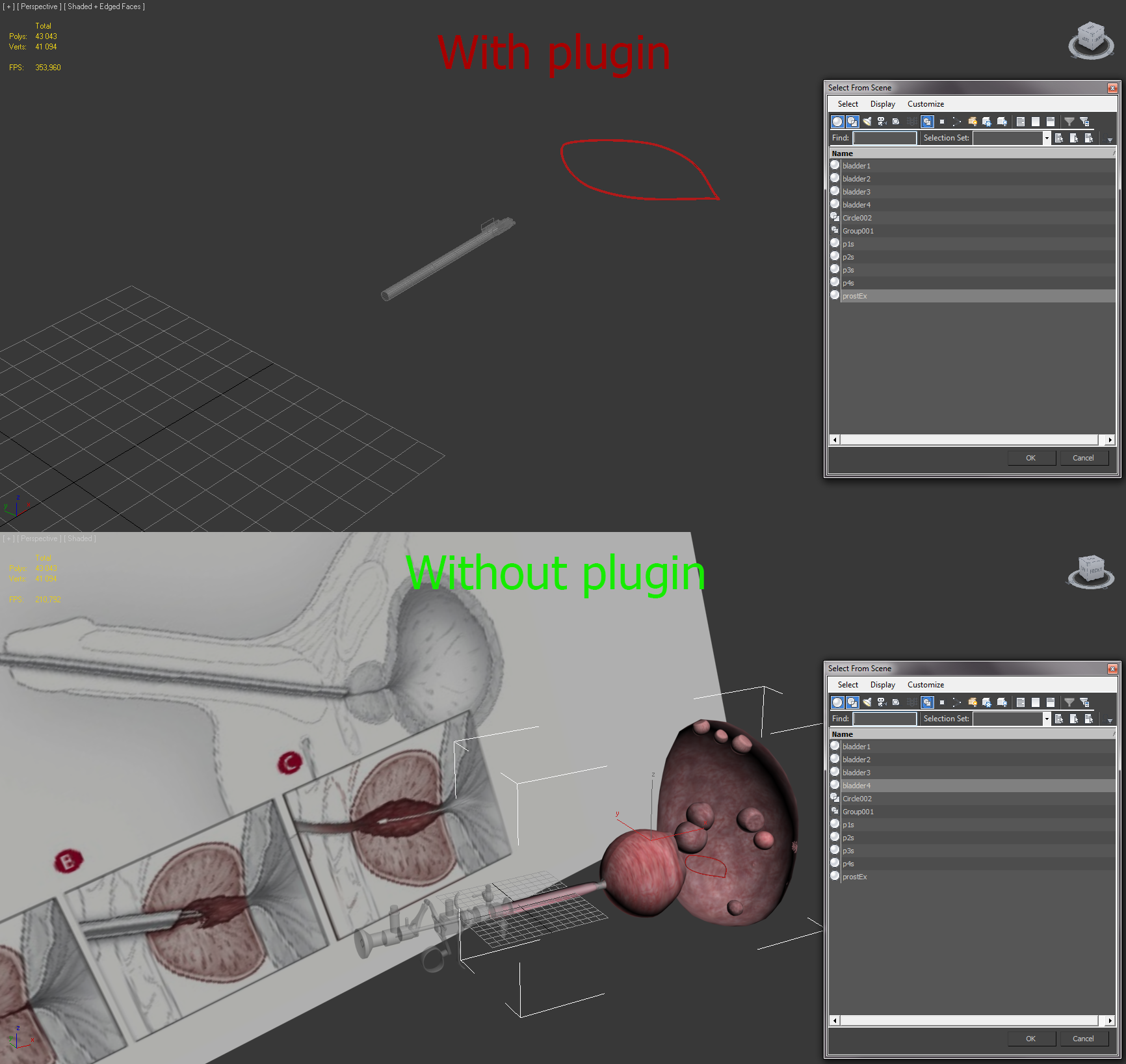
На скриншотах показано то что есть с плагином и как должно быть без него.
3dsmax 2012
When I add a script to a folder Plugins, then begin glitches in the viewport.
This happens when opening scene.
Some objects are not displayed. This is exactly verified.
Is due to this plugin Tried to remove, and then add the script to Plugins.
Objects present in the scene, but not displayed.
The screenshots shown that there is with plugin and how scene should be without plugin.
3dsmax 2012

Tamyl · 2014-12-24
I don't really know the reason why this little thing can do such bug in viewport, it's just a simple callback to add custom rollout.
May be...?
Nik · 2014-12-24
Может реализуете на другом интерфейсе?
Например как Weld Max-а , который можно и с Хоткея вызвать и настроить control the Caddy
Can implement on a different interface?
For example as Weld of Max, which can cause with hotkeys and adjust control the Caddy

 airbrush · 2015-01-05
I agree, different interface. Something that can be hotkey/quad menu/etc instead of the custom rollout.
Rectificacion
 jmmozos · 2014-12-21
If listed but above selection
forgiveness
Tamyl · 2014-12-22
You can drag your new rollout and place it under Selection, once you do it you'll have it always on that place.
not listed
jmmozos · 2014-12-21
I feel the same that has airbrush, I have Max 2014.
Regards
airbrush · 2014-12-19
dropped file into here, but does not show in my command panel.
C:\Program Files\Autodesk\3ds Max 2015\plugins
read me says plugins folder...does it need to go somewhere else?
Tamyl · 2014-12-19
Restart max, convert something to Editable_Poly, you should have the custom rollout, most likely at the bottom, but you can move (by dragging) the rollout just under the "Selection" rollout, once you do it it will be always on your position.

airbrush · 2014-12-19
did all of those things already, restarted, rebooted, converted to poly....no custom rollout for me....
Tamyl · 2014-12-19
That's interesting... Could you email me? I'd like to know what the problem is and try to solve it.
mail: kamil@km-3d.com
Афигительно! Stunned!
Nik · 2014-12-19
Да это же должно бы быть стандартными инструментами 3dsMax.
Странно, что это не сделал Autodesk.
Спасибо!
__________________________________________________________
This is supposed to be would a standard tools 3dsMax.
It is strange that it not made Autodesk.
Thank so much!
 luxxeon · 2014-12-18
Well done! Definitely very handy.
+1
 barigazy · 2014-12-18
Interesting solution for very common problem.
Nicely done.
Cheers!