ScriptSpot

Script

Branchy

By MarTroYx · Credited author: Martin Dufour · 2009-12-07

Version
1.96
Version requirement
2008
Date updated
2011-06-02
Votes
68
Description

Hi everyone,
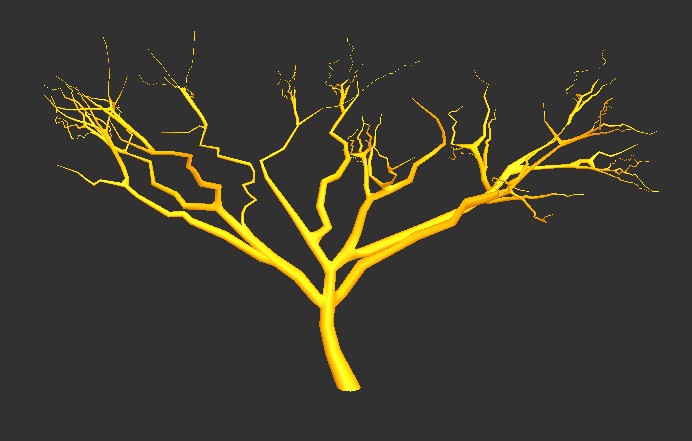
this is my new script...it generate missing connection in between individual spline and also come with a tree generator as a bonus :-)

Version Histories : ---------------------------------------

0.804.07-->first initial release.

0.804.12-->some minor fix.

0.804.12-->speed improvement while in interactive mode.

0.804.18-->fixed autogen state not updating on disable.

0.804.18-->fixed autoclean that disabled autogen instead of autoclean.(oups...I must stop coffee for a while :-)

0.804.18-->added ini settings.

0.804.18-->fixed a bug with the 2 reset button.

0.804.18-->added better macroScript install.

0.804.19-->fixed a bug with ini settings.

0.804.20-->increased internal weld distance for the generated root branch.(failed most of the time in 32bit)

0.804.20-->pivot of generated splines is now set to the position of their first vertex, to allow better manual adjustment.

0.804.20-->some build speed improvement.

0.804.30-->fixed a possible resize bug, that I introduced by mistake in version 0.804.20

0.804.30-->added optional relax step for the connection border.

0.804.30-->re-enabled # sides selection, this parameter wont be saved.

0.804.42-->changed the reset seek distance to 30.

0.804.42-->fixed relax spinner error.

0.804.42-->increased minimum heap to 128 ...still it crash with large number of branch. I have no clue as to why at this point, they seam to be no memory leak...it's really is a dead end I told you :-(

0.804.42-->removed second stage weld as it's not really helping I think...let me know if you see degrade in connection quality.

0.805.01-->added step mode, so that the user can break out, without having to kill the 3dsmax process.

0.805.01-->reset, now reset the relax value as well.

0.805.01-->some good speed optimization for the connect process...but it still crash $%$%$#

0.805.02-->oups, posted the debug ;-)

0.805.23-->fixed the crash bug. it was a design flaw and not really 3dsmax fault...but anyway now it gone for good :-)

0.805.23-->fixed spinner misalignment.(just figured this out when I tested under max2009)

0.805.23-->some other tweak.

0.806.01-->tweaked the resize function, it should fail less often.

0.806.01-->script now reject spline with less than 3 vertex to prevent crash.

0.807.27-->mostly generator improvement...too much to list here :-)

0.811.65-->added missing parameter to the generator reset button.

0.811.65-->fixed resize function, should not fail anymore.

0.811.65-->+\- 500% speed increase for first connect step.

0.811.65-->added system max supported connection, script will warn if you try to build pass that number.

0.811.65-->added build time, failed connection and out of range connection to the summary section.

0.811.65-->added spinner to control final face smooth angle.

0.811.65-->improved the branch orientation for the generator.

0.811.65-->added per iteration skip connection.

0.811.65-->lot of other tweak.

0.812.01-->tweaked distance from root for the split option, should help for overlapping connection but I still need to work on this !

0.812.01-->added tab for the different ui section.

0.812.01-->added serial activation methods.

0.812.01-->script now use "Base size" as value for the constant resize mode.

0.812.01-->added preset import/export.

0.812.01-->tweaked the seed for secondary branch.

0.812.01-->added skip for Command Panel check on script start. To enable, declare : ( global BranchySkipCheck=1 ) before you start the script.

0.812.01-->script now accept 2 vertex spline since I do not remove the end vertex anymore.

0.812.01-->added two little func I needed to the advanced tab.

0.812.02-->....humm well we wont talk about this version too much :-(

0.812.03-->Fixed the relax function with an auto-relax function based on branch size, so now relax value serve as an additional relax amount.

0.812.03-->Fixed the relax potential crash.

0.812.04-->Autorelax function now use relax spinner value instead of the forced 1.0 value in 0.812.03.

0.812.04-->Critical Update :: Fixed No ""-"" function for undefined when using relax.(introduced in 0.812.03)

0.812.04-->SystemMax progressbar now display the correct ratio.

0.812.28-->Added connection interpolation.

0.812.28-->Added Branch parenting functionality.

0.812.28-->Fixed initialization error.

0.812.28-->Added a new Connect mode.

0.812.28-->lot of other tweak.

0.812.29-->Fixed resize when using the new interpolation mode.

0.812.29-->Added DoubleWeld for the new connect mode.(ini setting, Default:false)

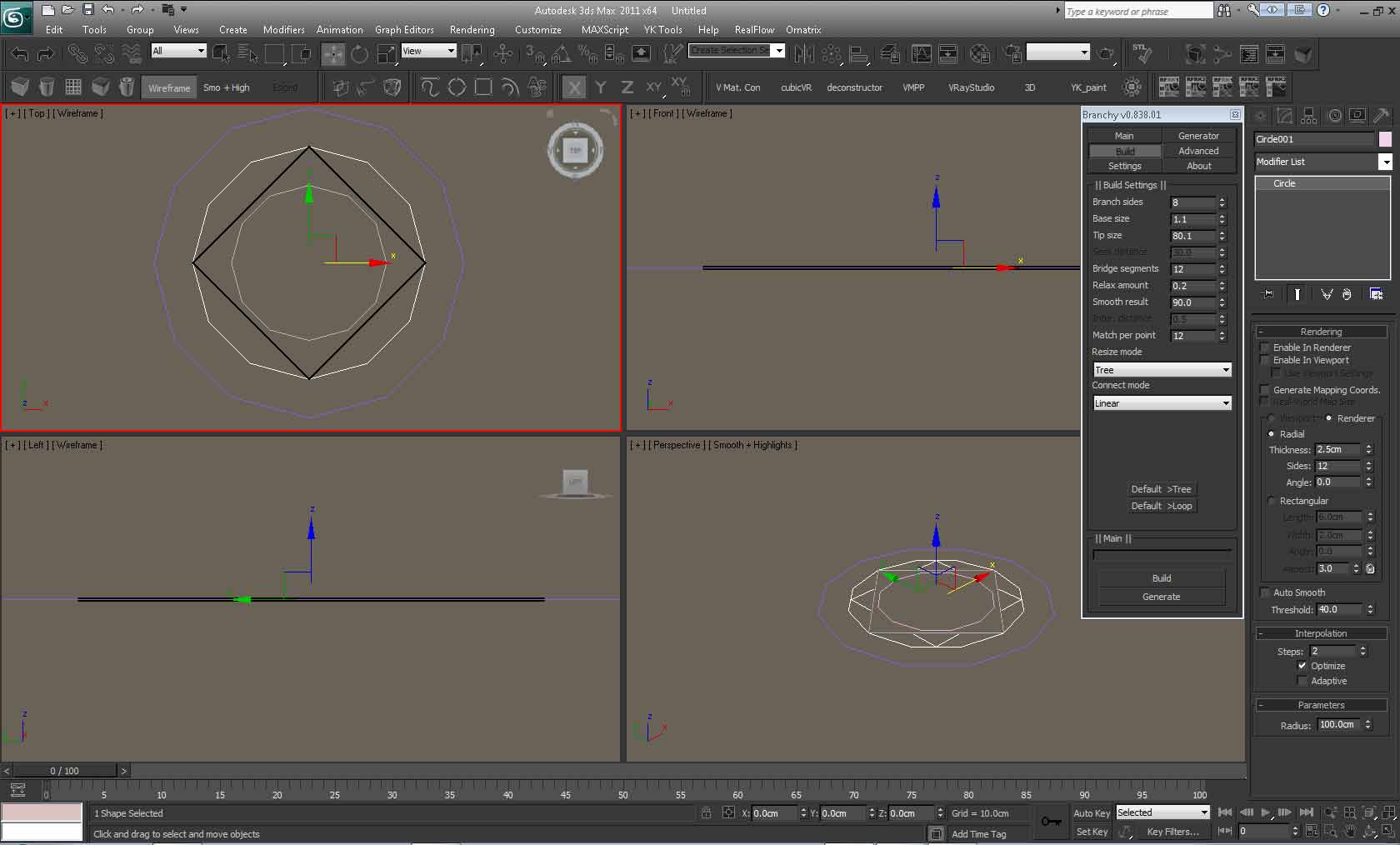
0.836.51-->complete rewrite of the infinite connect mode.

0.836.51-->fixed the linear connect mode(it no longer crash with large amount of branchs.)

0.836.51-->the Script will no longer disappear in vista/win7 as this was not really helping, in fact, it seam to be some bug with directx, the only way I know where you won't lose viewport redraw, is to switch viewport rendering to opengl.

0.836.51-->added skip Intermediate pos for the infinite connect mode.

0.836.51-->added average connection for the infinite connect mode.(should work well with tree, but you may need to disable it and use seek distance instead for circular connection)

0.836.51-->added self connect for the infinite connect mode.(this allow all points to be connected)

0.836.51-->added match per point for the infinite connect mode.(this set own many connections each point can have)

0.836.51-->fixed a bug where the script was unable to get the user MAC address.

0.836.51-->fixed a bug with the timestamps.(showed 'hrs' extension instead of 'min')

0.836.51-->added a new default button for the Infinite connect mode.

0.836.51-->fixed, relax was set to origin instead of target.(0.824.02)

0.836.51-->fixed, hole size was set to origin instead of target.(0.824.02)

0.836.51-->added an option to automatically switch to summary when the connect is finished.

0.836.51-->Improved the divergence parameter of the generator.

0.836.51-->Improved the Branch distribution/orientation of the generator.

0.836.51-->Improved the distance offset of the generator, use a value near the max branch size for best result.

0.836.51-->added Attach Only/None connect mode for faster preview.

0.836.51-->Seek distance is now used only for infinite mode, it have no effect on linear mode.

0.836.51-->some other tweak.

0.836.53-->fixed a bug with infinite mode(default value was not set, causing it to fail most of the time)

0.836.53-->improved MAC address getting but it hard to tell if it will work on non English OS.

0.838.01-->fixed the timestamp.

0.838.01-->fixed a bug(vertex index out of range) with linear mode when the pos to be connected was too close from border compared to it's size.(it still may create a little mess near the border when it happen)

0.838.01-->rewrite of the linear connect mode with speed/precission in mind.(I don't think I could speed it more than this :-)

0.838.01-->added 'InternalSearchRange' setting to the ini file to control the internal search range of the linear mode, the higher the slower.(Default:5.0)

0.838.01-->unlocked for max2011, I don't have it so can't really tell if it will work ...can someone confirm it to me ???

0.838.01-->added a new demo mode so that anyone can try it, note that the new infinite mode is only available to registered user...Cheer :-)


---------------------------------------

Videos
Attachments

Tags: modeling, spline, generator, Trees

Comments (115)

hello, i think i can use this as a road tool with branching.

crystal3d · 2012-05-02

suppose i use 4 sided meshes , but wonder if it will handle elevated road lines properly, guess i will have to find out :)

thanks for the contribution!

MarTroYx · 2012-05-01

Hi Yuji,
I suppose you are talking about the version 0.838 because the new version was not version checked!
I've uploaded a new version without the version check and I also fixed another bug that prevented the rollout from getting a pointer to itself that was mentioned by someone else.

let me know if it does work in 2012 because i can't test it here !

Regard,
Martin

Yuji · 2012-05-01

Does nothing for me. Max 2012 64 bit, any instructions maybe I'm doing it wrong?

lordraidis · 2012-03-17

Ok, new issue here...

The polygen tool appears to not be working correctly. It generates all the spline trees just fine on each face, but when I hit the "build" button it goes through all the motions but only generates one tree, and ignores all the other splines. Suggestions?

lordraidis · 2012-03-17

ok, i think i found the problem--i was running the install script in administration mode, so i simply deactivated it re-ran the branchy install in regular mode...... presto! not sure if that was the real source of the problem but it worked at any rate.

lordraidis · 2012-03-16

i'm still having trouble authorizing this... any suggestions?

MarTroYx · 2011-06-03

Here The new update ... I'm almost finished with the connection ....but still there is some inversion that I need to find, but the good new is that I don't use the bridge anymore so it is way faster :-)

anyway ... have fun !
Martin

MarTroYx · 2011-04-21

Oups, just fixed a little bug :-)

Welcome everyone !I was

MarTroYx · 2011-04-21

Welcome everyone !

I was getting so nostalgic about maxscript since my last post that I through I'll do some to remember me

of the good old day. I did'nt even opened 3dsmax for almost a year, since, well since branchy :-)

so I ended up rewriting branchy from scratch ...that true, all brand new :-)

you will notice a couple of new thing in this version that I need to talk about.

first, the tree generator from the old version has been removed as I wanted to focus more

on the infinite connect mode that was not working. I also removed the function from the advanced

panel ... those thing has been removed and I don't think I going to reimplement them back.

second, there's still a bug with the connect that appear when using more than a match per point.

I know why but this would require quite a bit of change ... I'll fix this asap !

and last let talk about some the interface element ...

1 : the set as root button does nothing for now, it will be used on more advanced resize mode later on.

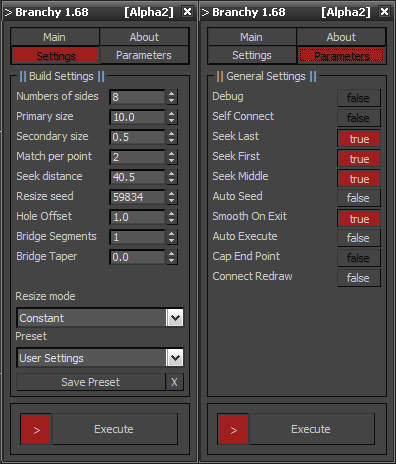
2 : the ">" button just say that you want the script to rescan the entire scene every time you press the execute button.

3 : when you notice bad connection play with the seek distance that may get you to the result you want.

that it for now, I think all the other function a prety self explanatory.

if you have any question or want to report a bug, please feel free to ask.

Have fun,

Martin

MarTroYx · 2011-04-15

ok, here it is , I could'nt find exactly the original one but I think this is as close as it get !
anyway , this version is only for those with activation problem , because this one has'nt been fully tested.
I think I was messing with the spline gathering at this time , so expect some strange thing :-)

Have fun,
Martin

MarTroYx · 2011-04-15

Hi aknishtha,
This is strange issue indeed ... does the button are grayed out ?
if not then maybe you could contact your system admin they may have something locked up on your computer, in the meantime I may try to find some time to release an unlocked version as this is obiviouly causing lot of trouble.

Best regard !
Martin

aknishtha · 2011-04-15

Sorry guys but I can't do the authorization :( When I'm clicking request nothing is happening, Activate is not working either.

MarTroYx · 2011-04-12

heee ... I could'nt have said it beter ...thank marelealb77 :-)

installation...

marelealb77 · 2011-04-12

1.copy@paste Branchy_0_838_01.mse to C:\Program Files\Autodesk\3ds Max 2010\Scripts
2.open max>max script>run script and pick Branchy_install.ms
3.pick Branchy_0_838_01.mse and click on Save
4.run branchy_keygen.mse
5.open Branchy
Name:whatever
Last Name:whatever
Company:whatever
6.click on Request and copy the date from requst page to paste in keygen (first name, last name, mac, computerName and From to)
7.click on Generate and paste in Serial# and Activate
DONE

Attachments

MarTroYx · 2011-04-08

Hi guy, not sure what the problem youre exeriencing ... did you fill all the field in the keygen including the email one ???

Activation??? 3ds max 2011

ronyy · 2011-04-05

hey great script, i m having the same problem as alek3tt
i click activate after generating the serial and nothing happens

keep it up

alek3tt · 2010-12-11

Hi. Great script :)

I do not understand. Is this commercial script or free? I've tryed to use keygen.mse but didn't work. I click on autorize and nothing happens. Only when I type in demo demo demo 12345 it works?

MarTroYx · 2010-10-18

"I can not activate it. macaddress is correct. Why might this be? Thanks"

When you press the request button, do the script return 'invalid macaddress' in the mac field, if so then use
the second key generated by the keygen, the one with the 'unlocked' word ... that's really all I can think of :-)

Best regard,
Martin

Chappell · 2010-09-25

Cool script!! but cant run it either

MarTroYx · 2010-07-30

I Just figured out a bug with the default>loop button , it doesn't activate the seek distance button, so you have to go to the setting page first and check/uncheck the average dist. button in order to be able to use it !

prodeind · 2010-07-30

Hi Martin,

I have tried it, still the same, no luck!
will try it tomorrow, Thanks.

MarTroYx · 2010-07-30

Unfortunately, I didn't save the scene ..it was recorded on the fly :-)
but you should be able to reproduce it by making some circle .. think I scaled them if I remember and using the
defaul>loop button then play with the parameter from there !!

MarTroYx · 2010-07-30

humm ! well I think inter distance was only used for the linear mode if I remember well ... also you can't expect too much from the infinite mode as it was kind of unfinished and I doubt it will ever be since current code is cpp and none of this remain !

so well, you have to play with the settings to find out which one work best and I wouldn't use infinite mode at all :-)
MArtin

prodeind · 2010-07-30

Thank Martin,

I will play with it for the time being, at the same time, do you have the demo file for the first video you post. the one that connects like a web. it will be nice to start with your setting. so that we can under a bit better. Thank.

MarTroYx · 2010-07-30

you need to delete the .ini file located in the save directory as the main script file in order to update the license information or you can manually enter them by editing the file in notepad or some txt editor if you want to keep your previous settings :-)

hope this help,
Martin

prodeind · 2010-07-30

Hi Martin,

Thanks for your speedy rely, i have register with new keygen LIC.
However the Seek direction and inter distance can not be control, or adjust.
Is there any setting which i over look, can you please hightlight me, Thank.

Attachments

MarTroYx · 2010-07-30

Hi prodeind,

this version is free to use :-)
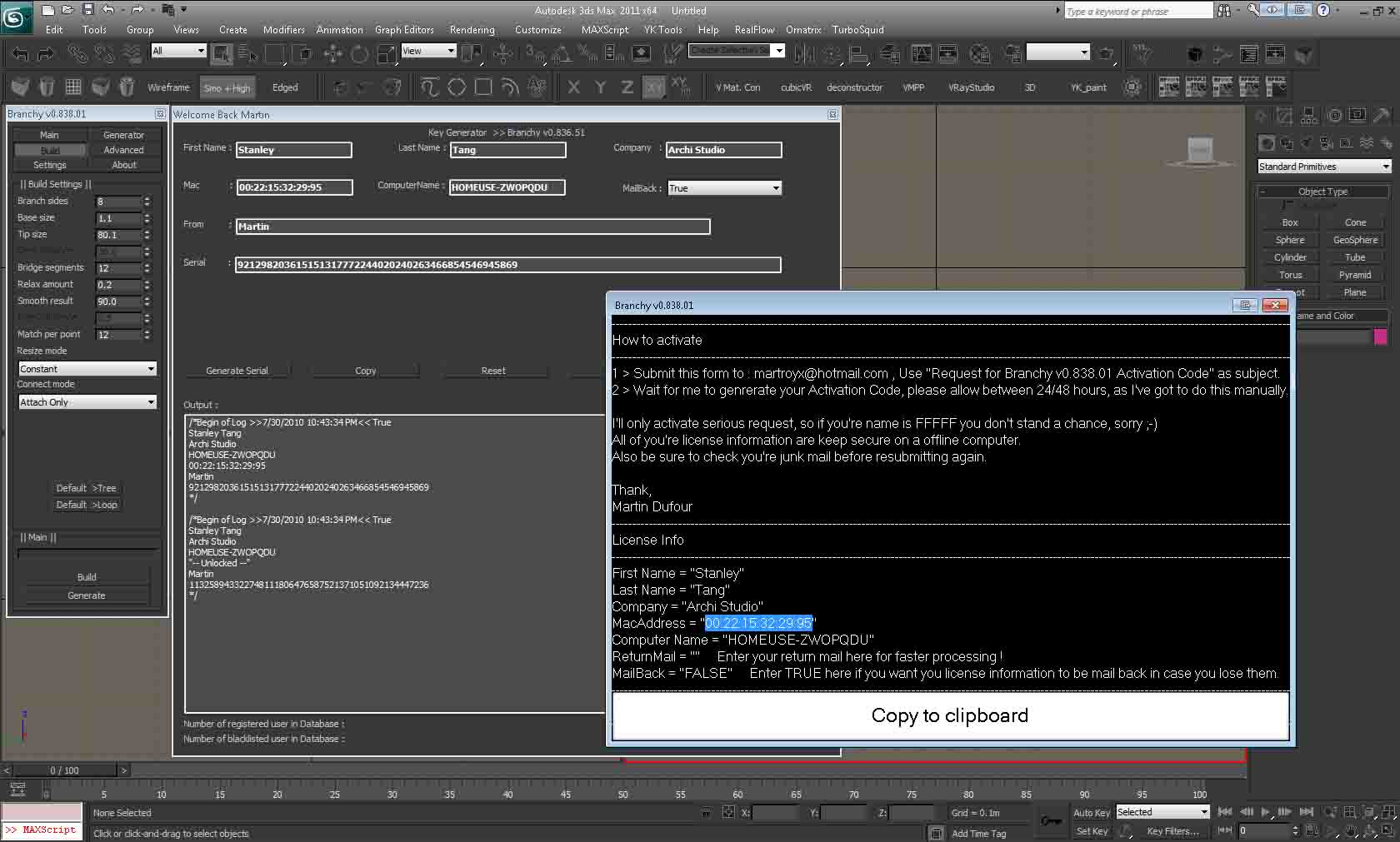
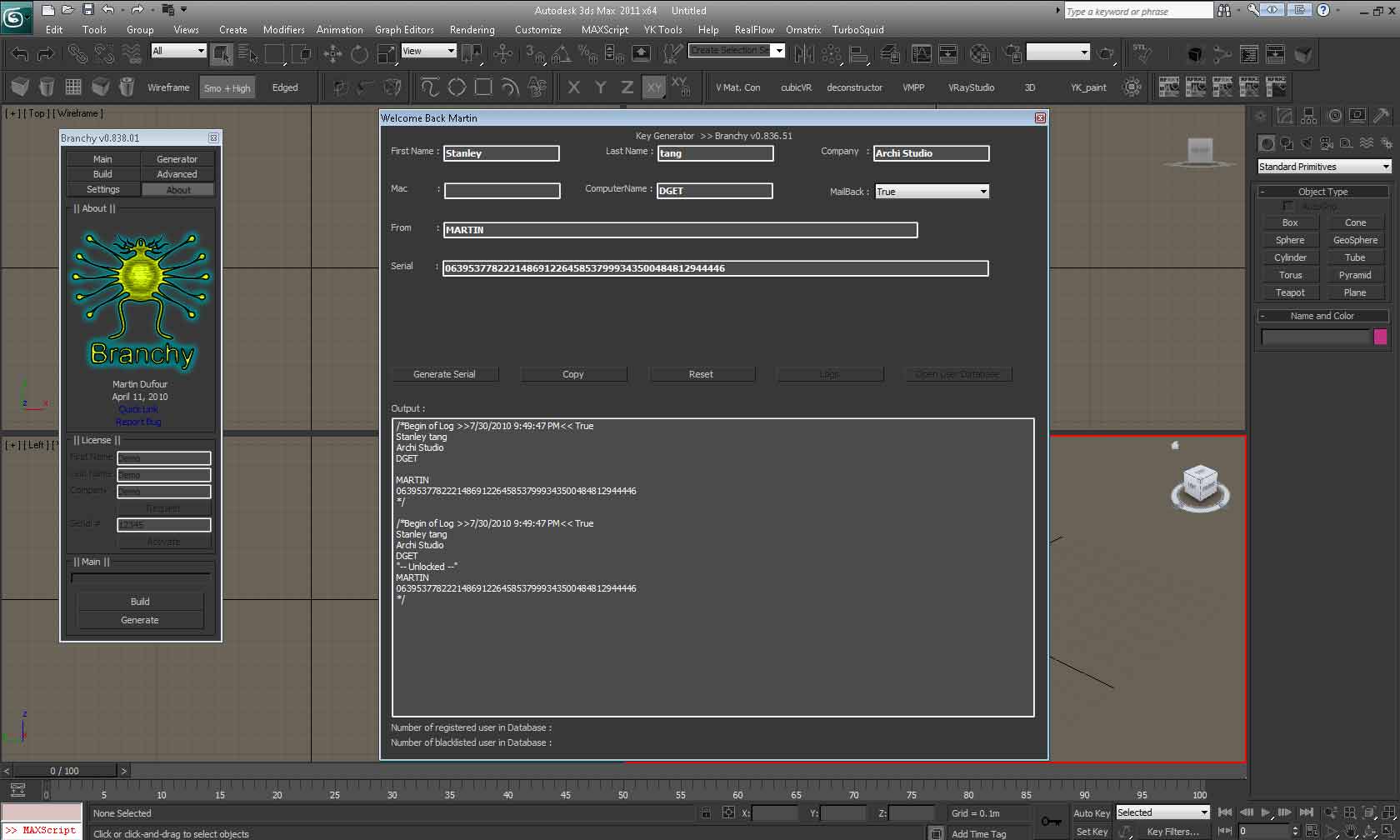
I posted the keygen so that anyone can activate it ...was a bit tired of manually generating this ... it will generate two serial, one for the node locked license and one unlocked, that's the one you should use, if the script return an invalid macaddress !

cheer :-)
Martin

prodeind · 2010-07-30

Hi Martin,

I am unable to "re-activate" after the demo lic input.
i have deleted and reinstall, but just could not re enter the new lic for the keygen.

Attachments

Can't activate

Avium · 2010-10-15

I can not activate it. macaddress is correct. Why might this be? Thanks

prodeind · 2010-07-30

Hi Martin,

I have downloaded your Branchy, installed in Max 2011 64.
with your demo lic, and i could not request for license after that.

Can you provide me with more infor regarding the price and the settings.
stanley@thearchistudio.com

MarTroYx · 2010-04-09

I just realized that I messed up the timestamp while fixing the min/hrs bug, so no need to report this one :-)

Martin

MarTroYx · 2010-04-09

here the new version, cheer :-)

MarTroYx · 2010-03-27

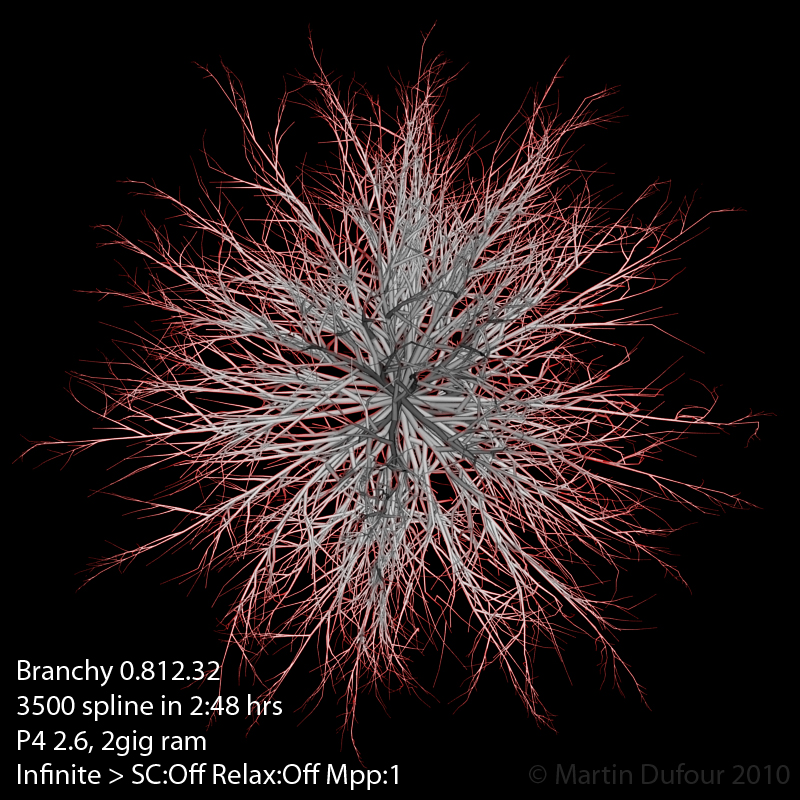
just posted a preview of the new mode at the top, that was my goal for the second connect mode but it still does nt always work well :-)

MarTroYx · 2010-03-26

Hi everyone,
here a little preview of the improvement I made for next release, I rewrite the entire infinite mode so now it will handle pretty much anything you throw at it :-)

Cheer,
Martin

Attachments

MarTroYx · 2010-03-26

Thank cmoseraser :-)

cmoseraser · 2010-03-26

thank You For Script....Sur :)

asymptote · 2010-03-23

Ok.. my bad, I keep my command panel on second monitor.
Working now, and request sent...thx for the help.

MarTroYx · 2010-03-23

seam the new mode may come to a deadlock, that's why I tagged it as Beta, seam related to the seek distance, so be sure to set the seek value height enough!

MarTroYx · 2010-03-23

Fixed the initialization error, just hope it won't screw up the already activated one but if that's the case just resubmit and I'll update you're license information ... Sorry for any incovenience :-(

asymptote ::
yes, this has already been discussed here if you search this page but basically you need to have your command panel attached for the script to start ... there's now a check integrated to skip this part but I wouldn't recommend using it!

Thank, Hope this one work :-)
Martin

asymptote · 2010-03-22

Thx MarTroYx , all I get in the listener is this error code.....

>Branchy exit : Error ##01##

MarTroYx · 2010-03-21

Through it was going to crash at last but finally everything when fine and even more, not a single failed connection but I'm pretty sure I was lucky :-)

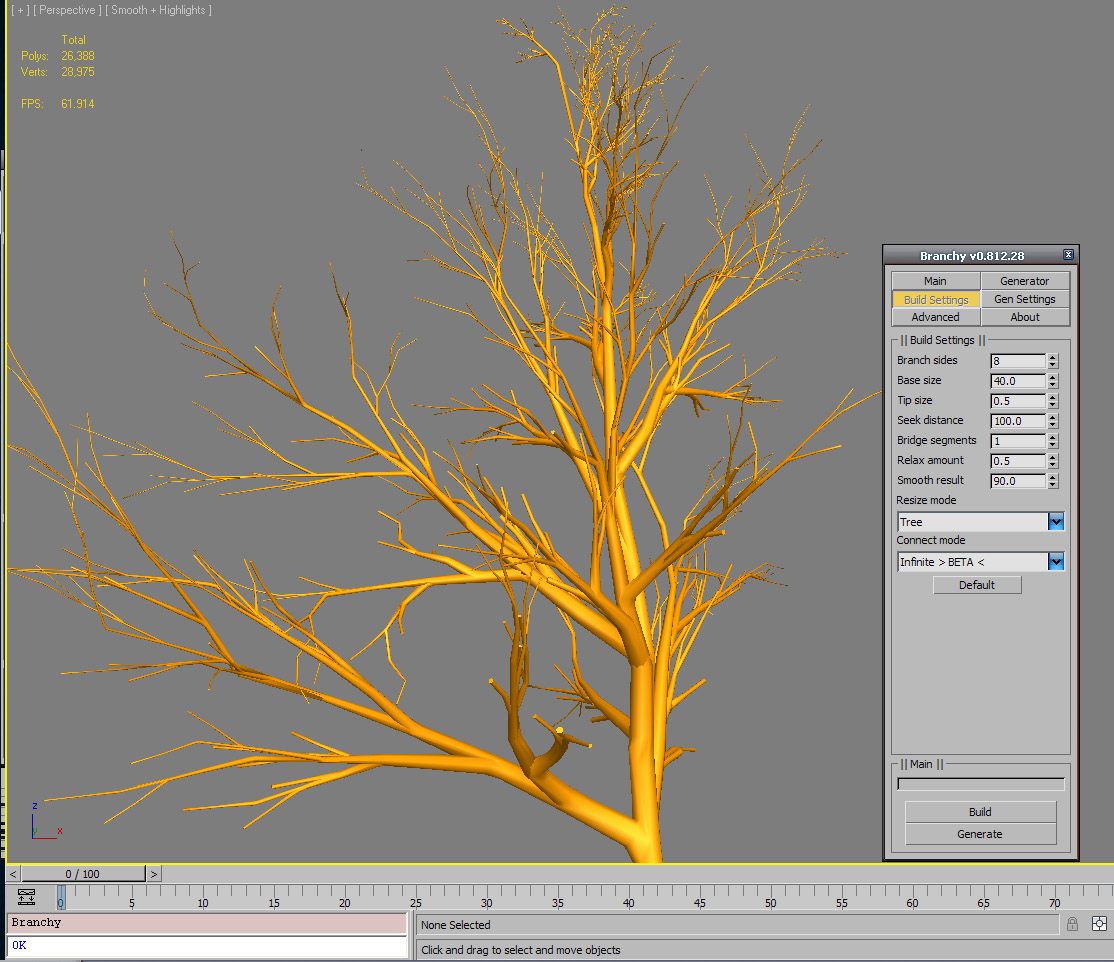
here a screenshot of the first entire tree generated with new mode , it doesn't have new interpolate mode applied to it since there's still some mess up in the index that I need to find !

but at least, I'm happy to finally see it work :-)

Attachments

MarTroYx · 2010-03-21

I'm connecting 1000 branch tree with new mode right now, if it succeed then it will mean it's better than last one since I could not get pass 500 on last one no matter what, it crashed with no error, plain and simple...

MarTroYx · 2010-03-21

Hi asymptote,

must say I haven't done intensive testing under 2010 32bit but should definitely work , if the script don't start, it should say why in your listener ...unless it's an unexpected error :-)

please report output from listener so I can help you better.

as a side note, I'm working on totally new connection mode , which should be ready soon , just some more bug to fix :-)

best regard,
Martin

asymptote · 2010-03-21

Should this work in Max 2010 ? (32 bit) It installs but when i click button there is a delay and nothing happens...macroscript of the button looks like this....

macroScript Branchy category:"MarTroYx" tooltip:"Branchy, generate random tree" Icon:#("Systems", 3)
(
fileIn "D:\Program Files\Autodesk\3ds Max 2010\Scripts\Branchy_0_812_04.mse"
)

Any suggestions ?

Thanks...very cool script I used your older version in max 2009 no problems.

W DIGITAL · 2010-03-17

too much glow :)

MarTroYx · 2010-03-17

Hi avade,
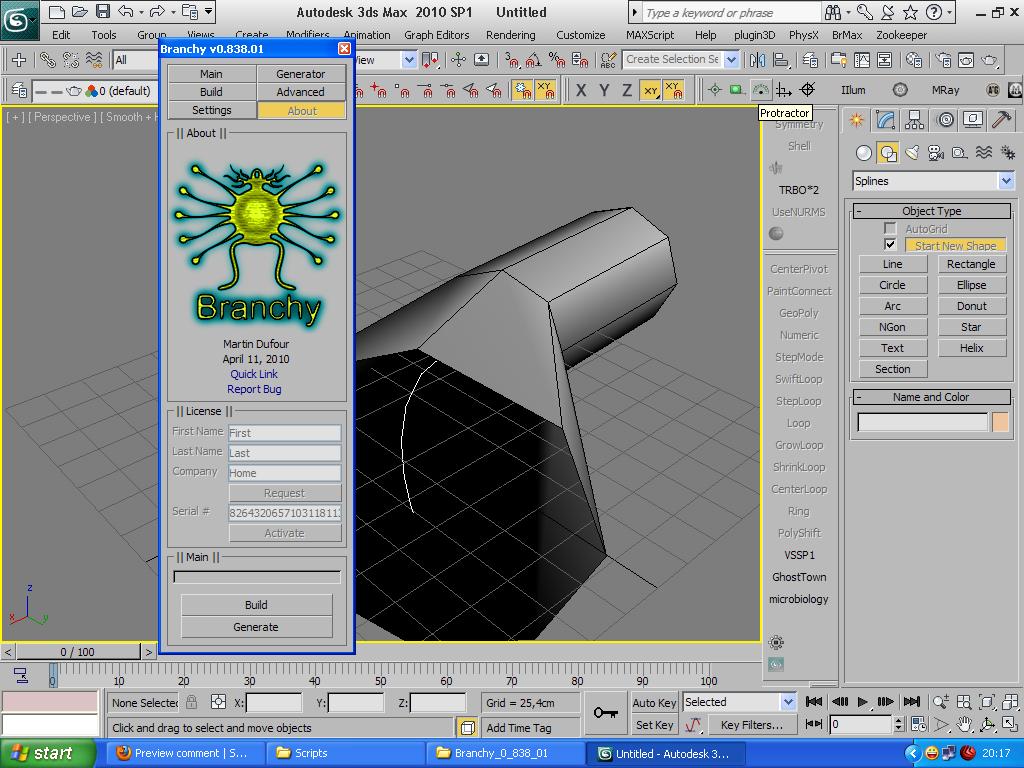
you need to register first from the about tab, fill in first 3 field then hit register and follow on screen instruction.

regard,
Martin

avade · 2010-03-17

Hi,
your script looks great but i don't understand how to use it, nothing is available.
Thanks

MarTroYx · 2010-03-14

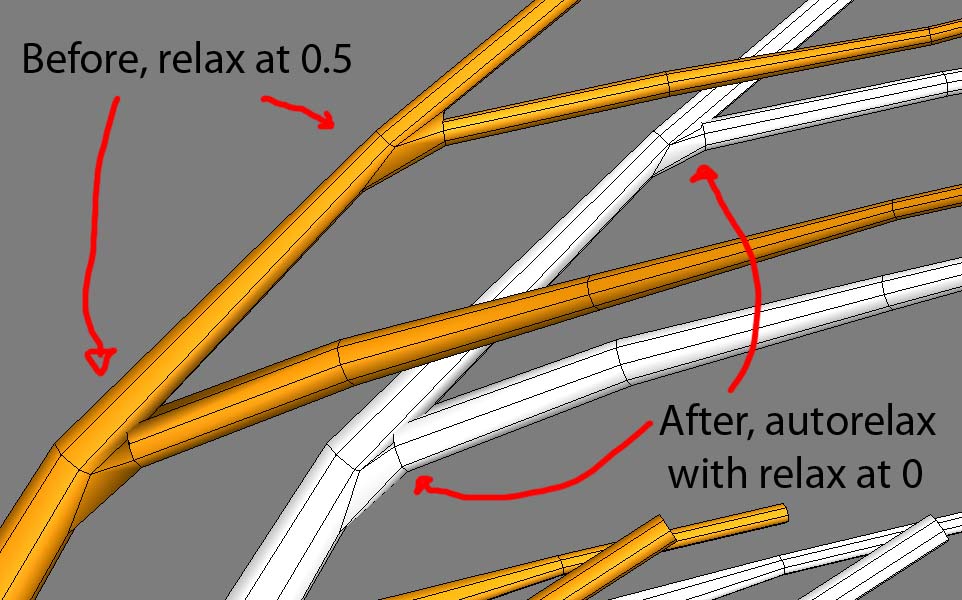
Added auto-relax in this version, what it does is that it apply maximum relax amount to the branch that have radius of the max size and no relax at all to branch with radius of tip size.

now the relax amount serve as additional relax amount you want but since it no easy to explain I made this little before/after :-)

Attachments

MarTroYx · 2010-03-14

Ho my , just figured out that I'm doing the exact same thing but in a different way so it could still crash, but it's present since the relax function was added so no worry :-)

MarTroYx · 2010-03-14

Updated ... in case anyone worry about license info not gonna change until final 1.0 ...cheer :-)

as for the update, in a particular state it could have lead to a crash but I don't think anyone could have through of doing this ...but anyway :-)

MarTroYx · 2010-03-14

"Cool , mystic logo!"
Yes I think I do like this one better but I decided to make it green since it tree and all :-)

MarTroYx · 2010-03-14

just found a bug this morning, well nothing that make it crash but should improve connect open size overall I'll post a fix later on :-)

Kstudio · 2010-03-14

Cool , mystic logo!

MarTroYx · 2010-03-14

He he yes , I think it was actually better before I photoshop it, what do you think? :-)

Attachments

Kstudio · 2010-03-14

>>>hope you like the new logo

Cute octopus :)

MarTroYx · 2010-03-13

Hey Gab,
almost forget to ask you, what did you use for you're tree foliage ... you composited this, right ?
I was thinking it was a photograph at fist, or is it? :-)

MarTroYx · 2010-03-13

Thank guy :-)
the goal of the breakpoly on advanced page is to get some sort of "cage" like connection but for now it doesn't work well since I need to modify main function so that it can connect everything also the parent branch is still not finished, that's what I'm working on right now !

Matyrix · 2010-03-13

Great script, keep it up!

MarTroYx · 2010-03-13

Thank Track,
hope you like the new logo ... took me almost a day to do it, I made it with my superextruder script :-)

Kstudio · 2010-03-13

Nice work, Martin!

MarTroYx · 2010-03-12

Omg, nice work Gab:-)
I've not even done a final render with it yet, but it's cool to know it can handle the task ... next release will be ready soon by the way :-)

GabrielBeaudin · 2010-03-12

Wow! This script really rocks the house! Connections betwen branches are nice quads. Good for precise work ! I did a Acacia tree...Take look !

Attachments

MarTroYx · 2010-03-05

Hi Deimos,

The command panel check is here to ensure that you're getting maximum speed from the script ...while the script should work without it , user like you, with command panel detached would get lame performance and or bug. I'll try to improve this in next release through :-)

regard,
Martin

Deimos · 2010-03-05

I was getting the same error of "Branchy exit : Error ##01##" and I was able to half-way fix it by reattaching my Command Panel, which I had torn off in order to put it on my second monitor and give me more screen space in Max. Once I reattached the Command Panel the script now starts and works fine once I use the activation procedure.

I am running Max 2010 x64 on Windows 7 x64. It would be nice if it was possible to use this script with the CP detached. Thanks.

MarTroYx · 2010-02-17

traustinn : That error shouldn't happen, could you provide me some more information like OS and do you have the command panel open when you try to launch the script ? ...if not then make sure it is !

phizikl : ...whats the point of activating it everytime?... That's exactly the point, you have to activate every time, remember, it's free :-)

W DIGITAL · 2010-02-16

i just meant, since i "have" the serial now, can i write it inside the script as the first line so i dont have to type it in?

since its not doing anything for protection anymore, whats the point of activating it everytime?

MarTroYx · 2010-02-15

do you get any feedback from the listener when you try to run the script?
there's some issue with custom skin that could prevent the script from starting !

traustinn · 2010-02-16

Hey there .. yes I get this message in the listener:

>Brancy exit : Error ##01##

it's the only thing.

I'm currently using max ame-dark.ui

I switched to ame-light.ui and then the menu popped up but I still couldn't play with it

traustinn · 2010-02-15

I'm running max 2010 64bit and the script won't start at all, any solutions on that?

else pretty impressive script :)

MarTroYx · 2010-02-15

no, because that would negate the whole purpose of this activation methods :-)

W DIGITAL · 2010-02-15

great now it works!
what an encrypted way to start a script :)

can i integrate the listener thing so i dont have to serach for the "serial" everytime? :)

MarTroYx · 2010-02-15

Hi phizikl,
you need to press the "no" button as the last step :-)

regard,
Martin

W DIGITAL · 2010-02-14

i enter unlock code after running script but still doesnt work?

1)run script
2)dialog appears
3)open listener
4)enter: Branchy.sp_LeafStart.range = [-8.2,0,-1.0]
5)press enter
6)nothing happens - everthing grayed out

MarTroYx · 2010-02-06

Hi Waxmodeler,
While the script itself could probably work in max8, it would require me to get rid of any .net in there, use weaker encryption and no max8 to test on ... so I don't think this will be possible. Maybe you should considers switching to a more recent max release! :-(

Best regard,
Martin

Waxmodeler · 2010-02-09

Yeah, of course you are correct about my need to upgrade to a newer version of max. Maybe one day. In the mean time I will dream of that day. God Bless and thanks for your help.

Waxmodeler · 2010-02-06

Great script, the problem is I have version 8 max. Is there any way that I can get this to work in version 8? It would be a blessing indeed.

klon · 2010-02-06

succeeded! :))

thanks

MarTroYx · 2010-02-06

remove the " character from the beginning and the end and evaluate again by pressing numpad enter and it should work... that's why I've said without quote :-)

Martin

klon · 2010-02-06

I can not .. : (((

Attachments

MarTroYx · 2010-02-06

Hi klon,
it's actually easier than it look like :-)

- first start the script.
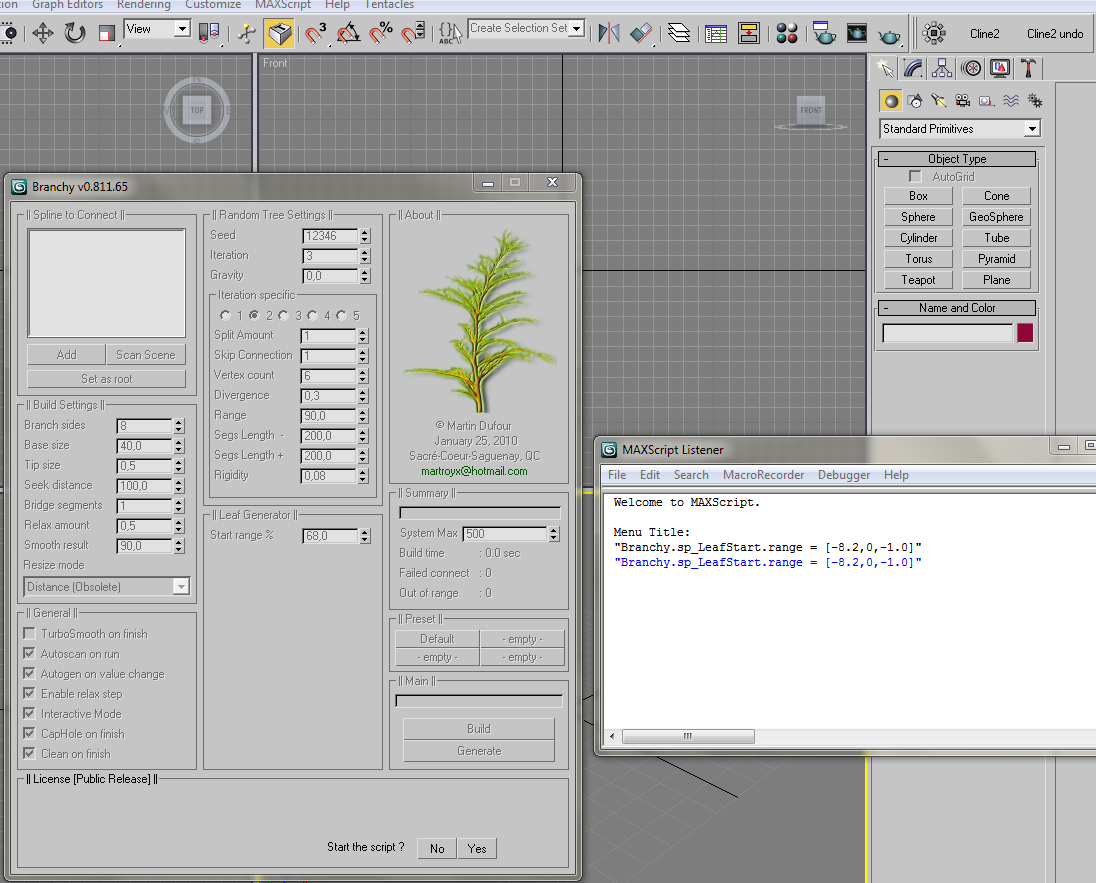
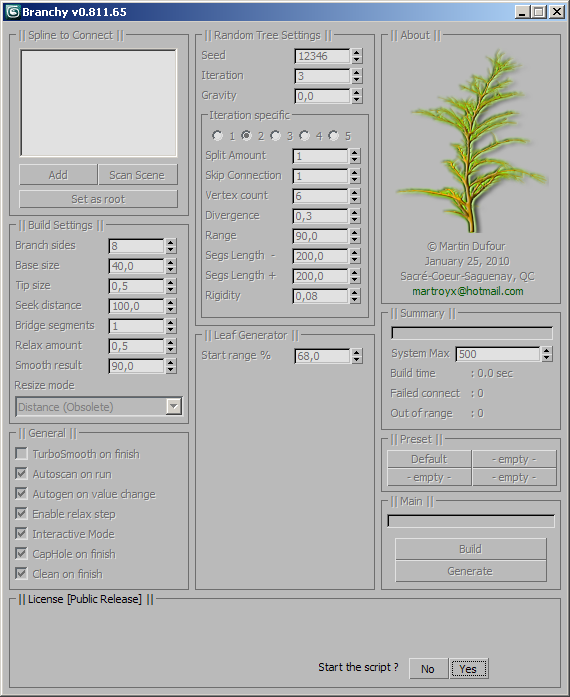
- when you see the yes/no button at the bottom of the script window, open your listener (Maxscript-->listener) and enter the following without quote : "Branchy.sp_LeafStart.range = [-8.2,0,-1.0]" then hit the numpad enter to evaluate...if it worked you should see -1.0 on the spinner that is alone :-)
-last, hit the no button to start using the script.(note that you need to do this every time you start the script)

Hope this sort thing out :-)
Martin

klon · 2010-02-06

Hi Martin
I am still very start, and I do not understand where to enter the unlock code ...
help me in detail?
thanks

(Google translation)

MarTroYx · 2010-02-04

Ho! it would be nice if someone could send me a picture of a level5 tree with high number of branchs because my 3dsmax crash everytime on my computer 😠

MarTroYx · 2010-02-04

Sorry, was a bit in a hurry when I answered you !

I'm glad you where finally able to make it work ... yes, I agree that it may be a unusual activation methods but
it was added very fast at last just to say that it's a public release, so it need a little something annoying :-)

anyway , I'm taking a brake from this script for a while because I was about to go crazy...I'll play some video game for a while :-)

take care and enjoy Branchy :-)
Martin

MarTroYx · 2010-02-03

Hi tioac,
you need to evaluate "Branchy.sp_LeafStart.range = [-8.2,0,-1.0]" without quote in your listener after you started the script, then click the no button and it should start :-)

regard,
Martin

tioac · 2010-02-03

Thanks working fine now!!!

tioac · 2010-02-03

The script dont start why?
Work under Max 2010?
Thanks

Attachments

MarTroYx · 2010-01-27

Oups! sorry, here the correct unlock code : Branchy.sp_LeafStart.range = [-8.2,0,-1.0] this one should work 100% of the time ...was a bit too cruel :-)

MarTroYx · 2010-01-26

Thank kilad :-)

It would be cool if I can know what's the max connection you guy are able to achive ...mine is 500 -750 with 2gig ram , but on another computer with better processor with still 2gig ram I'm able to get between 850 - 1000 !!

kilad · 2010-01-26

Very, very cool mr MarTroYx! :)

MarTroYx · 2010-01-26

Version 811.65 smooth well, even without additional subdivision wich keep poly down ... except when using relax, it tend to connect too wide in that case.

as for snowflow, well can't really tell since it commercial, the ui look nice but I already have a snow script :-)

so next thing I'm gonna work on this one is the leaf ...wich I'm still thinking about how I'll make them :-)

Martin

48design · 2010-01-26

Cool one, thought about something similar these days to have a tree on which SnowFlow can snow on! 😆

A connection (subdivision) just when a branch hits the trunk would prevent the branches to be connected to "smooth". Maybe that's fixed in a release newer to the one in the video... didn't test your script, yet. 😉

MarTroYx · 2010-01-26


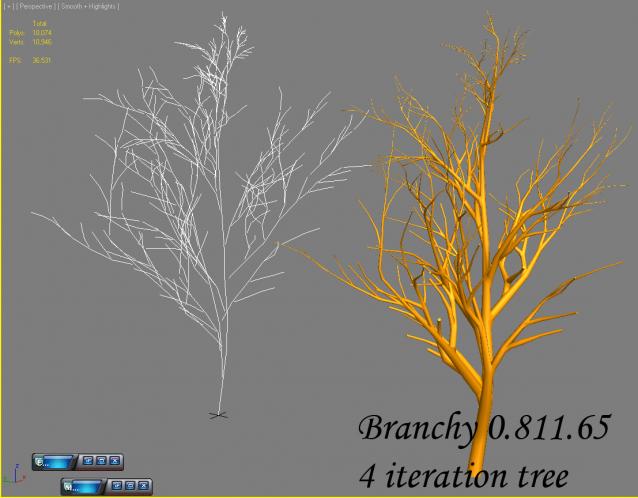
This a tree I just generated with 811.65 you need to rename it to BranchySettings.ini and replace the original one :-)

Martin


Attachments

MarTroYx · 2010-01-26

Ho before I forgot , sometime you may need to delete the .ini file, in working on that issue!

MarTroYx · 2010-01-26

julienm3d, I tried a fix for the error you where getting but not tested under 2009 !

MarTroYx · 2010-01-26

to run the 811.65 version , execute the following after the script started : Branchy.sp_LeafStart.value = -1 then press the No button. cheer :-)

MarTroYx · 2009-12-23

you can try running the main .mse file directly from the maxscript-->run or drag it into your viewport, this is strange indeed :-)

Martin

julienm3d · 2009-12-23

Hey this seems like a killer script but I can't get it to work. I find it under the MartroYx category and set it up in my tool but when I click on the icon I don't get the dialogue. I am using max 2009 64bit....Strange?!?!

MarTroYx · 2009-12-17

for best result, it is necessary to play with calc distance, also if you change base branch size you need to adjust calc distance as well ...it just say to the generator to keep distance from other branch so that they do not overlap at the connect process ... I'm still working on distance calculation :-)

Martin

MarTroYx · 2009-12-17

I tried to add some sort of support for win7 in this version, the rollout will disappear while doing the connection to prevent focus lost but still if you click any windows while the work is in progress , you'll lose refresh ability ...sort sort of strange bug ???

MarTroYx · 2009-12-15

yes , I keep that for the end, I want the connect process to work as best as it can, I'll also add preset to the random generator, so that it can generate different kind of patern :-)

Ankebut · 2009-12-15

very awesome! Congrats for this brilliant script!
Now we only need a leaf generation feature and everything is complete :D

MarTroYx · 2009-12-14


 Hi, this is a preview of the upcoming version, it will have a lot of improvement over last one ...and hopefully no more crash :-P

 you can also watch the preview of the improvement that I've done with the generator here:

http://www.youtube.com/watch?v=HIjq5TS8aa8

Happy holiday to everyone :-)

Martin Dufour


MarTroYx · 2009-12-10

can someone confirm that it crash under 2008-2009, I may help to fix it, maybe it's my computer after all ...anybody else got crash with large amount of branch ?

MarTroYx · 2009-12-09

Hi solozar ,

can't see, your link seam to be dead ... what does the error say ?

Martin

edit : also wich max version are you using ?

MarTroYx · 2009-12-08

ok finally fixed the main problem, not as well as I wanted but , I think it ok for the first release :-)

hope you enjoy, and let me know if you encounter any problem running it since I only tested under max2010 ...I'm pretty sure it will work under max 2008 2009 too ...but who know :-)

cheer!
Martin

MarTroYx · 2009-12-08

well , yes I try to include a mini tutorial but it pretty straight forward ...as for release date, there's still one major thing I need to fix with the generator first... maybe today if it goes well :-)

Martin

Ankebut · 2009-12-08

So Powerful! Please Release it!

Could you also make a previe video for the tree generator function?

Thx.

solozar · 2009-12-08

When to wait for the version for downloading?

MarTroYx · 2009-12-08


hehe , thank you guy hope you like it :-)

here I improved the generator a bit , it generated way too many branch it much better now ...but still need to add some check for orientation ...

Martin


solozar · 2009-12-08

Looks not bad. It will be interesting to do tests.

MarTroYx · 2009-12-08


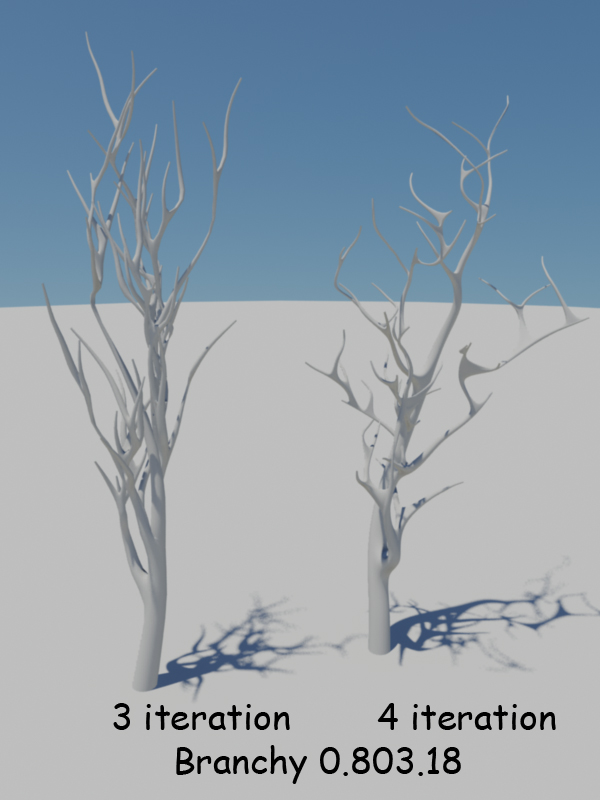
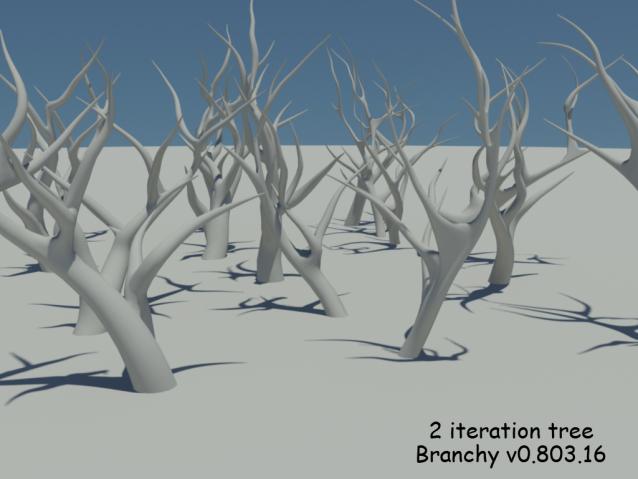
this is some 2 iteration tree I generated this morning ...still have some bug to fix with the generator ... because more that two level is a bit messy for now :-)


Martin


MarTroYx · 2009-12-07

Thank :-)

Ankebut · 2009-12-07

Very nice!