
Spring Magic
Version:
1.11
Date Updated:
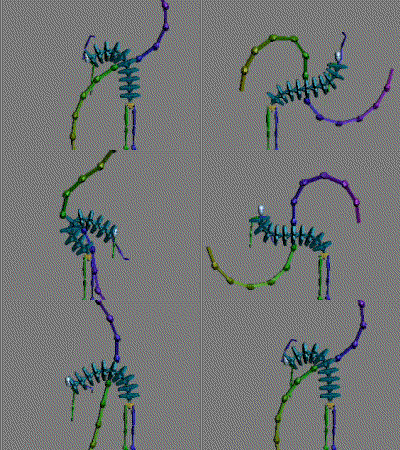
10/13/2014 Spring Magic is a script for adding quick secondary animation to splines,bones and biped.
Current version not supported with CAT (Character Animation Toolkit). Might support CAT in the future version.
SpringMagic is available for Max 9 and above.
Additional Info:
[v.0.7] initial version
Start your max, go to maxscript/run sccript, select the springmagic_07.msc and have fun =)
[v.0.8]
‧The bone chain twist motion is now available .
( twist motion is about rotation around each bone's local X axis )
‧press ESC to cancel simulation
‧Some bugs fixed.
[v.0.9]
1.support C.A.T
2.set bones number to calculation
3.support linked object(the object must align x axis)
[v.1.1]
1.remove spline bake key
2.add scale motion option
Version Requirement:
3ds Max9, 2010 | Attachment | Size |
|---|---|
| springmagic_0.9.mse | 15.68 KB |
| springmagic_v1.11.zip | 12.7 KB |
Comments
Is this script free to use?
I'm a mobile developer and I'd like to use on bake animations. Is there licensing?
awesome script but what is sprbTM?
It seems to create this on every bone that gets keyed by the script. What does it do?
Cool!
This is a very cool script! Very useful.
CAT Support
First of all, thanks for the script, it works great!
I know that has been a log time since you said that the script might support CAT in the future version, so, just to let you know that I would apreciate A LOT a CAT support.
Regards!
Cool!
Cool!
simple tutorial
simple tutorial
https://vimeo.com/86172390
Nice!
Looks really cool, can't wait to try it out. :)
Check out my site - www.themindforest.com
Greatwork but does not work under 2012
I have tried the script on max 2011 both versions work perfectly, but under 2012 it just doesn't work. Can you please make it 2012 compatible.
Thank you
Edit: After applying product update 6 and 7 it also works on max 2012.
Fantastic Script! Suggestions for improvement
Thank you so much for this fantastic script. It's really made some animation work soooo much quicker and easier to do (and better looking)!
I am curious as to whether it would be possible to implement a couple new features which would make it even more useful..
First, I would love to see some way to set "start" and "end" poses. I'm using this script to create animations for a snake character (for a game).. the animations are smooth and beautiful but as of now there's no way to control what pose the character will end it's animation in, which makes blending animation sets incredibly difficult. If I was animating without the script, I would create a "ready" pose, and then use that pose as a starting point for all of the combat animations, etc.. but with the script, there's no way to get it to use that "start" pose and end on the same pose.. if you could implement some way for the simulation to run from the start pose and transition to the end pose, I would greatly appreciate it! It would be similar to the way it currently loops.. but without modifying the starting or ending poses.. just the ones in-between.
And secondly, if at all possible, it would be great to have some sort of collision, to prevent a snake's body from sliding underneath the floor when it pulls back to strike. Just some way to prevent the simulation from crossing certain planes or boundaries would be fantastic.
Thank you again for the wonderful script!
doesnt work on mesh objects
GREAT script - would it involve a lot of finishing to make it work on arbitrary objects like mesh/poly objects hierachies instead of only bones or splines?
br
Christian