Tagged 'spline'

Pathstribute

-13 votes

Pathstribute is a 3ds Max plugin which gives users the ability to distribute a mesh along any number of splines. Users are given a variety of controls to adjust the number of clones, the placement of the copies, scale, and the rotation. All controls support animation.

Download now!

Explode Spline Elements

0 votes

A small tool for quickly exploding all selected splines and shapes elements into separate objects. Support for turning on and off Undo for speeding up the process.

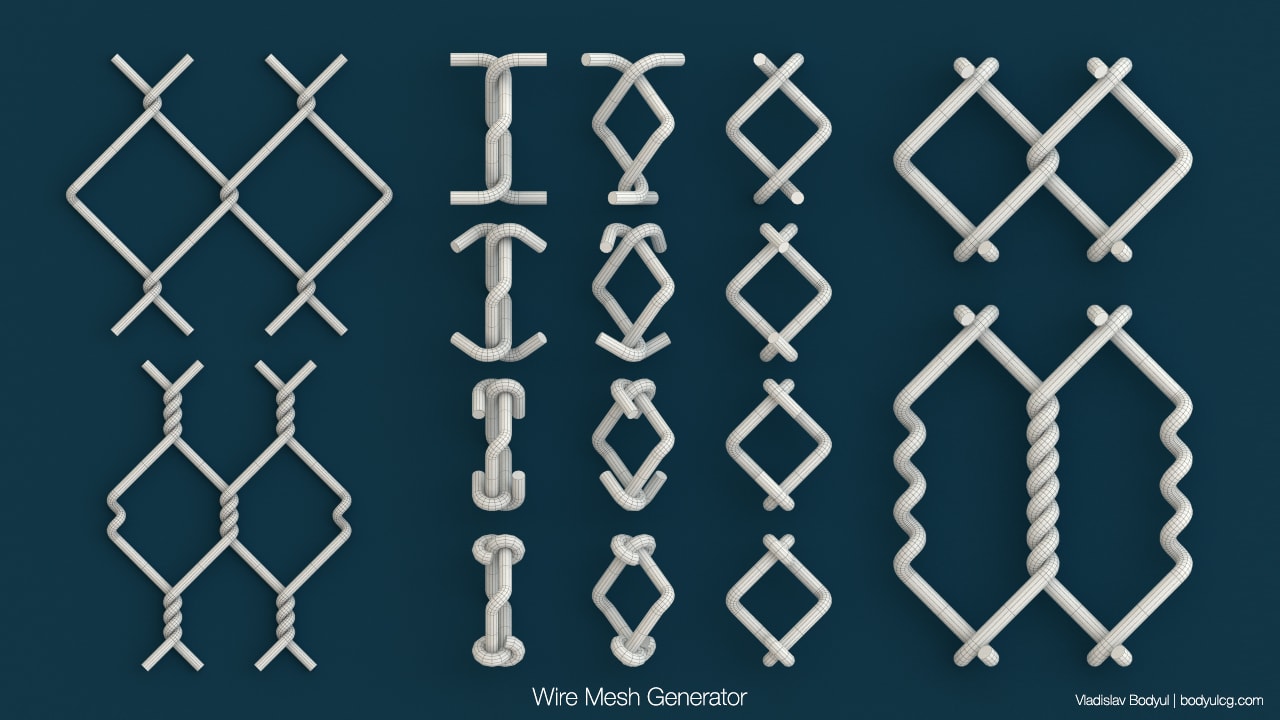
Wire Mesh Generator

20 votes

Updated to version 1.04!

Script to generate a wire mesh.

Helix

4 votes

功能介绍:

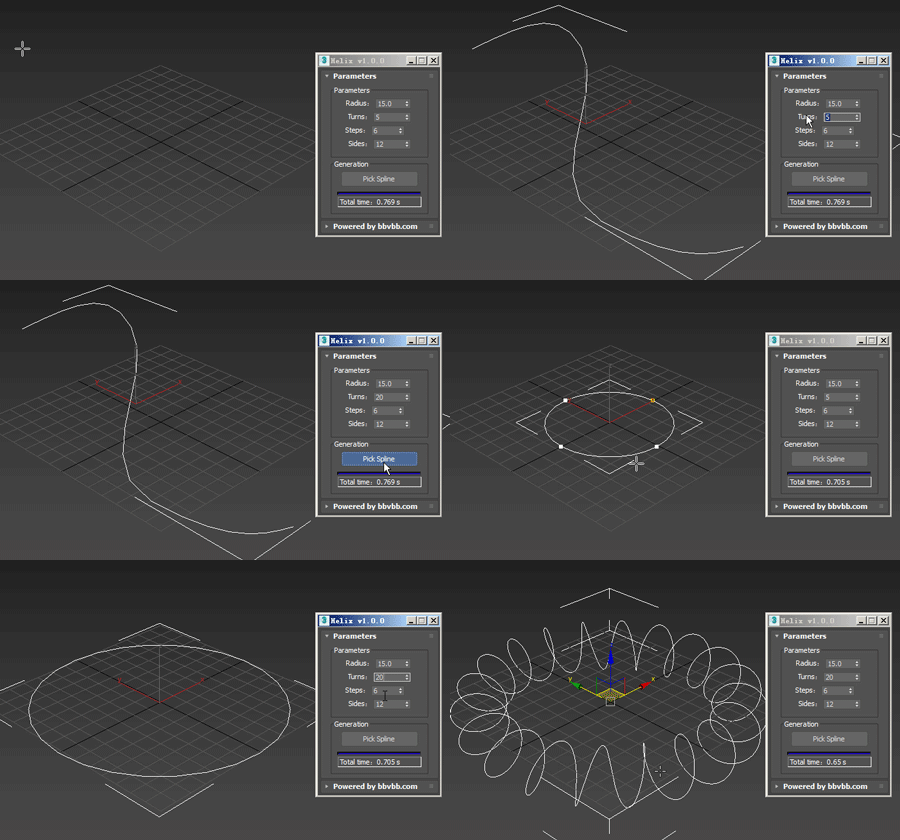
Helix for 3dsMax,是一款由#沐风课堂#用MAXScript脚本语言开发的3dsMax建模小工具,可以将任意弯曲形状的样条线一键转化为延该样条线路径上的螺旋样条线。

MAXScript for build helix spline.

Usage method: 

1 run Helix-1.0.0-en_US.mse.

2 create a spline in the Max view.

3 Click the "Pick Spline" button, and then pick the Spline. 
Spline Project

17 votes

Same kinda thing as mesh project except projects spline anlong their Z axis onto the surface of an object

NURBS to Spline Convertor

4 votes

Converts a Point or CV Nurbs curve to a standard spline. Originally written by Jarek Dukat; I merely did some recoding to make it work with max5. Simply run the script from the main Maxscript/Run menu... I'll get around to making it a macro someday. Also - see enclosed ReadMe for known issues.

Audioflow SplineSync

111 votes

Superflow

----------------------------------------------------------------------------------------------------------------------------------------------------------------

V-MOTION - Audioflow SplineSync // 3-Dimensional Audio-Synchronized Spline Generator

----------------------------------------------------------------------------------------------------------------------------------------------------------------

Developed by Ian Clemmer http://www.ianclemmer.com

Guilloche

11 votes

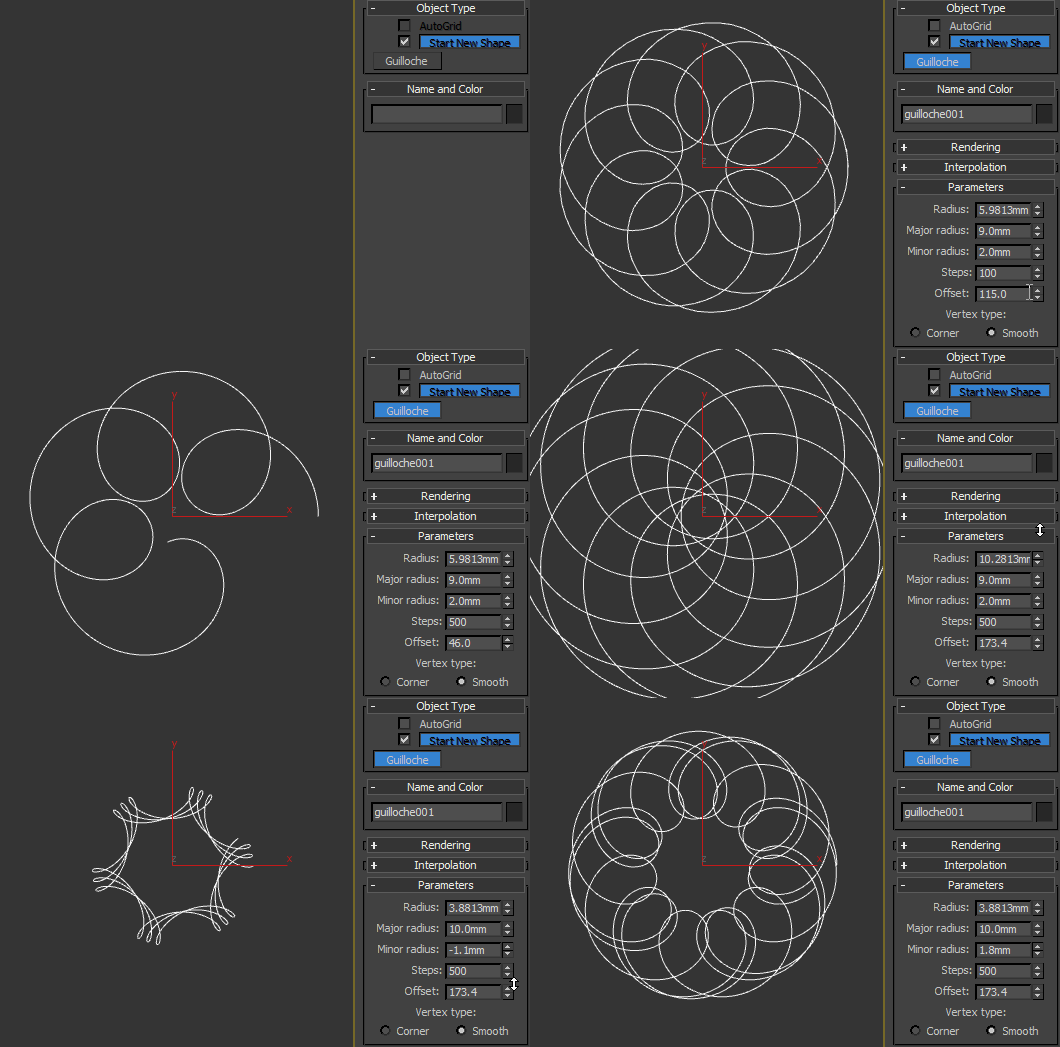
Procedural guilloché pattern.

Spline Curve Control

12 votes

Obj2Spline Align

54 votes


A script that aligns objects along a path or spline. much more editable than the spacing tool. see how it works here or download complete package (with mini tut).

Syndicate content