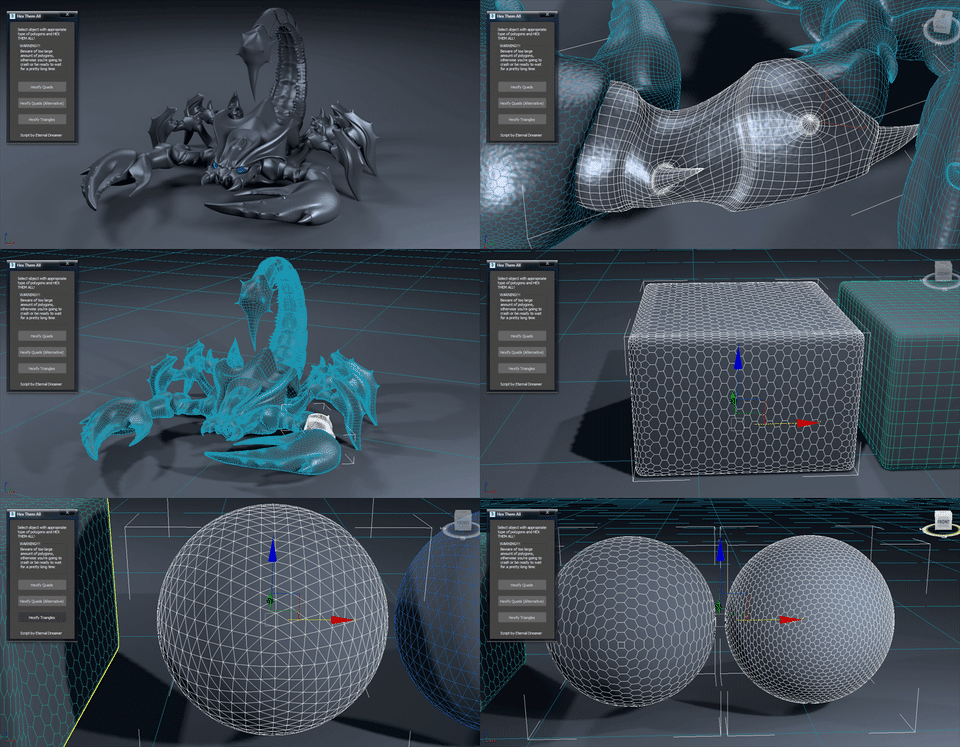
Hex Them All!

6 votes
Version: 
1.1
Date Updated: 
12/06/2017

UPDATE v1.1 brings 3rd option for quads conversion, minor interface changes and fixes the bug with giant n-gon.

Hi there people :) This is my first attempt of creating script, no coding, just using standart 3DS Max actions (+500 to compatibility, -200 from speed). I haven't used any tutorial as a foundation because i found this method myself while experimenting with edges.

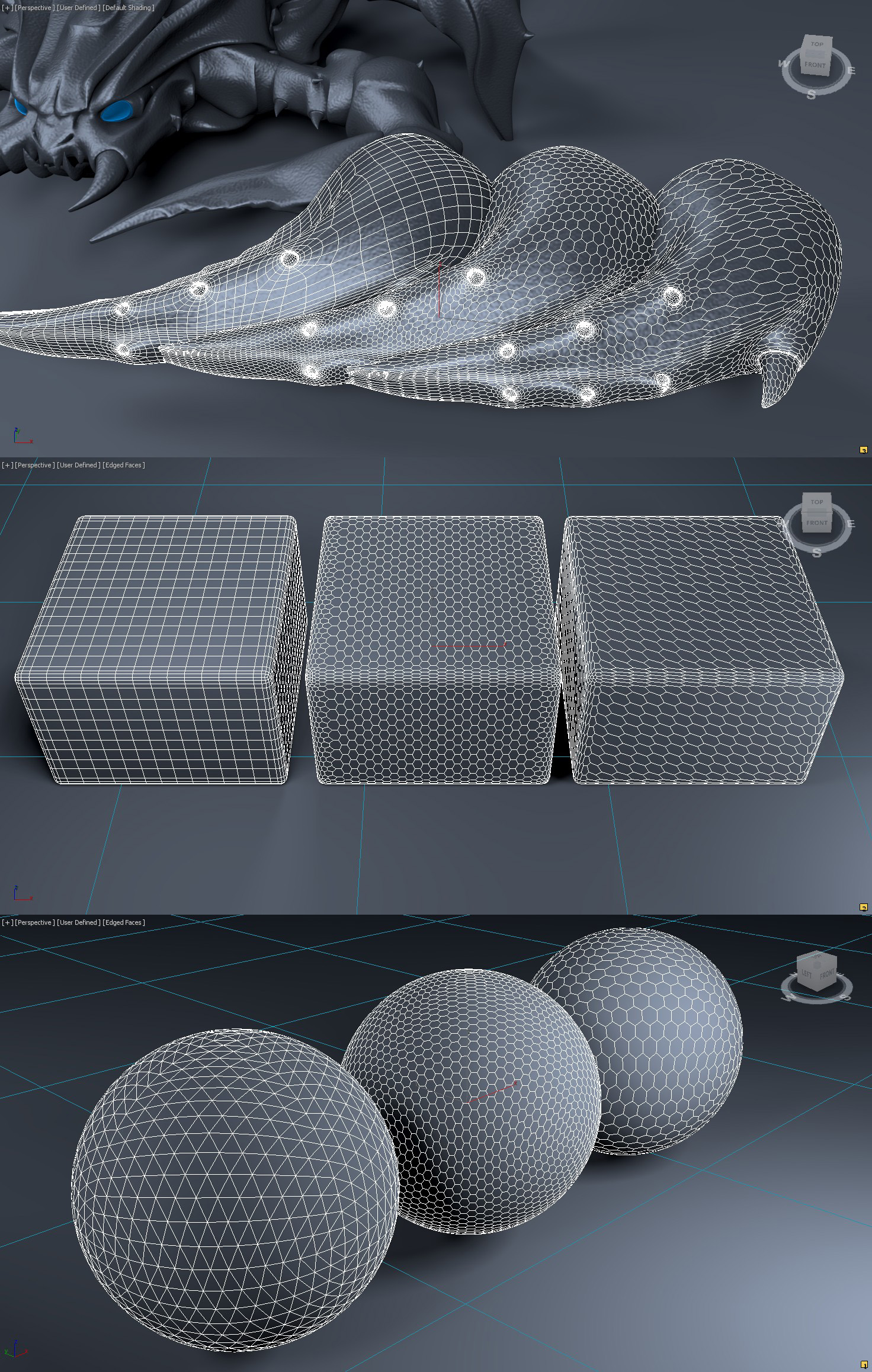
So, this script converts quads or triangles topology to hexagons (better not to have n-gons). For quads there are 3 options avalible. Once conversion is over script adds Edit Poly modifier on top of your geometry, so that you can easily toggle between results and get back to the original if needed.

Some tips: I reccomend you to have evenly spread quads and triangles if you want to get evenly spread hexagons as well, and in case where you're not happy with the way hexagons are rotated, you can delete the resulting modifier and manually retriangulate original polys.

I hope you guys will find it useful ;)

P.S. I've got to tell that it becomes pretty slow when it comes to 10k polys and higher. If someone could code this scipt as a mini-plugin in C++ it would be awesome! Steps are easy and pretty much readable from the script itself.

Version Requirement: 
2008+
AttachmentSize
Examples.jpg1.19 MB
HEX THEM ALLv1.1.ms3.32 KB

Comments

Comment viewing options

Select your preferred way to display the comments and click "Save settings" to activate your changes.
solozar's picture

Purchasing PolyUnwrapper

Hello.
I’m interested in purchasing PolyUnwrapper and had a quick question.
When 3ds Max 2027 is released, will the updated version be included for those who purchased the 2026 version, or would it require a separate purchase?

Thank you in advance for your help!

StormBrig's picture

I hope the OP will fix it for

I hope the OP will fix it for the latest releases of 3ds max

solozar's picture

The same in 3ds max 2020

The same in 3ds max 2020

stevesideas's picture

Will not work in Max 2019.2

No matter which type of object I try to get this to work on it just hides most of the object and leaves 2 tri faces. Not sure why this is the case.

jimmylee's picture

Good job

Hi, Eternal_Dreamer
Love you from China!

Jimmy lee

Eternal_Dreamer's picture

Happy New Year!

Happy New Year my friends!!! Let our community grow even more in this year, so that we could create even more extraordinary tools, cuz they allow us to create extraordinary art! I hope every single one of us will eventually find their own way into perfection, become more wise and rational, make others happy and just continue being good person. Congratulations!

Eternal_Dreamer's picture

Happy End :)

Glad that you solved your issue yourself, cuz I would never think that it was caused by Chinese Max.
About the request: what kind of shape and where would you like them to be placed (along edges or on vertex)?

jimmylee's picture

Wo It is a long story

Ha Ha,It is a long Story..to make it Powerful

jimmylee's picture

Bugs is not Bugs

Hi Eternal_Dreamer,

Sorry for making you much troublesome.
Finally I Find that Bugs is not bugs,
It is because this scripts can run well in English version 3ds Max 2014 not Chinese Version 3ds max 2014.

By the way, can it be design to use customize "2D shape" as the structure line of 3D object and cover the surface of the 3D object?

Eternal_Dreamer's picture

Bug tracking

No, unfortunately still can't reproduce the issue. I'll ask you to send me a video of a whole process and also some insights in maxscript window.

Comment viewing options

Select your preferred way to display the comments and click "Save settings" to activate your changes.