 By Marco Brunetta · 2010-01-28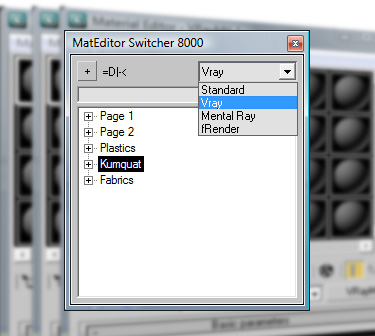
Having a way to compensate for the (stupid) 24 material limit in 3D Studio is always a big request, so here's a script to do just that.
The script lets you create material "pages" each having 24 materials. You can then easily switch around the pages, which will bring the materials in the selected page to the Material Editor. Additionally you can rename pages and materials directly from the script and a simple search feature is included. The little dropdown control at the top will let you choose the kind of shader to use when creating a new page. I only included the ones I needed, if you need another one feel free to modify the code or ask below.
The material pages will be saved along with the file and they can be retrieved by launching the script again. Feel free to modify as needed and message me if there are any problems. Use at your own discretion =P.
After running the script you will find it under the "Medit Tools" category in Customize>Customize User Interface...
Special thanks to Grant Warwick for the help/testing/ideas/kumquats. Check out his works, there are some wicked cool renders there: http://sathe.cgsociety.org/gallery/
DOWNLOAD: http://www.scriptspot.com/files/Super_MatEditor_Switcher_8550.mcr
 asymptote · 2015-01-26
 Kurai · 2014-11-22
 Wilbert · 2012-01-18
 peprgb · 2010-02-08
 48design · 2010-01-29
 Anubis · 2010-01-29
 Michele71 · 2010-01-29