3ds Max | All

speedometer

12 votes

So simple!
It tells you the speed of the selected object in [km/h] if your scene in meter unit.
You can easily modify to [mph] or [m/s].

If you would like, upgrade it and share for all of us! ;)
GiaNT

Toggle Time & Command -Panels

30 votes


This script creates 2 Bars, one at the bottom, one at the right. Clicking a bar toggles the visibility of the UIPanels next to it in default config. Rightclick closes a bar.

Have phun

TransformPivot

6 votes

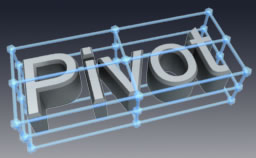
transformation pivot with the image , it is intuitive!

A few notes about code optimization

47 votes

The base idea of this topic is to say to all coders - always to research, because this is the only way to get rid of any myths. Each myth may hinder your future development and may leave a wrong impression in us for the MaxScript language at all.


Andy Murdock makes Automatron 1.2 free

48 votes

Andy Murdock has updated Automatron (his character animation system) to version 1.2 and released it for FREE.

Read more about Automatron and get your own copy here - http://www.lotsofrobots.com/automatron/Automatron_FS.htm

MXSEditor global utility pugin

8 votes

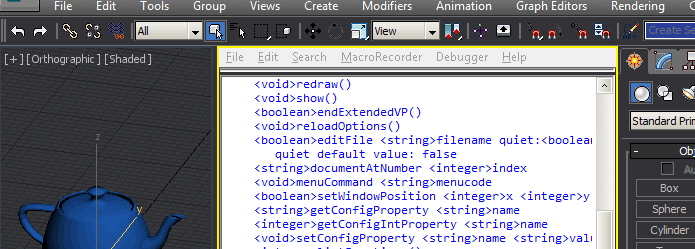
This 3ds Max plugin provides a powerful Maxscript interface to the maxscript editor (MXSE) and the underlying Scintilla/SciTE editor component. Additionally it enables the Maxscript Editor to be used as an extended viewport.

FEATURES:

UVW Transform

11 votes

This tool allows you to precisely move rotate and scale UVWs. I have found it useful for putting multiple UVs on one layout, Using non-square textures and when working with uvs that overlap.

Update 1.1 added Undo

Biped Selector

6 votes

"This script is made for Character Studio animators. It creates a floaterinterface allowing easier selection of biped's different bodyparts. Thisversion is turned to macroscript for easier usage. New feature is biped listthat allows to select multiple bipeds. Biped list is saved with .max file forlater use."

Xray CAT Survival Toolkit 1.0 is here!

1 vote

From the creators of Xrayunwrap and XrayBlendSkin, CAT ST is the new solution for all CAT users, from beginners to advanced. Its features are designed to improve the main aspects of CAT and considerably speed up the workflow.

Rig Creation:
CAT ST offers a set of shortcuts to the most useful 3dsmax functions regarding the creation and setup of a new rig.

Layer Manager:
We have designed a new, more friendly user interface to easily manage all the CAT layers and their properties, to instantly switch between "Setup" and "Animation" mode, and much more!

Pose Manager:

BodyObject Quality

2 votes


With this tool you can control Display and Mesh Quality Settings of multiple selected BodyObjects by single click.
This is very useful for those who often use models imported from SolidWorks, Inventor, Catia, Rhinoceros etc.
Requested by bisara230

Syndicate content