
pX LocoRandomizer
Randomize multiple object properties is something useful, but the randomizer I found in the internet they always randomize only position/rotation/scale.
Then I was working creating this plugin to randomize every property or parameter from multiple objects.
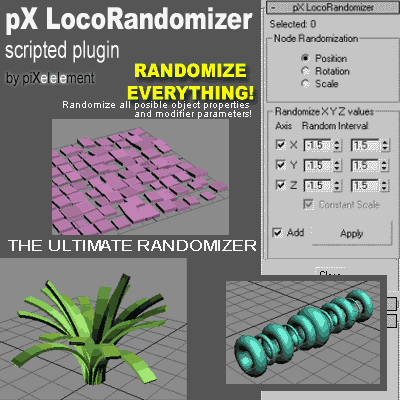
-- Short Desc:
pX LocoRandomizer is a MAXScript Utility Plugin to randomize/set
values of all posible properties or parameters from multiple objects
simultaneously. Extremely flexible and easy to use.
-- Features (Version 1.0):
-- + Randomize/Set basic node transform properties: Position / Rotation / Scale
-- + Allow manual entry of Object property name (MAXScript syntax)
-- and randomize/set its value.
-- + [Test] button allow check the Type (or class) of the manual entered
-- property name.
-- + [Pick...] button lets us select a parameter from a Track View Pick Dialog.
-- + User can enter a list of MAXScript assignations, then apply it randomly to all objects
| Attachment | Size |
|---|---|
| pxLocoRandomizer.ms | 15.08 KB |
Comments
One of the best tools for
One of the best tools for environment and details creation.
Nice for creating trees, grass, hair and lots more options.
A must-have, definitely!
Jaime Garcia Dias
Cool!
Thanks for sharing this very useful tool!
Check out my site - www.themindforest.com
Thanks
Thanks deny.
You wrote a very nice and useful scripts.
Now, as a random noise modifier to adjust the value of seed :)
www.yusuf.es
http://blog.yusuf.es
http://yusufes.turbosquid.com
this is great Salve of Allah
this is great
Salve of Allah
Salve of Allah
ty men, so much.
ty men, so much.
The life is Good
Thank you very much!! I was
Thank you very much!!
I was looking for a real randomizer like this one.
it s good
it s good
i cant find how to multiply
i cant find how to multiply objects.
please a tut wher to describe how to use it.
i am lockin or a plugin like vrayscatter.
just for scatting vray meshes.
dinnu: "where i can i find
dinnu: "where i can i find to modify the objects"
I don't understand your question.
Copy pxLocoRandomizer.ms into your plugin folder.
Open Max then go to Utilities->MaxScript Utilities...
where i can i find to modify
where i can i find to modify the objects