
DebrisMaker2 - Procedural geometry creation tool
Version:
2.0
Date Updated:
08/05/2014 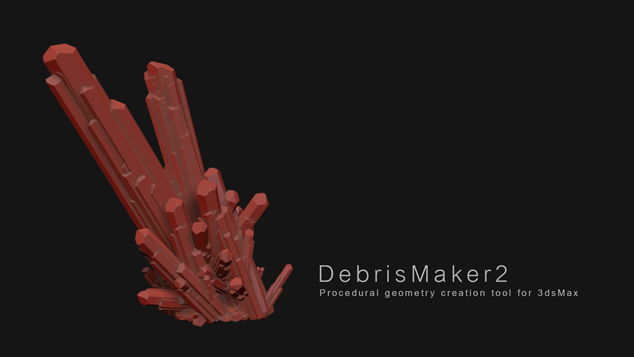
The DebrisMaker2 is a free procedural geometry creation tool for 3ds Max, that lets you quickly create objects for your 3D scenes. With the DebrisMaker2 you can create brick, corrugated metal, crystals, gemstones, snowflakes, grass, gravel, leaves, logs, splinters, meteors, obsidian, pigeons, planks, twigs, river stones, sandstone, shrapnel and slate. You can input parameters to customize the style of your debris.
UPDATE! 8-12-2014 : Network friendly deployment added. (debrismaker2.0_deployable.zip) Follow the readme for instructions on how to have multiple computers use the same script, without having to install it on all of your managed workstations.
Additional Info:


Version Requirement:
2009 | Attachment | Size |
|---|---|
| debrismaker2.0.mzp | 588.4 KB |
| debrismaker2.0_deployable.zip | 582.34 KB |
Comments
Much Appreciated!
Thank you so much for creating and sharing these wonderful tools. I certainly will get a lot of use of of them. A huge help to me. So amazing! And great tutorials on YouTube as well!
can you also make a "swimming
can you also make a "swimming fish" module? :)
I would need this for an aquarium scene...
thanks for your great work.
best regards
themaxxer
Wonderful work
and free too? Yuda man. Whatever you're eating, keep it up.
"Tuesday is Soylent Green Day."
2015 Installation problem =(
Unfortunately, I'm not able to install the script. Look at the screenshot.
SOLVED: Manually I copied the three directory in C:\3ds max 2015. But, in this way, I hade the same error. So I copied the Script directory also in C:\...2015\64bit\ENU\script. Now it works. But I'm not sure this is the bast solution...
Oh, wow. This is amazing.
Oh, wow. This is amazing.
Like my stuff? Follow me on social media!
Excellent
I finally got around to using this today. I like it. It's really nifty.
So far the only complaint I have is that the objects always spawn at world origin (which is the only place that makes sense as a default point). But it might be nice to have some way to manage the spawning, like setting a new origin for them, etc. As it stands, if you spawn some bricks and some corrugated metal, they start to overlap.
I think that the easiest way to avoid the problem is to select the last set of objects as soon as they are created... so that if you accidentally made new objects that overlap, you can simply move the new group off since they are now selected.
Another thing you could do is expose the format (if any) that each module needs so that others can add new modules into the folder.
Also, a convenience tool for some objects would be to have options for making low-poly copies that have projection modifiers using the high-poly versions (the sandstone, logs, splinters, planks are all items that could use such an option).
The Pigeons is a really cool idea that would be great for some added features. Of course, the features I'm thinking are like Max 2014+ Populate but for birds ... which obviously would be a large undertaking. But at the least, adding a "casual eating" on the ground and mixing walking/flight animations in the settings and Pflow would be cool.
Anyway, these were my first impressions. Great tool and thank you for sharing with everyone.
_______________________
Shawn Olson
Developer of Wall Worm
Very nice script!
Thank you for sharing! You did an amazing job, that's really cool, a time saver and really fun to use.
Nice job and very fun script
Nice job and very fun script :) Thanks for sharing!!!!!!
Hero clusters LOL
Hero clusters LOL
Having trouble? Check the
Having trouble? Check the thread that helps troubleshoot installation problems :)
http://aarondabelow.com/forum/viewtopic.php?f=7&t=8&start=10#p68
Also, there is a manual installation version, that is designed for network deployments I recently uploaded too:
http://www.debrismaker.aarondabelow.com/v1/downloads/DebrisMaker2.0_depl...