3ds Max | Scripts

3D Measure Master

1 vote

 3D Measure Master 3ds Max Plugin

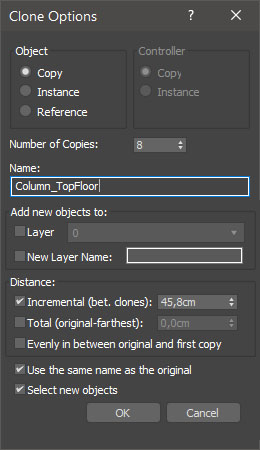
miauu's Extended Clone Tool

2 votes


miauu's Extended Clone Tool adds new options to the standard Clone Options dialog.

The main goal - save time using these features:

- move the created objects to a new layer,

- move the created objects into existing layer

Hierarchy Guardian

0 votes

Hierarchy Guardian 3ds Max plugin

Lace Maker

3 votes

Procedural shoelace generation, done right. Create realistic, fully-detailed lacing for any model. from eyestays to aglets, all from a single mesh strip. No more painstaking manual lace modeling. Define your shoe opening, pick a pattern, and let Lace Maker handle the rest.

What It Does:

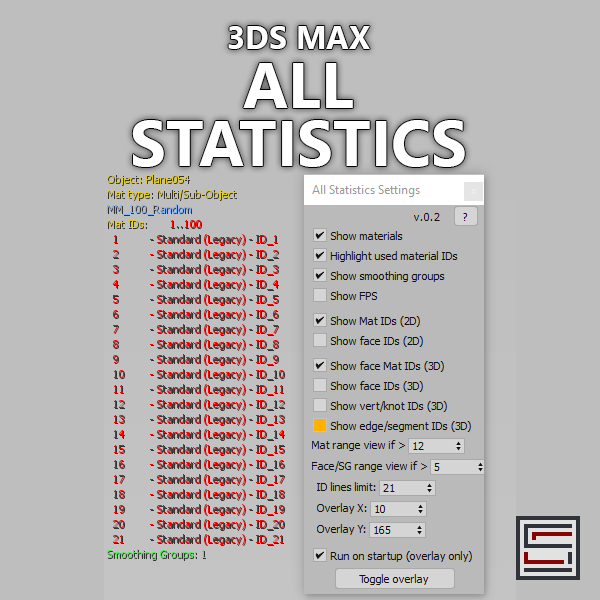
All Statistics

2 votes

Description: Displays different statistics in real-time. 

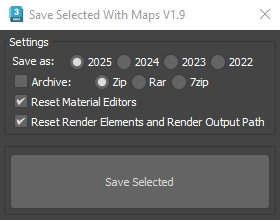
Save Selected With Maps

6 votes

It will collect/relink all selected objects bitmaps to the chosen folder, even if the bitmaps are just flagged "found" in the asset tracker, and it will save your selected objects to that same folder.

If path are missing or unsolved those maps will keep their missing or unsolved path, it will be easier to try to find them.

It is compatible with Vray bitmaps, Corona bitmaps and IES files in Standard, Photometric, Vray and Corona Lights.

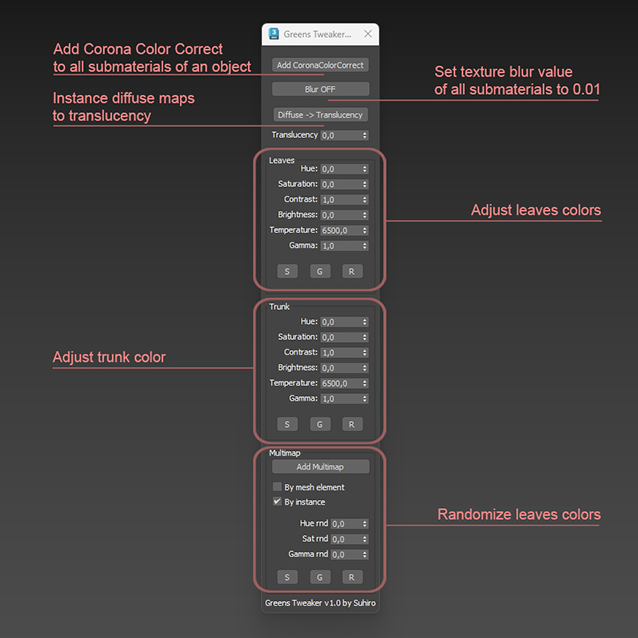
Greens Tweaker for Corona

0 votes

PolySorter

0 votes

PolySorter: The Ultimate 3D Asset Auto-Organizer

Stop wasting time manually unboxing files and dragging textures one by one. PolySorter is a specialized automation utility built to take the manual labor out of organizing your 3D asset downloads. It handles the entire "Download to Library" workflow, ensuring your assets are perfectly structured and production-ready in seconds.

Align2FrozenObject

1 vote

A small maxscript that makes it able to use the Align tool selecting frozen objects to align to.
It unfreezes quickly the selection to adjust the alignement and freezes it immediately automatically back.

Install Align2FrozenObject
Step 1 :
Drag and drop the Align2FrozenObject.mzp in your 3dsmax viewport

Step2 :
Add Icon in Toolbar :
-Cutomize> Customize User Interface
-Toolbars Tab > Category: Ced-Tools

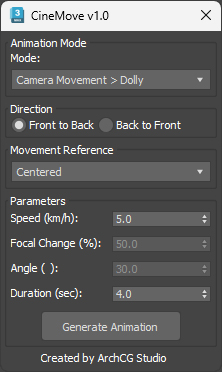
CineMove

0 votes

Syndicate content