Tagged 'object'

Lattice

7 votes

Uses selected object to creates lattice/blob like objects.

Updated!

--V2.0--

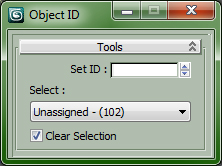
Set and Select ObjectID

0 votes

All is in the Title...

Drag in Viewport to install ObjectID Macro, Drag again to Uninstall.


Customize > Customize User Interface...

Category : "CopScripts"

Grab Hierarchy

27 votes

Selecting whole heirarchy by picking one belonging object.
Similar to Sergo's "Pick Hierarchy" script but simplified code.

transform random

21 votes

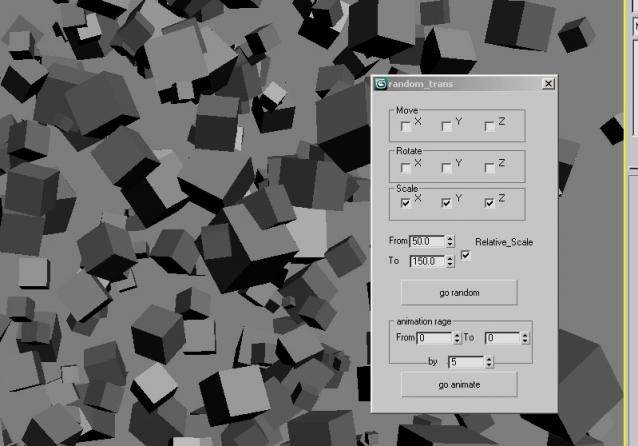
hey again avery simple script to make radomize with the transform position rotation and scale for multiple object very simple ui it`s a very useful script i think


Selection-Switch

1 vote

Switches quickly between two selections (objects or sets).

Useful for any type of jumping back and forth between two objects - like in alignments.

Mindflow Parentize

47 votes

----------------------------------------------------------------------------------------------------------------------------------------------------------------

V-MOTION - Mindflow Parentize // Automatic Hierarchy Chain Generator

----------------------------------------------------------------------------------------------------------------------------------------------------------------

Developed by Ian Clemmer http://www.ianclemmer.com

Programmed by Panayot Karabakalov a.k.a. Anubis http://www.scriptspot.com/users/anubis

Check Total Lengths SplineShape

74 votes

This simple and funny script, you can measure the total length, check the number of segments and the Knot of SplineShape. Very useful :)

ctlss

Quick Isolate Object

66 votes

With this useful and funny script, you can isolate in a ListBox, the category object in Geometry, Shape, Light, Helper, Camera and Space Warp in the viewport.  We can select, rename and count the items in the scene.  Useful in many work situation.

qio

Quick X-View

15 votes

This is a script utility that allows to see-throught (X-View) the objects during the work. Excellent for the stages of modeling with a reference image. Implements the function of 3dsMax of See-Through (Alt+X key).

Quick XView

Find Modifier Type

16 votes

Choose the type of modifier you wish to find in your scene and this tool will return to you a list of every object that has the modifier, the object's name, it's class and the layer it is currently in. You can then select whichever objects you want.

The modifier list includes every modifier that is default to max.

Syndicate content