3ds Max | All

Maxscript interacts with WPF

0 votes

I used WPF to write an interface that implements the function of buttons to switch between different pages, and usercontrol for subpages. When calling this wpf-written interface library in MaxScript, the events are written in MaxScript. Events are useful when the widgets on my main page are bound in MaxScript. But the controls I defined in the subpage have no effect. But when I define Form1.MainContent.Content = Form2 -- set the subpage as the main content

Smart Material Select

0 votes

This script streamlines the process of selecting similar objects based on material in your 3dsmax scene. It automatically opens the group, eliminating the need for manual opening. Additionally, it can handle the selection of multiple samples. For instance, you can select a window frame and then add glass to select both window frames and similar glass objects.

Collect Asset

44 votes

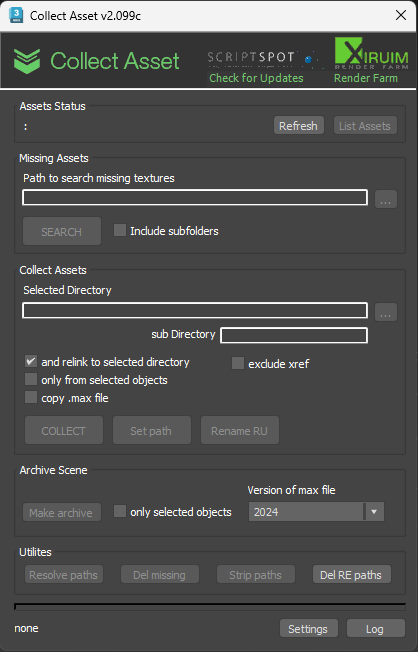
This script collects textures and other files used in the scene in one folder. Check for the same file names.
It is free script.

3DS Max - Attribute Holder modifier

0 votes

In this tutorial, we will learn about using the Attribute Holder modifier. This modifier serves as a container, and we will use it to instance some of the parameters that belong to some of the modifiers in the stack so that we can change them in one place. This is useful because it can save us a lot of time. With many modifiers in the stack, it's time-consuming to go down and enter the modifier to change the values. Sometimes we might even forget in which modifier the parameter that we are looking for.
In addition, we will learn about the Animate option in the Edit Poly modifier.

IFL Playback Manager

1 vote

Description

IFL Playback Manager is a really handy script for 3ds Max that helps you manage and control the timing of animated textures in your scene. It automatically lists all textures with assigned .ifl (Image File List) files and allows you to adjust their playback parameters directly.

3DS Max - Simple Chair Modeling

0 votes

In this tutorial, we'll model a simple chair, as requested by a viewer, we'll see one approach to model chairs like this. We'll also learn how to assign different material IDs to the polygons, allowing us to create a Multi/Sub-Object material with three distinct materials for the chair(without configuring the materials' properties, just colors). Additionally, as always, I'll include useful tips and information.

Stich Polys

0 votes

The script moves vertices from one object (object1) to other (object2). If the vertice is outside of Snap Distance creates vertices in other object, when needed (MAX cut operation)

Object 1 and Object 2:
- The Objects must be a Editabled Poly with no EditPoly modifier.
- The Objects must have edges or vertices selected.
Can select edges inside of object the script will take only border edges.

Move to Surface (New tool)

1 vote

This tool can move Points and objects to a surface very fast, It is ideal for massive jobs with large
amounts of points or objects.

New Tool

Join Discord server

Sweep Tool Pro

1 vote

This tool create a Sweep modifier to extrude a cross-section along a spline.
Can Allows you to apply the current sweep to selected splines great for massive jobs.

Join Discord server

miauu's Draw Circle

0 votes

The main purpose of this script is to allow you to draw a circle with an exact amount of knots, something you can't do with the built-in Circle shape.

Also, you can set the radius of the circle. The circle will be created at world's center.

How to install: drag and drop the miauuDrawCircle_01.ms onto any 3ds max viewport. Go to Customize -> Customize User Interface -> miauu category and find the "Draw Circle" item.

Syndicate content