3ds Max | All

QuadSphere

9 votes

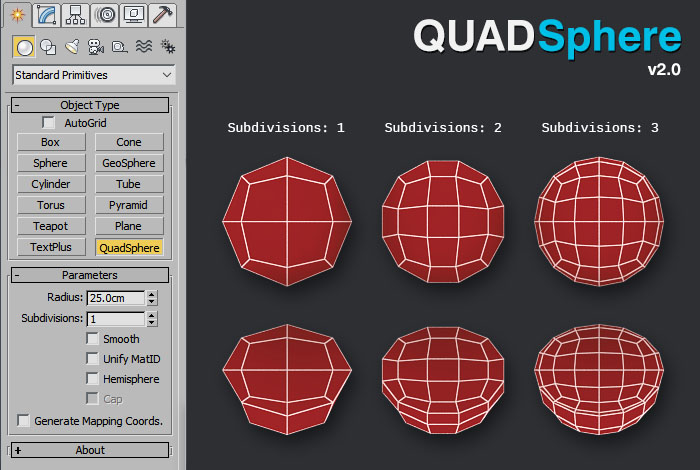
QuadSphere is an Object Plugin that creates spheres made of quads, which are useful for low polygon modeling and mesh subdivision.

Unlike TurboSmooth, with QuadSphere you can specify a level of subdivisions that is not power of 2. Another advantage is that the areas of the faces are more evenly distributed than using a Box with TurboSmooth.

Additionally you can unify the Materials IDs, create hemispheres with or without caps, and convert the object to poly with a single click.

3D Measure Master

1 vote

 3D Measure Master 3ds Max Plugin

miauu's Extended Clone Tool

2 votes


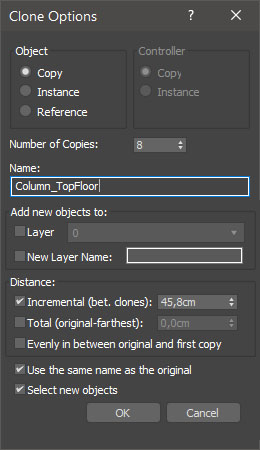
miauu's Extended Clone Tool adds new options to the standard Clone Options dialog.

The main goal - save time using these features:

- move the created objects to a new layer,

- move the created objects into existing layer

Hierarchy Guardian

0 votes

Hierarchy Guardian 3ds Max plugin

msKonektus

3 votes

msKonektus v0.1 - plugin for 3ds max 2017-2026.

msKonektus allows you to create effects similar to those known from the Plexus plugin for After Effects.

msKonektus is fast and efficient, and provides many parameters to customize the final result. Works with geometry and particles (standard particles, Particle Flow, tyFlow).

INSTALLATION
Simply copy correct version msKonektus_20xx.dlo file into your 3ds max 20xx plugins folder.
You should find it under Geometry rollout -> msTools -> msKonektus.

Lace Maker

3 votes

Procedural shoelace generation, done right. Create realistic, fully-detailed lacing for any model. from eyestays to aglets, all from a single mesh strip. No more painstaking manual lace modeling. Define your shoe opening, pick a pattern, and let Lace Maker handle the rest.

What It Does:

All Statistics

2 votes

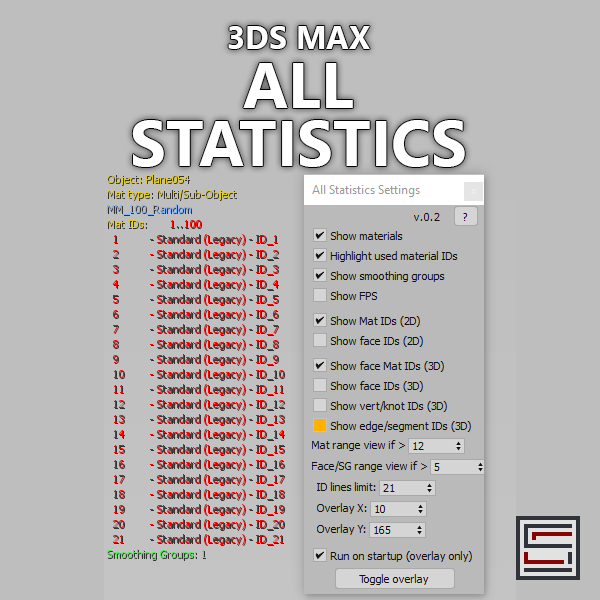
Description: Displays different statistics in real-time. 

Multi Spline

1 vote


Multi Spline object combines spline objects to one object while preserving original splines.

Save Selected With Maps

6 votes

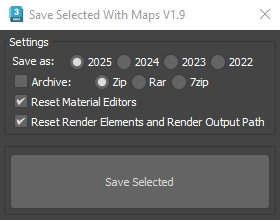
It will collect/relink all selected objects bitmaps to the chosen folder, even if the bitmaps are just flagged "found" in the asset tracker, and it will save your selected objects to that same folder.

If path are missing or unsolved those maps will keep their missing or unsolved path, it will be easier to try to find them.

It is compatible with Vray bitmaps, Corona bitmaps and IES files in Standard, Photometric, Vray and Corona Lights.

Greens Tweaker for Corona

0 votes

Syndicate content