link

Lock/Unlock link info

When you want lock an object like a camera, you must check each box on the hierarchy > link info
Same thing when you want to unlock.

This script automatically do it for all entries.

lock/unlock link info

Outliner

 The Outliner 2.0 is a fast and easy to use scene management tool. It has a wide range of features, including selecting, hiding, freezing, linking and grouping objects in the "Hierarchy Mode". In the "Layer Mode" you can organize your scene by dragging&dropping objects from one layer to the other. What's more, the Outliner offers support for nested layers, to manage scenes more efficiently. The interface is nimble enough to keep it open constantly.

Multi Link Info

a very simple script. It helps to check and uncheck the Move, rotate and scale axis in Link Info. It works with Locks axis and Inherit Axis on all the objects in selection.

Quick Parent Link

Quick Parent Link is a script to allow you to quickly pick a chain of obects to set them into a parent/child hierarchy. It works a little more efficiently than the native Select and Link tool (which requires you to click child, drag to parent, let go, then select that parent as a child again and drag to its parent, etc).

AlignObject2slicePlane


this script lets you align an object to the sliceplane of an object with slice modifier.


works on max design 2011 x64.

Auto-Link

This macroscript adds an "Auto-Link" mode and allows to link objects very quickly when using "Paint selection region" method in the main toolbar. But it works with any selection method and "Ctrl+click". This mode is helpfull if you often need to link a lot of objects together.

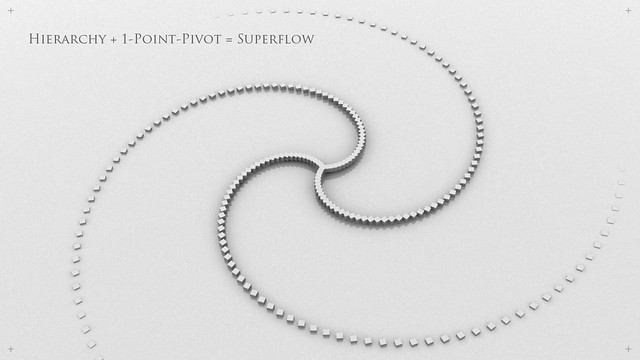
Superflow Original

Superflow
----------------------------------------------------------------------------------------------------------------------------------------------------------------

V-MOTION - Superflow Original

----------------------------------------------------------------------------------------------------------------------------------------------------------------
Developed by Ian Clemmer http://www.ianclemmer.com

Programmed by Panayot Karabakalov a.k.a. Anubis http://www.scriptspot.com/users/anubis

Mindflow Parentize

----------------------------------------------------------------------------------------------------------------------------------------------------------------

V-MOTION - Mindflow Parentize // Automatic Hierarchy Chain Generator

----------------------------------------------------------------------------------------------------------------------------------------------------------------

Developed by Ian Clemmer http://www.ianclemmer.com

Programmed by Panayot Karabakalov a.k.a. Anubis http://www.scriptspot.com/users/anubis

Hierarchy State

Hierarchy State

Good for backup/restore scene objects hierarchy

Distance Linker

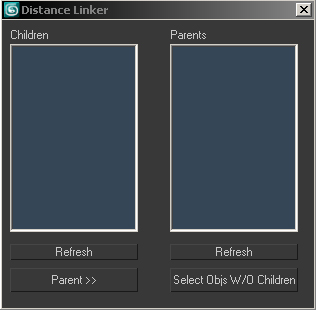
Compares two sets of objects, linking objects in "child" set to the nearest object in the "parent" set... pretty simple!

1. Select set to be children and run script or press refresh children.
2. Select set to be parents and press refresh parents
3. Press "Parent"

*4. You can also press "select objs w/o children" to select any objects left in the parent list with no children (can happen if it's far enough away that it's not the closest to any object in the child set.)

DistanceLinker

Syndicate content