Tagged 'Material'

RappaTools

60 votes

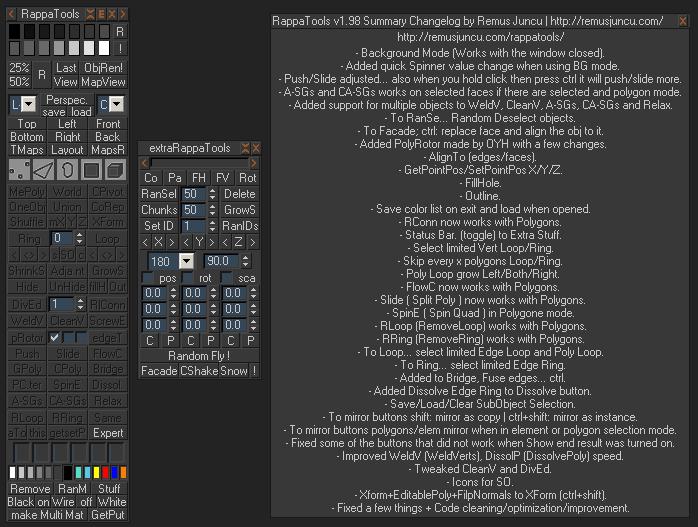
RappaTools is an modeling toolset for 3ds Max (9 Sp1 +), that offers a wide range of tools for creating various types of subobject selections as well as a set of modeling tools which will make any tasks in everyday modeling a lot easier and faster. It also has a lot of other options like 50%/25% Render, Quick Light/Cam select, Toggle maps display in viewport, Random Material/Wirecolor, Make multi material from textures in a folder, and many more...

SEA3D

3 votes

An open-source cross-platform file format for games

Export entire scenes to Web with just one click

Load Material Library from path

12 votes

Select a path where all you material files are. Click the pull-down menu and select a material library, it will automatically load in the material browser. This is a macroscript, after running the script you will find it in the "3idee Tools" category.

Delete Spurious Keys

1 vote

When you have unwanted keys on Meshsmooth/Turbosmooth modifiers, it can be a pain even if the iteration value does NOT actually change. If you have hair and use Vray moblur/displacement, it may crash if you have these keys in your scene.

These keys are created when you hit the big Set Keys button and your Key Filters has Modifiers checked. Use this script to get rid of these keys (and optionally material keys as well).

As usual, back up your file before running the script. Just drag and drop the script into your Max viewport to run.

RappaTools v1.92

558 votes

RappaTools3 and RappaTools2 available... see new website: http://remusjuncu.com/rappatools/

See RappaTools3 PlayTime 02 Here  and RappaTools3 PlayTime 03 Here !

AndyE Tools v1.0

36 votes

Scene 2 Material Editor

13 votes

This script cleans the material editor and then puts all the materials from your active scene into the material editor..

BitmapPath in MatLib Relpacer

25 votes

This script can replace all bitmap texture pathes in selected matlib file. You select Matlib file,select directory you want to set, select the bitmap texture directory path you want to replace and thats all. This my first script.

BE CAREFULL. It does not make backups, but uses A LOT OF MEMORY, so if it crashes your matlib maybe damaged. Example: replacing All Evermotion ArchShaders Vol.1 + Vol.2 pathes (in one file for all maps) takes near 2,5GB! Any help and suggestions how to solve this will be accepted. This my first script:)

P.S. sorry for my english

Arch & Design Overwrite

7 votes

This little script allows the user to Overwrite most of the Arch & Design shader properties.

Dups Instancer

95 votes

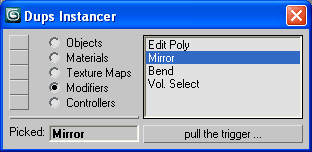
Instance duplicate nodes, materials, texture maps, modifiers, controllers.

Dups Instancer

Syndicate content