Tagged 'Objects'

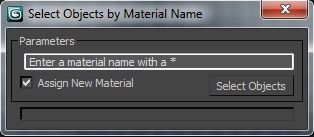
Select Object By Material Name

66 votes

Select Object By Name

Select Objects By Material Name

Scene Explorer Delete Extension

0 votes

This script allows deleting selected nodes and layers in the Scene Explorer. The default delete option of 3ds Max only deletes empty layers and nodes without childs. With this tool, deleting a selected parent node or layer implies deleting all its children hierarchy.

When you drag this script into the viewport of Max, it’s added to the “Barreira” category of the Customize User Interface panel. Then, you can create a button to execute the script easily.

zmTools

Tree Maker

33 votes

Great script for creating trees... Some of the 'sweet' things about this script are:
- After you generate the branches - you can rotate and move them about to more easily control the shape of the generated tree.
- The generated tree already has mapping coordinates applied (this isn't perfected yet - but it works pretty well).

diaRhombus

51 votes

diarhombus_v1web600

buckyball

10 votes

The user can create buckyballs (geometric shapes of carbon atoms consisting of 12 pentagons and a varying amount and arrangement of hexagons) - other fullerenes - radiolarians - soccer balls (european footballs) - or any number of other interesting geometric shapes. Cancel out of the Chamfer floater to create other fun shapes with the vertexes and edges that get selected on the base geosphere.

TubeCap

17 votes

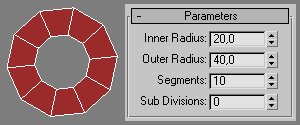
TubeCap Screenshot TubeCap is a simple primitive (a flat donut) which can be used as a basis in polygonal modeling.
 

Create Sliding Window

9 votes

Creates a sliding window from a selection of Rectangles. This script takes the rectangles and fills the interior with a Sliding window flush with the rectangle. Make sure to change the 'include script' path statement to reflect you 3ds max location

wireBundler

12 votes

Creates a number of wires that travel through various target objects. Useful for making bundles of wires for robots or other mechanical devices in a few simple clicks.

Tutorial:
Make 3 spheres anywhere in the viewport. Select all 3 spheres. Run the UI version of the script. In the wirebundler interface, click on "Add select to target list". Click Apply. It will make 10 splines, each the vertex of each spline will exist inside one of the 3 spheres. Play with the settings to get different effects.

SimpleWindow object

4 votes


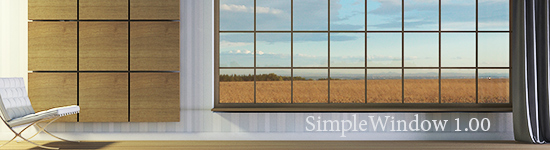
Script makes fixed window with horiz-vert dividers grid, board and sill. Any part of window can switch on/off, so you can easily change it.

WireCreator

10 votes

This Little script lets you to create your objects Smooth wire in 3dsmax,so you can render
your object with its smooth wire.

just select your object and run this script ...
all will be done ...

Syndicate content