ScriptSpot is a diverse online community of artists and developers who come together to find and share scripts that empower their creativity with 3ds Max. Our users come from all parts of the world and work in everything from visual effects to gaming, architecture, students or hobbyists.
With this useful and funny script, you can isolate in a ListBox, the category object in Geometry, Shape, Light, Helper, Camera and Space Warp in the viewport. We can select, rename and count the items in the scene. Useful in many work situation.
"This utility allows you to define groups of lights - for easy management. You can then turn all the lights in the group On/Off and Hide/Unhide them. It is useful for task such as having the same scene with day/night light schemes, or when you have to dead with an important amount of lights.
This script is an update of Light Grouper, you can find on scriptspot. It now supports vrayShadows, and Vrayshadowmaps"
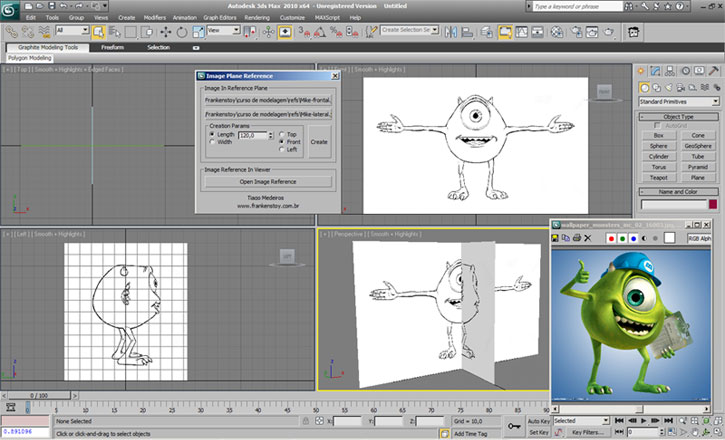
Tool to create planes of reference for modeling and can also upload images in a pop-up window. The script has a menu to load images, front and side, creating planes based on measurements of the loaded images. The script has an installer that already puts the files in the correct places, only indicate the path of the installation folder of 3ds Max
This is my first script.Made for fun. Actually i needed to move selected uv clusters exactly 1 uv tile in witch direction i choose so i made a script. And added a few things...
Submitted by martinskinner on Thu, 2008-07-17 07:39
16
votes
Simple Window Maker v1.1.ms
Simple Window Maker allows the user to
generate simple windows on mass across
the facade of a building, rather having to
model each one, or duplicate from elsewhere....
Submitted by Muthu Krishnan.S on Sat, 2009-06-06 07:17
9
votes
QUICK WALK THROUGH V 1.0.0. is for architectural visualization. In this version the script can detect 7 PivotDoors (PivotDoor01 to PivotDoor07) and 7 CasementWindows (CasementWindow01 to CasementWindow07). Using Keyboard Camera can be rotated in the x-axis also. Mouse can be used while Auto Key is on.
Submitted by Muthu Krishnan.S on Thu, 2009-04-23 05:41
11
votes
QUICK WALK THROUGH V 0.0.1 (Beta) is for architectural visualization. Camera is moved using keys, mouse and controls are similar to games. It can detect walls in the direction of movement and stops in front of it if the distance between camera and wall is less than 10". Doors and windows will open/close when the camera is near/away from it. It can detect floor below it. This is useful in climbing stairs and ramps.
Enables quickly select hands and fingers of Biped.
to install extract files from archive to :
C:\Program Files\Autodesk\3dsMax8\Scripts\BipedHandController\resources
Create folders BipedHandController\resources



 Click Clone v1.0.ms
