Position

zsTools

1
point

A simple script I wrote for my daily work. Maybe it will be useful for someone.
Rotation and Scale transormations are restricted to "geometry" and "helper" objects to avoid any errors.

- RESET position / rotation / scale of selected objects in selected or all axes.
- ALIGN position / rotation / scale of selected objects to min / average / max in specified axes
- apply a RANDOM (with given min and max values) position / rotation / scale in specified axes to selected objects.

Set individual transform keys

2
points

Need to key only the X position, or the Z rotation? This is a very basic script that pops up a little window having position X, Y and Z buttons individually, and the same for rotation. I left scale out of this since you'd have to assign a new controller for that to happen individually.


Randomizer

15
points

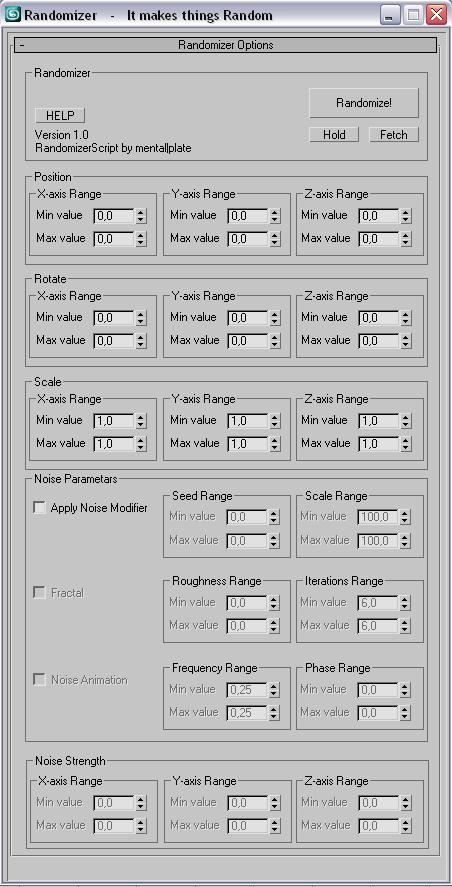
This script is for making things random....like you have a 100 of same boxes and you dont want them to be the same :D.
You select all of them and enter your values hit Randomize! and that is it.
You can also add random noise animations!


Progress on :


Rotate Tools

3
points

Compact dialog for simple preset rotations.

Has a type in for amount of degrees to rotate

buttons to rotate left or right.

Rotations are around the currently active axis. If there are multiple axis' selected, it will default to rotating around the Z axis

Pulldown of preset values to rotate (1,5,15,30,etc...)