3ds Max | All

SplineSurface

8 votes

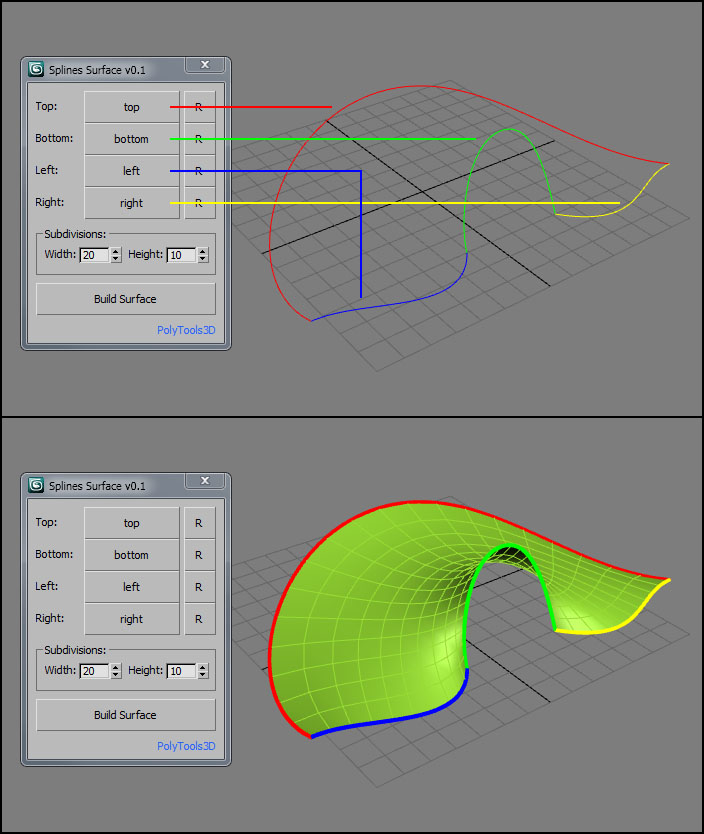
SplineSurface is a small tool that creates a quad surface based on 4 spline shapes.

Usage
Pick up your 4 splines, set the number of subdivisions and click on Build Surface. You can reverse the order of each shape with the "R" button.

Quick Skybox

0 votes

A QUICK WAY TO GET 6 IMAGES FOR A SKYBOX OR CUBEMAP FROM YOUR 3DSMAX SCENE.


  • Create your SKYBOX or CUBEMAP in seconds!
  • 6 images ready to use in UNITY or your favorite 3D Game Engine.
  • Options: Auto-create or pick custom camera || With or without Alpha channel || Set image Size


USAGE:

Just set the few required options (camera / image size / alpha / output file) and hit 'RENDER SKYBOX'.


INSTALLATION 

Textures2materials

3 votes

poster

Textures2materials is a very handy plugin which can turn multiple textures into materials at once (into multi-material or into multiple material slots). It also checks if your textures have a bump versions and load them as bump. "Must have" plugin for any 3D designer.

Power Masker

5 votes

The 3dsmax UI only allows you to set material effects ID up to 16 channels. The VRayMtl allows you to go beyond this using the effects ID override but other types of materials don't have any UI to adjust this. This tool using a backdoor into 3dsmax to set the effects ID beyond the 16 limit imposed by the UI.

This means you can create masks for every material in your scene. Using this tool you can either assign effects IDs by hand or just press to automatically create them and their mask render elements.

Skin Hide Manager

1 vote

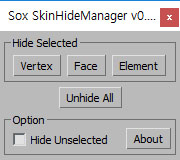
You can Hide and Unhide vertexes or elements while Skin process

( Poly object only )

Youtube Video

MCG AccumFloat

1 vote

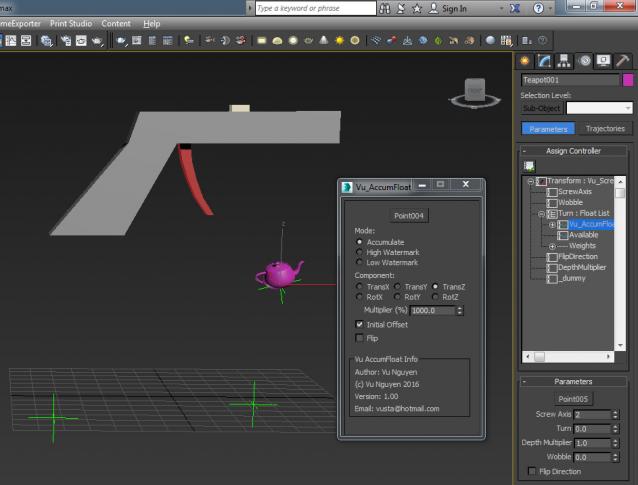
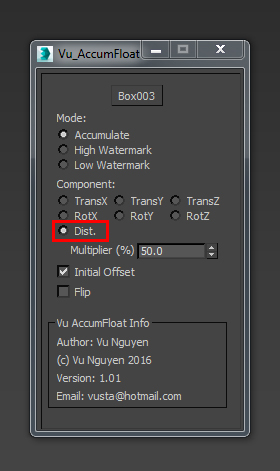
This Float controller accumulates value over the animation duration. It can also be used as 'memory' in High/LowWatermark.

ver 1.01: added Distance travelled

Vray Edgetext Controller

1 vote

Image and video hosting by TinyPic
This script will change the bump value of those material that has VRayEdgeTex on their bump slot. and enable and disable them completely.
It was wrote to help somebody on chaos group forum, but feel free to use it.
...the default value is 100 ...
It will run on all object materials (multimaterial as well) and check the bump texture to be an edgetex and then change its value.

Studio Builder for v-ray

1 vote

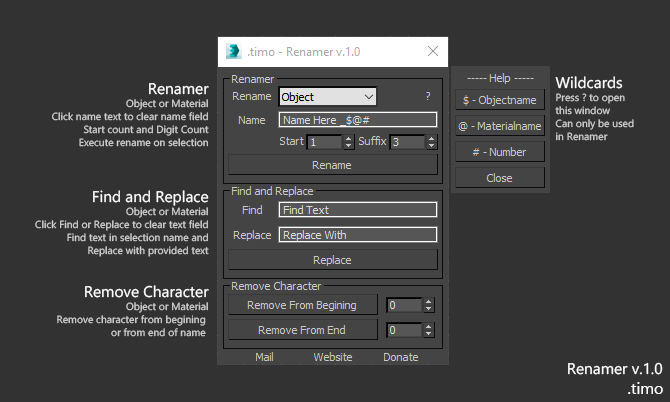
.timo - Renamer

1 vote


Renamer for 3dsMax

Renamer allow you to quick Rename one or multiple object using custom settings that is provided

How to use:

1. Select Object\s

2. Fill in requred text

3. Execute

Installation: Drop The file in max viewport and go to Customize ==> Customize User Interface ==> Category: .timo ==> .timo Renamer

Tested on 3ds Max 2015

Locks Manager

2 votes

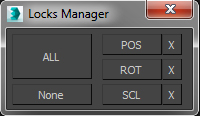
This is a small but extremely useful tool. I use it everyday and it saves me a lot of trouble and number of clicks.

It basically shortcuts the access to the “Link Info” options of the Hierarchy Panel.

Instead of going there to check/uncheck all the axis one by one, you can quickly lock/unlock everything,

or just Position, Rotation or Scale axes.

Syndicate content