3ds Max | All

SceneShutter

0 votes

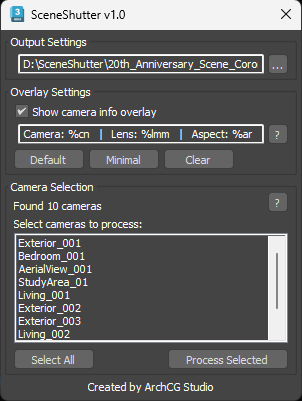
SceneShutter — Camera Viewport Export Tool for 3ds Max
Batch export clean, safe-frame camera previews with overlays and flexible aspect ratios — in seconds.

What is SceneShutter?
SceneShutter is a powerful yet lightweight tool for Autodesk 3ds Max that allows you to quickly export clean, safe-frame viewport previews from multiple cameras — without rendering.

Fast Fencing

1 vote

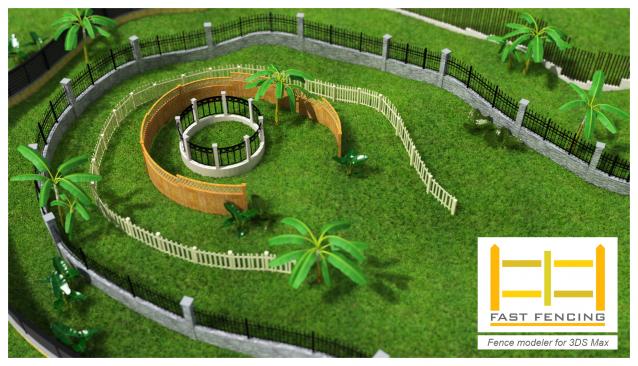
Fast Fencing generates an architectural structure through a custom procedural mesh object, you can change parameters and watch the results in real time. It's an easy and intuitive way to create a fence at a simple level, its versatility allows you to create your own style, useful for the creation of urban backgrounds.

This script creates a FA_Fence object which works as any 3ds Max object: any deformer can be applied, renderable, can be converted to mesh etc ... ​

miauu's Drag&Drop Pro

1 vote

Oversize Render

0 votes

OversizeRender

OversizeRender is a MAXScript tool for 3ds Max designed to help users easily set up and manage "oversize" or "over-scan" rendering. This technique involves rendering an image larger than the final intended dimensions, providing extra pixels around the edges. This is commonly used for:

Procedural Outlets and Switches

1 vote

Description:
Discover a powerful tool that transforms the way you create outlets and switches.
Design and place them with just a few clicks — faster, easier, and more intuitive than ever before. Say goodbye to tedious manual modeling and effortlessly generate a wide range of realistic electrical fixtures with unmatched ease and speed.

ProceduralSwitches

Pattern Engine For 3ds Max

2 votes

Pattern Engine is a scripted tool for 3ds Max that can generate and edit a variety of 3D geometry types—such as parametric patterns, 3D tiles, partitions, shelves, wall art, upholstery, and more—much faster and more easily than other approaches.

EPassword

1 vote

EPassword – Premium File Lock for 3ds Max

EReminder

2 votes

EReminder – Your Friendly Save Reminder for 3ds Max (Free Tool!)

dwAssignIDs

0 votes

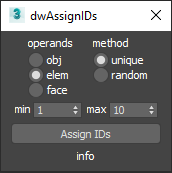
UI screenshot

Allows you to assign random/unique material IDs to objects/elements/faces.

Expects selection of one or more Editable_Poly objects.

Activate Creation/ Modify Panel (ArchiViz scipt)

1 vote

In ArchiViz, 95% of selections of objects, is to manipulate or transform (move, scale, rotate) them....
Working in edit poly mode is not unknown ofcourse, but unless you are modeling some
specific furniture parts, opening modify panel, when select the object is useless...
...and cause hours of waiting per month.

I hope you know what I am talking about, you select some fancy sofa
with let's say 15 000 000 polys and you wait so long for modify panel to read the edit poly object....and over, and over, and over...

Syndicate content