3ds Max | All

Override -Selection Mode- & -Convert Selection- in EditablePoly/UnwrapUVW

19 votes

This script override selection mode in EditablePoly/UnwrapUVW AND allow to Convert subobject selection to an another in EditablePoly and Unwrap

Hit 1 or 2/3/4/5 ==> go in vertex/edge/..() mode
Re-hit 1 or 2/3/4/5 ==> go in object mode and you can select another object!
I have added a line, with "Max modify mode", like this, if your are not in "modify panel" when you select an object and hit 1 to set vertex mode, the script go automatically in the panel "modify"

Install:
Go in Customize User Interface, Group "Main UI", Category "zOffTy Tools" and set
1 for epoly_vertex

Align Pivot - set of scripts to managing pivots

2 votes

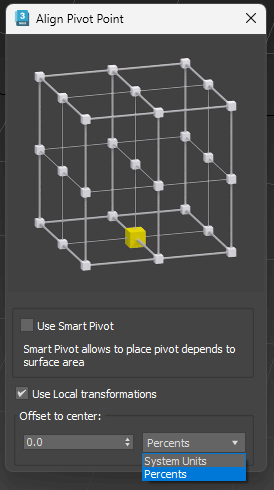
 Align Pivot (Smart/Standart) with Interface
Set Pivot by specifying the location point
Has multiple modes
Standard mode (Smart Mode is off ):
Pivot is set depending on the bounding box of the object. 
Smart Mode:
Pivot is set based on the surface of the object, not just its dimensions 
Use Local Transformations:
Pivot is set to the object’s local coordinates
If disabled – in world coordinates 
Offset to Center:
Offset Pivot to the center. Can be specified in percentage or system units. Supports positive and negative values.

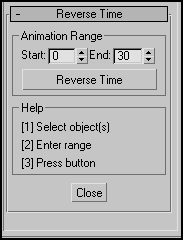
Reverse Time

25 votes

reversetime_ui

What to say... title and screenshot said everything.
Sample utility, an example of build-in Max function "reversetime".
Script affect only PRS (pos,rot,scale) transform keys.

Because I do not find some version in plain type for reverse time,
I wrote this script. I hope it come in handy for someone else.

Hoha_SuperiorTurntable_Camera

2 votes

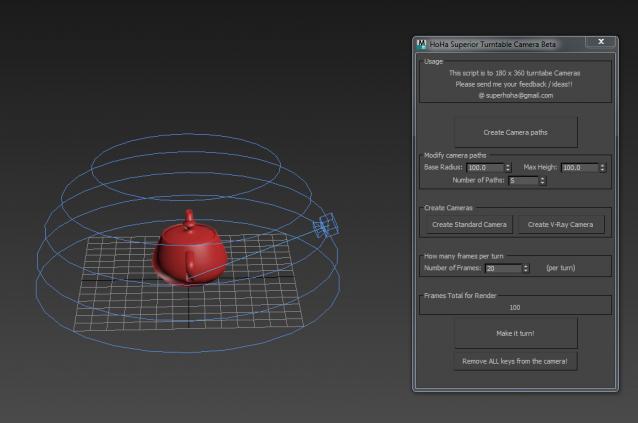
I would like to share with you today Superior Turn table script.

Superior Cam Pic

This script will make a turn table camera around the 0 0 0 coordinate. However, it can do more than that. It can take 360 x 90 angles of your model. Very useful for those who wants to render as hemishpere presentation.

It is a straight forward script. Just click from the top to botton, and you will have your camera.

Any questions, feedbacks please post below or email me.

Thank you.

Moody - 3ds max free character Rig v1.0 Release

5 votes

Moody Free 3ds max Rig
features :FK-ik controls , stretchy limps &spine , bendy-curvy limps ,biped mocap support ,pose manger, Autolipsync , dynamic realtime -limited- cloth system -2ndry motion , other usefull tools integrated.

more info and download
http://shaterstudio.blogspot.com/2014/12/moody-3ds-max-free-character-ri...

Scriptbag

4 votes

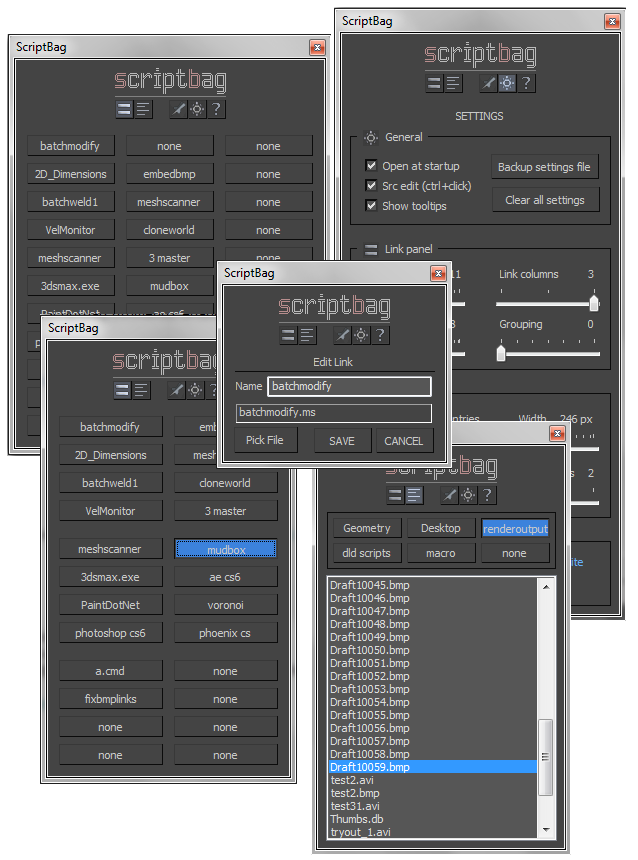
DESCRIPTION

Scriptbag is a configurable quicklink tool serving as a faster and more convenient alternative to Max's cumbersome user panel/toolbar system.


KEY FEATURES

- Link panel: up to 60 configurable link buttons
- List panel: up to 9 per-folder link file listings
- Adjustable button / window sizes
- All settings and link data are saved .db file
- Run scripts, open files with lmb
- Edit links and link names with rmb
- Hold control key to open scripts in editor
- Run at Max startup option

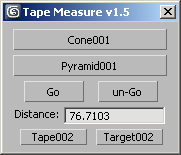
Tape Measure

3 votes

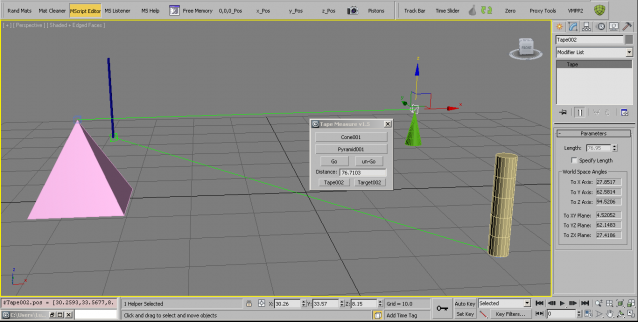
This script started out as a reply to the question of how to assign a shortcut to the tape measure, :)

Scene Notes Pro

3 votes

Adding notes directly in scenes(.max files) can be useful in many ways - to remind you something about any aspect of whole process of 3d work, for future reference, about whys or hows, for a colleagues(who are going to use the scene). 

Delete All Keys

4 votes

Deletes all the position - rotation - scale and custom attribute keys on all objects in the scene.

Show\Hide User Interface

2 votes

By default in 3ds Max you can hide with shortcut: main toolbar, command panel, ribbon, but other things like status bar, menu bar, layer toolbar, snaps toolbar and other you cant hide or show easy. So i create simply script with 7 buttons for hiding all parts of interface. You can just put this buttons on quick access bar. Hope it will be helpful for somebody.

Many Thanks Pete Addington(Lonerobot) for idea with keyboard pressed buttons and denisT from cgsociety for realization of fullscreen mode.

Syndicate content