3ds Max | All

Randomize Wire Color 2

0 votes

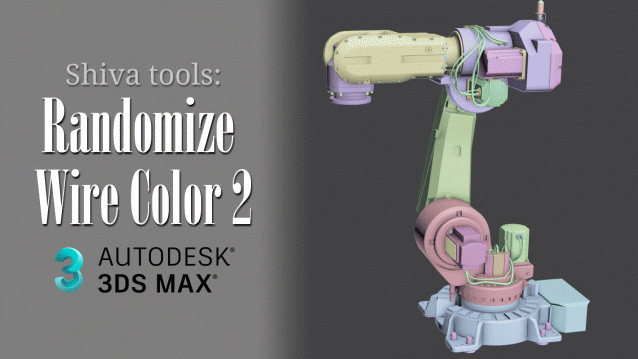
This free 3Ds Max script will randomize the wire color of selected objects. In this script, I have opted to use softer pastel colors, akin to Blender colors.

The script can prove useful when you've imported a CAD model where all wireframes are sometimes black or when detached geometry has numerous parts with the same wire color, making it challenging to distinguish between the detached parts.

Isolate By Material V2.0

0 votes

An update of the script called Isolate_By_Material. This new version uses the Isolate functionality as opposed to the hide functionality used in the first version, which is more logical since sometimes you have some hidden objects before you isolate the objects and you don't want to unhide them just to bring back the objects.

You can download the script from the description area on YouTube

(script) 2600 presets of sun, sky, and clouds for Corona Renderer

1 vote


3DS Max - Quick Tip -Visually Switch Between Viewport

0 votes

In this tutorial, we will see how, when we're working on a single maximized viewport, we can quickly see the content of the other viewports, and switch to the one we want. This provides visual feedback, in case we forgot the name of the viewport we want to work in.

Object ID Organizer

24 votes

.
New:
 - Select / Filer from selected Layers
 - assign Unique or Random IDs for multiselection
 - new '-' and '+' buttons to shift selected IDs by +1 or -1
 - added 'Add name prefix: #' (in Add to Render Elements) - for automatic channels in Pulze Post Manager

Free test versions available - Please check end of description
.
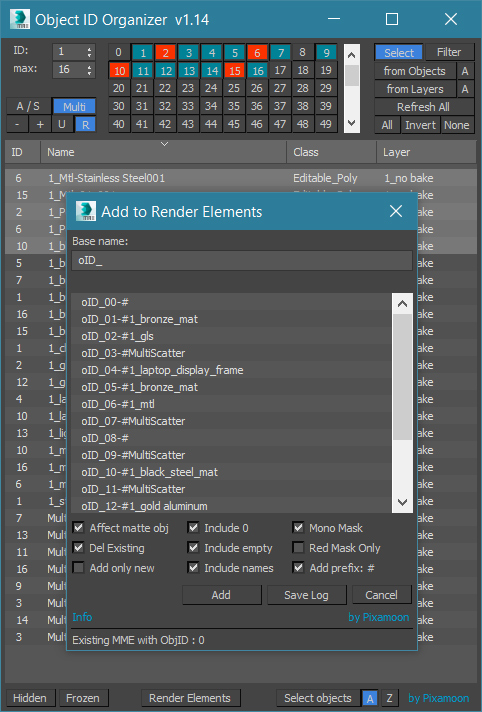
Object ID Organizer is similar to my previous Material ID Organizer.

It helps to quickly organize / inspect Object IDs in the scene and create MultiMatteElelemnts or Corona CMultiMatte.

3DS Max - Quick Tip - Exclude Objects From Zoom Extents

0 votes

In this tutorial, we will learn how to exclude objects from the Zoom Extents operation

Color Mixer

6 votes

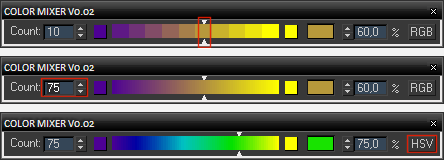
Simple color mixer. You can change the number of segments of the gradient control and move the slider or enter a percentage to get a desired blend of two colors in RGB or HSV color space. The width of the dialog can be changed.

Color Mixer UI

Advanced Bend Modifier

6 votes

A maxscript that gives the user more control over the bend modifier
It lets the user input a width and the script will move the center to get the correct width

features:

- uses smart snap to snap to a custom grid
- easily choose angle and direction
- apply new bend modifier with correct offset
- auto update current bendmodifier with selected settings
- realtime update of all settings!
- support for all 4 directions and 4 angles (90 180 270 360)
- choose your final width
- modify multiple selections at same time
- snap position to grid

Timeline Extended

0 votes

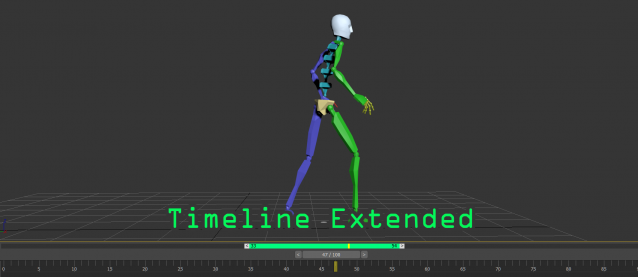
A timeline extended tools for easily playback on specific range, this tool was created by the ideas of pro animator.
This tool is very useful for those who are doing animation and want to have extra control to focus on specific time range.
Here is the main features:
- allow to playback sub-range of animation without changing the timing configuration
- drag the range panel(green bar) to quickly adjust the position
- quickly adjust the sub-range duration by dragging the start/end handles

3DS Max - Tip - Capture / Restore Objects Transform

0 votes

In this 3DS Max tutorial, we will see how we save and restore the position and rotation of the objects, so that, later on, we can restore them back to their original state. Also, we will take a look at specific scenarios where this technique might have undesirable results.

Syndicate content