3ds Max | All

Content Browser

2 votes

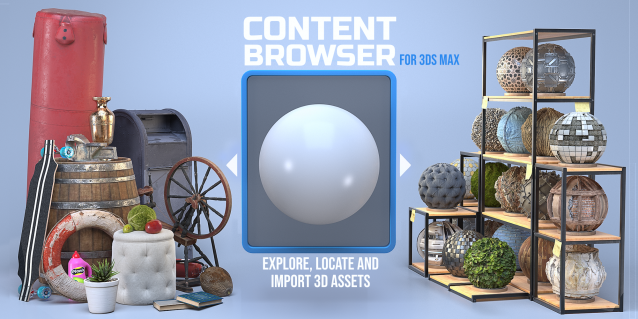
The Content Browser helps you quickly browse and import 3D assets on your computer.

Load any folder accessible on your machine and the Content Browser will find any materials, hdri’s, models, and max files. It will group, organize and display these files as assets, recognizing previews, LODs, mapping channels, resolutions and other important information automatically. 

It simplifies the importing and merging process for 3d models, max files, material creation and hdri environment maps by allowing you to directly browse, filter and drag all of your 3D assets from sources like MegaScans, PolyHaven, gameTextures, Poliigon, Arroway into 3ds max viewport or material editor. 

Main Features

  • Load any folder and find 3D models, max files, materials and hdri’s.
  • Show grouped files as assets, group matching assets and find preview images.
  • Drag and Drop asset into the 3ds max viewport or the Slate Material Editor
  • Import assets to Slate and Compact Material Editors
  • Default Merge and Import 3d files and max scenes, with automatic relinking filepaths
  • Choose LODs/resolution/variations and Import multiple assets at once
  • Folder hierarchy, File list and Preview Gallery

Collect Asset

44 votes

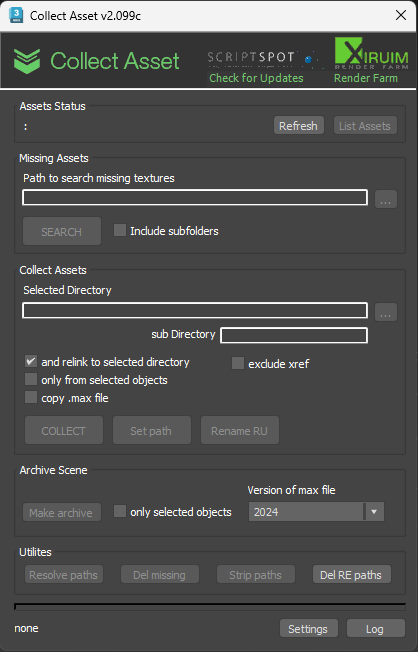
This script collects textures and other files used in the scene in one folder. Check for the same file names.
It is free script.

3DS Max - Attribute Holder modifier

0 votes

In this tutorial, we will learn about using the Attribute Holder modifier. This modifier serves as a container, and we will use it to instance some of the parameters that belong to some of the modifiers in the stack so that we can change them in one place. This is useful because it can save us a lot of time. With many modifiers in the stack, it's time-consuming to go down and enter the modifier to change the values. Sometimes we might even forget in which modifier the parameter that we are looking for.
In addition, we will learn about the Animate option in the Edit Poly modifier.

IFL Playback Manager

1 vote

Description

IFL Playback Manager is a really handy script for 3ds Max that helps you manage and control the timing of animated textures in your scene. It automatically lists all textures with assigned .ifl (Image File List) files and allows you to adjust their playback parameters directly.

3DS Max - Plugin - ZoomExtSelFix

1 vote

In this update, the script will work on sub-object selections. Also, a bug in the first version is fixed, when you switch to another mode other than the Modify Panel, the first version gives an error, this is fixed now in this 1.5 version.
To recap on why this plugin:
The default Zoom Extents Selected tool in Max has an issue when you're in a sub-object level but no sub-object element is selected, pressing Z(the default shortcut) causes Max to Zoom Extents on the whole scene instead of the selected object.

Instantly Auto Edges

27 votes

Performs auto edge on all selected Editable Meshes,
making imported Revit or AutoCAD meshes more readable.

3DS Max - Simple Chair Modeling

0 votes

In this tutorial, we'll model a simple chair, as requested by a viewer, we'll see one approach to model chairs like this. We'll also learn how to assign different material IDs to the polygons, allowing us to create a Multi/Sub-Object material with three distinct materials for the chair(without configuring the materials' properties, just colors). Additionally, as always, I'll include useful tips and information.

Stich Polys

0 votes

The script moves vertices from one object (object1) to other (object2). If the vertice is outside of Snap Distance creates vertices in other object, when needed (MAX cut operation)

Object 1 and Object 2:
- The Objects must be a Editabled Poly with no EditPoly modifier.
- The Objects must have edges or vertices selected.
Can select edges inside of object the script will take only border edges.

Move to Surface (New tool)

1 vote

This tool can move Points and objects to a surface very fast, It is ideal for massive jobs with large
amounts of points or objects.

New Tool

Join Discord server

Sweep Tool Pro

1 vote

This tool create a Sweep modifier to extrude a cross-section along a spline.
Can Allows you to apply the current sweep to selected splines great for massive jobs.

Join Discord server

Syndicate content