ScriptSpot is a diverse online community of artists and developers who come together to find and share scripts that empower their creativity with 3ds Max. Our users come from all parts of the world and work in everything from visual effects to gaming, architecture, students or hobbyists.
Submitted by Ofer Zelichover on Fri, 2006-10-20 20:45
13
votes
This is a free Renderman exporter for 3DSMax. It enables you to render your scenes using any Renderman complient renderer. For now - it doesn't do very much. It is after all a first alpha version - but it is usable to some extent. It exports you camera - lights and geometry (currenty - all geometry is exported using either polygons or subdivision meshes.) It does not export particles - though I would like to add them at some point. A lot of max attributes are not supported yet.
This tool is my solution for artists who needs to compare different render settings in short time with no need to save bitmaps.This tool is renderer independent.
Submitted by andrewjohn81 on Mon, 2007-10-08 13:24
13
votes
Need to key only the X position, or the Z rotation? This is a very basic script that pops up a little window having position X, Y and Z buttons individually, and the same for rotation. I left scale out of this since you'd have to assign a new controller for that to happen individually.
SceneBracket simply allows you to set up a pair of frame tags that store the current time frame you are working in. If you need to move the timeslider range to see some other animation keys, you simply press the set button to return to the stored range. This is an invaluable time saver in animation production as ranges change for each shot in a length of scene audio.
A script to help speed up the process of making a simple Matte Pass in vray. It has a button effect similar to the Isolate command, but instead of hiding all other objects, it sets their Vray user properties to Matte Alpha -1.
how many times you wish for a search like windows for your bitmaps inside max? so that's it! now you gut one, it goes throw all your materials and founds maps with specified characters; you can type bitmaps exact name or use * sign like windows.
Submitted by rubengarzajr on Sun, 2009-05-17 18:28
13
votes
The Object Name Editor tool offers the ability to batch rename objects. The tool allows case sensitive search and replace, appending text, trimming characters and numerical incrementing.

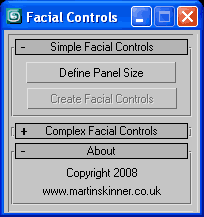 Facial Controls v1.0.ms - Maxscript that creates simple controls for driving a facial rig be it basic or complex.
