3ds Max | Scripts

OutFiler file browser

8 votes

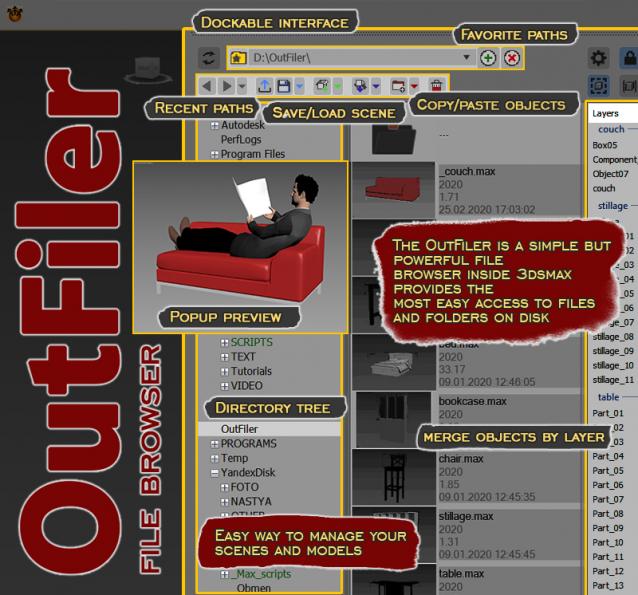
The OutFiler is a simple but powerful file browser inside 3dsmax that completely replaces standard save/load/save selected/merge/import/export dialogs. I believe folder tree much more comfortable and transparent.

The OutFilers provides the ability to quickly find the necessary folders, save the history of movements along them with back/next buttons and recent list and the favorite paths for quick access to working scenes.

Loop Regularizer

102 votes

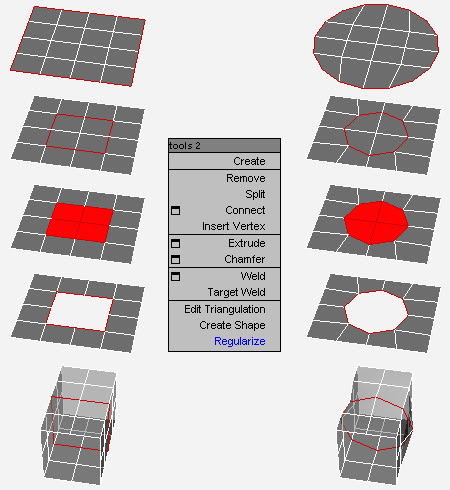
Rearranges loops in regular n-gons.

Please remove this script from ScriptSpot

0 votes

RandoMixer

1 vote

RandoMixer banner

Local Pivot Align

2 votes

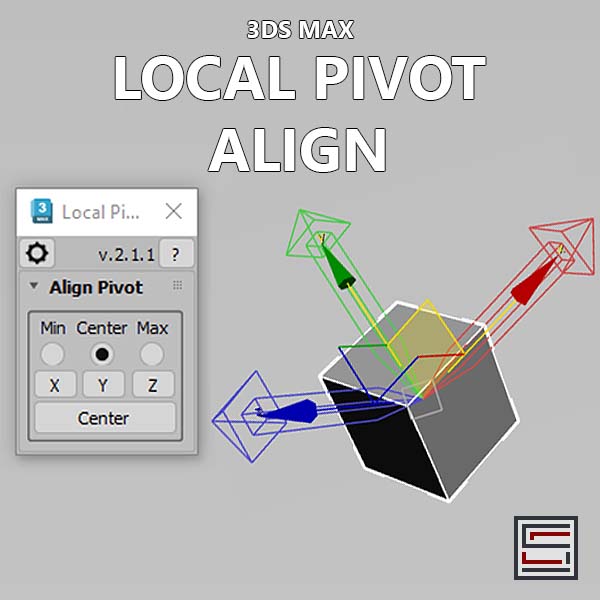
Description: This script aligns the local pivot using an object's bounding box min/max extremes. 

Layer Preset Manager

0 votes

Updated 2025/11/16

Layer Preset Manager for 3ds Max: a game-changer for artists. This tool streamlines the process of creating, customizing, editing, and reusing layers with ease. Featuring tokens for keyword definition that can be tailored with specific values for layer generation. Check out the video below for a demo of its capabilities.

Changelog

v0.0.1

- initial release

v0.0.2

- Improved visuals of tokens in editor

Bulk Editor

3 votes

Unlock unparalleled efficiency in 3ds Max with Bulk Editor, the essential tool for artists and designers looking to streamline their workflow. Bulk Editor allows you to effortlessly edit properties across multiple objects, saving you time and enhancing your creative process.

FS Scene Converter (FStorm)

6 votes

FS Converter is a scene convertor to come back from FStorm renderer or to only convert some objects.

This converter allow to convert all the Fstorm renderer feature to Vray or Corona and Redshift.

It's not a simplicity converter, it's keep all the compatible settings...
Compatible: Fstorm Camera, Fstorm materials, Fstorm proxie, Fstorm Lights (including SunLight), Fstorm Displacement...

Convert all the scene or only selected Object... See how many instance it's necessary to convert...

Real time informations for the convertion state.

Corona Material Automator

4 votes


Get Materials (one click!)

4 votes

A very simple but EXTREMLY USEFUL script you will use all the time!

With just one click it opens the Slate Material Editor and displays all the materials for the selected objects well organized in a clean view.

Forget about the annoying material picker tool. Add this simple button to your toolbar and every time you want to see the material/s for your current selected object/s just click the button and... Voila!

It will save you a lot of time!

Syndicate content