3ds Max | Scripts

Wire Connect

12 votes

"This script does ONE WAY WIRING with a simpler object-to-object interface. It also shows Script Expression editing as well as range editing for objects. This is similar to Maya's Connection Editor - but with all the nice added features of MAX's wiring via script/expressions.

Shrink_Wrap.ms

12 votes

This script will shrink one mesh to the surface of another mesh or meshes. This can help making a lowpoly collision object for a character. First a snapshot of the selected object is created. The original object is put into box mode (so it is easier to

Bounding Box Meassure Callback

12 votes

Called anytime the selection is changed the script shows in the prompt line (lower right corner, next to the listener ;) the dimensions (as integers) of the selected object in the current units.

Comes very handy while working with interior/exterior scenes. to me at least :)

ViewPort Control Mini

12 votes

The original script by Adam Biles “Viewport Controls” was
altered by othoap on 4-1-07.


I really like docking all my tools so I made smaller icons then Adam Biles UI and added a docking feature. Also I added buttons
for all the viewport layouts.

The button icons are only in 16 pixel size. Sorry
I don't use 24 pixel UI setting.

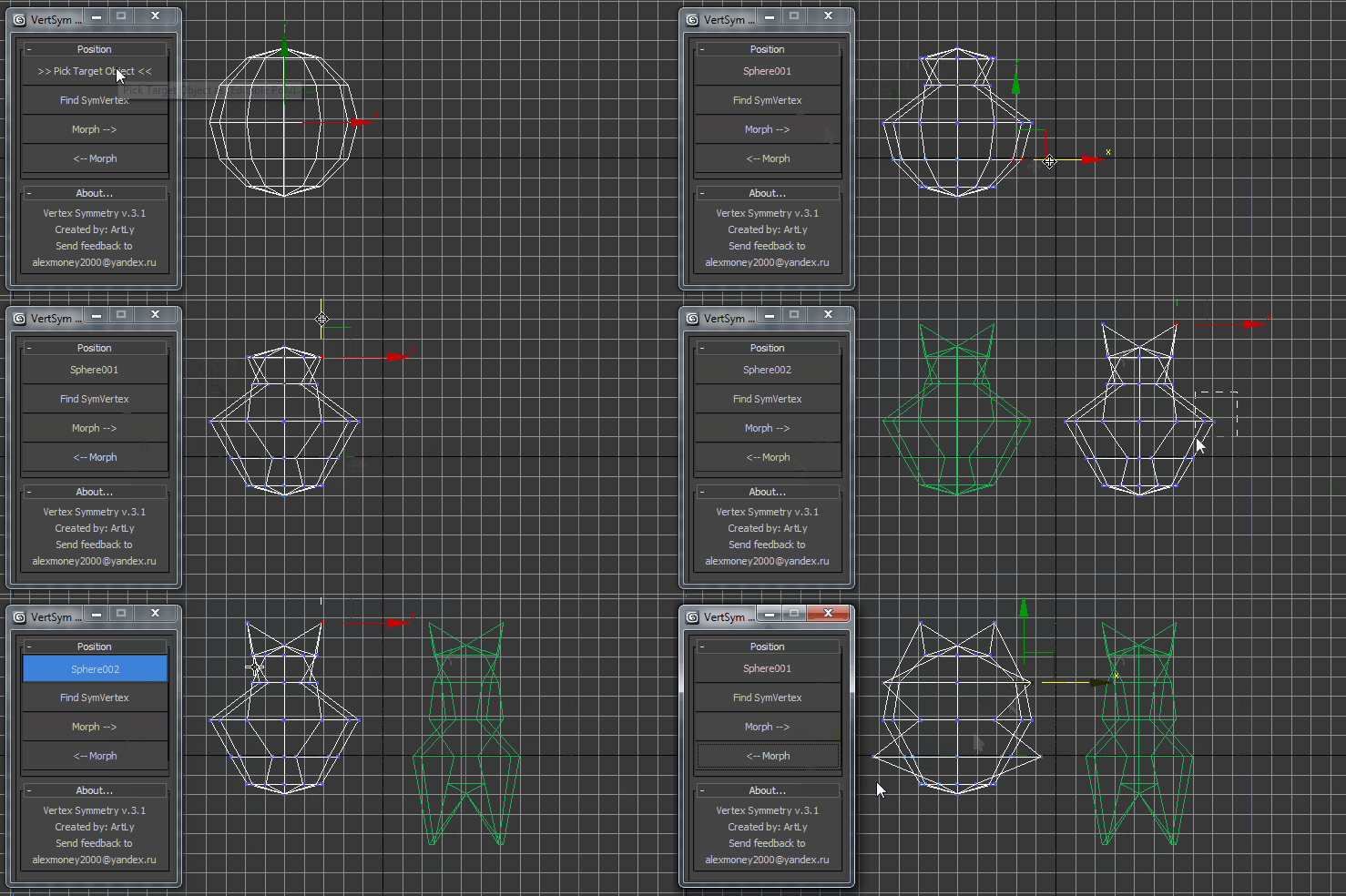
VertexSymmetry

12 votes

This script use for morpher symmetry + video Tutorial Transform move (Left to Right) (Right to Left) 

selected by wirecolor

12 votes

Hi all,

I was wondering if there is already a script or you have a simple solution for the following:

I want to select some objects (A) by other object(B) that has the same color as the objects (A).
(Max file have any wirecolr objects in sceen.)

Sorry I'm not good at English.

best regards.

RenDir

12 votes

What this will do is load up every single max file in the directory of your current scene file, and render each of them. Useful if you have a bunch of max files you want to render overnight on a single PC. You can just copy all those files into any directory, and set them all up with the render settings you want.
And then run the script, it will read all the max files in the present dir, and load them one at a time, and render each out.

CopyClick

12 votes

-- Copy by Click
-- V1.0

-- How it works?
-- 1. Select objects
-- 2. Execute CopybyClick
-- 3. Click to make a instance of selection
-- 4. ESC or rightclick to cancel

------------------------ THE CODE ------------------------

macroScript CopybyClick
category:"AGGTools"
buttonText:"CopybyClick"
tooltip:"Copy by Click"

(

fn CopyClick =
try
(
maxOps.cloneNodes $ cloneType:#instance newNodes:&nnl
select nnl
Sel=selection
p = point pos:Sel.center
p.pos.z = 0
ClickPos = pickPoint snap:#2D ()
ArrayFiltroGroupHead = #()

360turn

12 votes

a script I made because I really wanted to create a model turn that would be flexable and easy. Also I got sick of creating one manually. So here you go.

Moving an Egg on 3 axes

12 votes

Hi, this is our work made for a school project, it's an easy way to move an egg with the help of a dummy.

Its rotation is actually based on another script made by Cuneyt Ozdas and the positioning is made by getting the lowest vertex on the object (egg) and adding it to the distance where a ray(previously made) collide.

I hope you understand how it works. Just take the scene example and run the script, it'll work wonders! :D (I attach a word document though, just in case :P).

Greetings,
IPMULSA

Special Thanks:
Mander
TenshiYuna
LizQuiroz

Syndicate content