Tagged 'align'

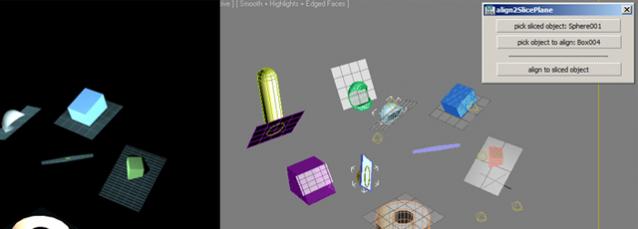
AlignObject2slicePlane

2 votes


this script lets you align an object to the sliceplane of an object with slice modifier.


works on max design 2011 x64.

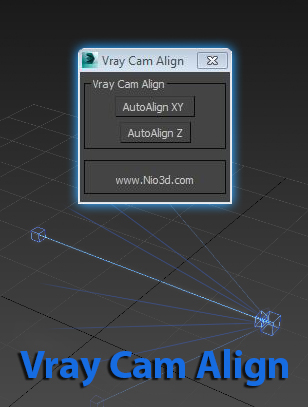
Vray Cam Align

1 vote

GuideLines
Description:
Vray Cam Align will align your VrayCam target height with the selected camera height.
The "AutoAlign XY" button will do the above and also find the general direction of
the cam,and align the target to the appropriate axis.

enjoy:)

Wickerfilms | Easy Pivot

3 votes

Preview for Easy Pivot


Hey whats up guys!

I'd like to present to you my new script called : "Easy Pivot"

AttachmentAlign

0 votes

AttachmentAlign is a script to get automaticaly postioned your Helper with an Attachment Constraint.

- So you got your mesh (Editable Poly) ...
- You place your target (Point Helper), where you want the helper to be on your mesh (If you want to, use AutoGrid) ...
- Run the script and pick the mesh & helper

-> A new helper will be created and attachment constraint to the surface of the mesh at nearly the point were your target is.

Highest accuracy does take rly long and is not effective enough, i think, so use the default...

Frodo's Magic Scripts Pack

74 votes

NEW UPDATE TO v4.4 RELEASED!!

Hi,
this is a small package of my latest scripts, i hope you'll find them usefull.

Includes:
Camera lister - usefull for fast navigation and selection of scene cameras
Autobackup check - you'll never forget to turn autoback on
Speed meter - measures speed of selected object
Grider - slices object by grid
Center & Reset - resets xform and centers pivot
Aligh spline to Z - flattens spline in Z direction
Object ID - assigns random g-buffer ID to whole scene

zsTools

21 votes

A simple script I wrote for my daily work. Maybe it will be useful for someone.
Rotation and Scale transormations are restricted to "geometry" and "helper" objects to avoid any errors.

- ROTATE selected objects by selected angle in specified axis
- RESET position / rotation / scale of selected objects in selected or all axes
- ALIGN position / rotation / scale of selected objects to min / average / max in specified axes
- apply a RANDOM (with given min and max values) position / rotation / scale in specified axes to selected objects.

Macro Snippets

26 votes

Show Vert Nums
Quick Z Direction
Distance to Clipboard
Angle to Clipboard

AndyE Tools v1.0

36 votes

Make planar & UV align commands

15 votes

Hey, guys.
Just a simple set of commands you can find in the Algomorph Category under Main UI group once you've put the scripts in your Macro folder and run them. These commands don't appear in either MainUI group / Editable Poly category or in the Editable Poly or the Edit Poly group, although they do appear as on-screen rollout buttons.

As far as the UV align X or align Y functionality goes, this doesn't explicitly exist in Max as a shortcut or button command, which is kind-of an old feature that Max was always lacking contrary to some other 3D apps...

Stick Locator

23 votes

Stick Locator
=============
version 1.2

written by Mayec Rancel

(macroScript)

Description:
Creates a point dummy, and parents it to the reference object's vertex/center,
using controller expressions.

This is useful to parent other objects to a specific part of a deforming
mesh, or an object whose transforms have been 'baked' (e.g. point cache).

I have found it specially useful, in FX work, for particle/fluid emitters.

Notes:
- Only the 'center' method can be used with splines.
- When using 'vertex' method, the dummy's rotation will align to the

Syndicate content