Tagged 'Animation'

ShiftAnim

10 votes

This simple script shift the animations for all selected geometry object, and make it loop within the current animation range. You can ask an exact amount, or randomize the decal for each object.

time slider control

2 votes

this tool drags time slider without mouse clicking.
I made this because I feel pain in my wrist while dragging time slider.
and this can prevent scratch at the bottom part of your tablet if you use tablet for animation.

bf :: SplineWalkator

3 votes

No longer supported, please check : http://www.scriptspot.com/3ds-max/scripts/bf-splinewalk

Go to next/previous frame/key

12 votes

This
is a collection of
four very simple scripts that allow you to set individual hotkeys to go
to the next and previous frames in your timeline and the next and
previous keyframes of your selected object. Basically I made
these because when it comes to navigating frames forward and
back
by hotkey, I prefer maya's way of doing it as opposed to max's toggle
approach.

Henriqvist's Animation Toolbar

3 votes

Script that creates an Animation Toolbar with a lot of features.


Chain Rigger

29 votes

Chain Rigger

============

created by Mayec Rancel

Chain Rigger

This tool creates a simulation rig for a chain (free or constrained) with a few simple steps. The rig is an optimized one, very stable and fast to simulate, based on a reactor rope.

t2.AnimatorSuite

15 votes

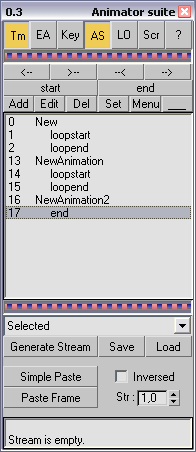
Full toolset for game animator. Time range controlling , copy / paste animation, edit key params from tool ui, custom scripts that able to execute over each frame, custom objects linking and folding ui. Read help file for more information.

Travel Distance

1 vote

a Maxscript Controller to measure and expose the distance traveled by an object.
1: select an object, a point or something else
2: run the script
3: in the modify panel, clic on Pick Reference button and pick the object you want to mesure travel distance.

Now, if you animate the object in autokey, you will see the value changing.
You can use it in wire Parameter or in expressions or script controllers

Stick Locator

23 votes

Stick Locator
=============
version 1.2

written by Mayec Rancel

(macroScript)

Description:
Creates a point dummy, and parents it to the reference object's vertex/center,
using controller expressions.

This is useful to parent other objects to a specific part of a deforming
mesh, or an object whose transforms have been 'baked' (e.g. point cache).

I have found it specially useful, in FX work, for particle/fluid emitters.

Notes:
- Only the 'center' method can be used with splines.
- When using 'vertex' method, the dummy's rotation will align to the


Bend Biped

3 votes

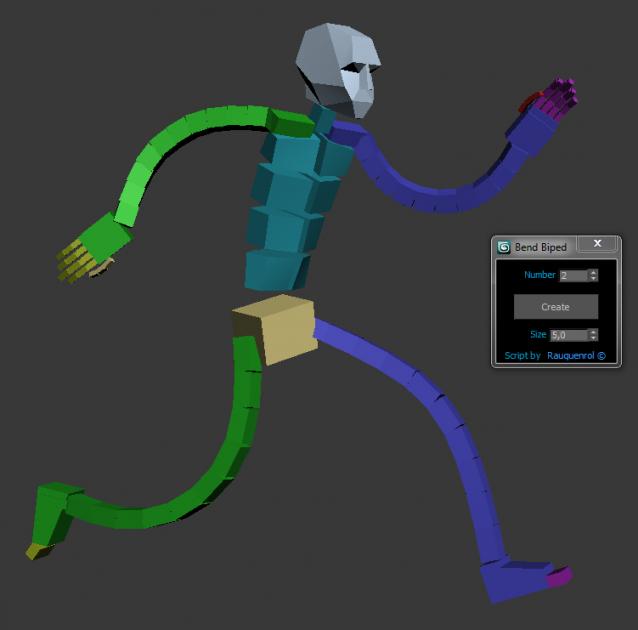
It adds to the biped bend joints on Arms and Legs.
A slider on Hands and Feets control the bend value.
It also can be use to create good twist bones.
It adds the ability to stretch the Arms and legs.

You just have to skin using these new bones and not the biped ones.
But you animate using the original biped bone

Syndicate content