Tagged 'camera'

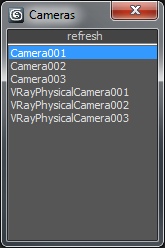
mipoll Vraycamlister

1 vote

Info :
Rightclick : select camera
Doubleclick: select target
Rightclick: change viewport to camera view

Hoha_SuperiorTurntable_Camera

2 votes

I would like to share with you today Superior Turn table script.
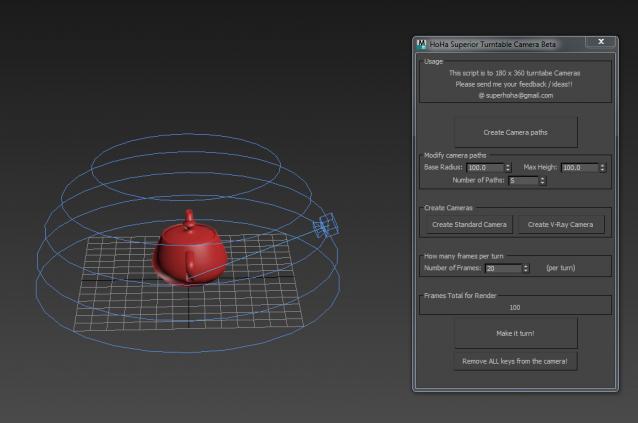
Superior Cam Pic

This script will make a turn table camera around the 0 0 0 coordinate. However, it can do more than that. It can take 360 x 90 angles of your model. Very useful for those who wants to render as hemishpere presentation.

It is a straight forward script. Just click from the top to botton, and you will have your camera.

Any questions, feedbacks please post below or email me.

Thank you.

GTVFX-ANM_cameraBaker

1 vote


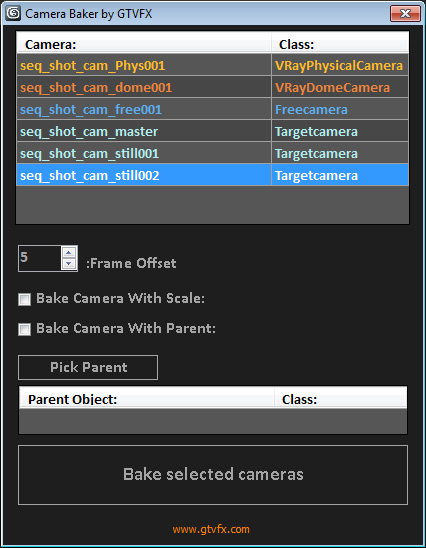
Bakes cameras per frame with optional transform, and optional frame range buffer.

By default this bakes the camera in World Space which is generally what you want. There is an option to bake the camera in Parent space if you check the box "Bake camera in selected objects space".


02/01/2014:

CamLister

4 votes

A very simple Camera Lister which allows to select and assign cameras by clicking it in the list.

Leftclick: Select the camera
Rightclick: Assign to current active Viewport

Very simple one but still my most used Script for daily work ;)

Camera Mixer

46 votes

Camera Mixer v0.1  Camera Mixer  is a real-time sequence editing tool.
It allows you to start editing draft sequences without starting any heavy film editing software.

Features :

- Real time playing
- File Open/Save
- Export the mix to 3dsmax’s batch renderer
- Save a preview of the whole mix
 - Usual UI controls : snap, delete/repace, mute/solo, move track up/down

NukeOps

39 votes

A set of functions wrapped into a minimalist single-click button to help 3ds Max and Nuke artists to bring the 3ds Max 3d scene assets into Nuke's powerful 3d compositing scene.

This tool allows:

1) Copy cameras and any other objects (as points) and their animation into clipboard for an easy Copy+Paste action inside Nuke.

2) Generate .chan files from selected cameras and any other objects (as points) and save them either many at once or one at a time to selected destination.

Frodo's Magic Scripts Pack

74 votes

NEW UPDATE TO v4.4 RELEASED!!

Hi,
this is a small package of my latest scripts, i hope you'll find them usefull.

Includes:
Camera lister - usefull for fast navigation and selection of scene cameras
Autobackup check - you'll never forget to turn autoback on
Speed meter - measures speed of selected object
Grider - slices object by grid
Center & Reset - resets xform and centers pivot
Aligh spline to Z - flattens spline in Z direction
Object ID - assigns random g-buffer ID to whole scene

VRay Camera SLR Setup

4 votes

With this tool you can easily set up the basic parameters of VRayPhysicalCamera
(Aperture [f-stop], shutter speed and film speed [iso]) to mimic real SLR cameras.

CamSwitcher Jos

0 votes

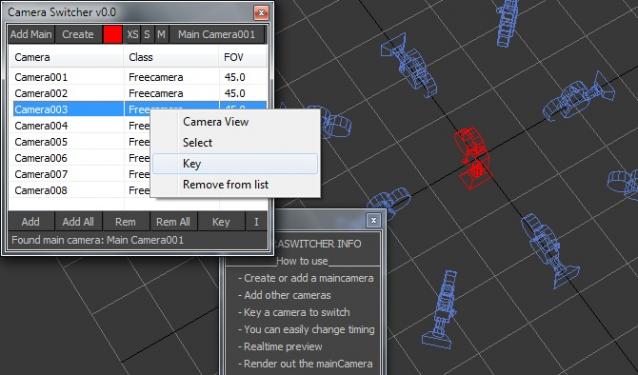
Okey I know there are some similar scripts outhere, but I created one I hope people will find this one useful.

- Create or add a maincamera
- Add other cameras
- Key a camera to switch
- You can easily change timing by drag the keys
- Realtime preview (because the use of one main camera)
- Render out the mainCamera

 Questions/Comments? please contact me

Maxwell Camera Offset

3 votes

Update 1.1: Added exposre dialog for adjusting parameters without changing camera exposure, and support for render regions in the offset viewport.

I have a new script that displays the Maxwell camera offset in the viewport. You can switch it on and see a masked region of the viewport (make sure safe frames are turned on) and move the camera, pan, zoom, etc. with it on.

offset ui preview

Syndicate content