
Timeline Addon
Version:
2.0.8-42
Date Updated:
02/12/2010 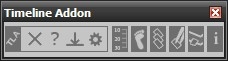
Timeline Addon 2.0.8-42
Adds more functionality to the 3ds Max timeline. You can:
- adjust timeline start, end, slider and length
- navigate through frames and keys
- move, select, align, reverse keys
- set timeline bookmarks
- show info about ram and cpu usage
Additional Info:
Demovideos on Vimeo:
Timeline Addon 1.0.0-22
Timeline Addon 2.0.0-37
Version Requirement:
3ds Max 9 SP2 or higher (I think there will be no Max 8 version, because there are not enough requests)
Comments
hey there, tried to install
hey there, tried to install this on my max 2010 x64 but everytime I get a message saying:
-- Runtime error: fileIn: can't open file-"C:\Prpgram Files\Autodesk\3ds Max 2010\Scripts\TimelineAddon\Macros.mcr"
2.0.7-2 - general bugfix of
2.0.7-2 - general bugfix of operationrange and keyprocessing, also a little bit opimization
Well long time no update. But you know, there are times a student has to learn a bit :)
Yeah I am one of these guys
Yeah I am one of these guys who uses your awesome script...extremely useful for timing VFX animation etc...I also always recommend this script to all my gfx comrades in the company who use 3ds max ^^
Hope we get the new version this year^^
Kind Regards.
I can't say when it will be
I can't say when it will be finished :) (what was the motto of duke nukem developers ^^ ... when it's done)
Also I got a lil' bit lack of motivation currently, but I won't stop working on it cause I see some guys work with this script and I'm really happy about that ^^
When is the new Version
When is the new Version ready? :D
I really cant wait to get my hands on it^^
well that should be no
well that should be no problem
Andreas, is it possible to
Andreas, is it possible to add a button for setting playback speed? Double Speed, Realtime, 1/2 speed, 1/4 speed etc...I think it would be a very useful "little" feature...just a little Button or Button Rollout.
currently trying to get the
currently trying to get the reverse function also to work for bipeds, its damn tricky, but i hope i'll make it :D
in version 2.0.6-42 you
in version 2.0.6-42 you should choose the "dark" ui scheme in the settings, you currently using the "light" scheme. in the next version of TLA its up to the user how the buttons will look, you can manipulate the colors in the settings as shown here: http://andreasmeissner.net/timelineaddon/preview/
thanks 4 your feedback!
Hi Andreas, its me again
Hi Andreas,
its me again :)
I know, its not important but if you want to give your wonderful script a little more visual appereance, you could make the Icon Backgrounds less contrastful.
Here is a actual screenshot, I mean the white Boxes behind the Icons:
http://img5.imagebanana.com/view/hh72t0vf/Untitled2.jpg
I would make every Background Boxes like the first Background Box behind the "TLA" Icon: GRAY...than you have less contrast + every Box look similiar...that would give your great script a good visual touch because the white boxes look really ugly if using black UI Theme.
Just my 2 Cents...hope this Idea helps to improve your already awesome script.
PS: The New Bookmark List is a awesome Idea...It does not waste space like the old bookmark time line + its user friendly. Keep up your good work!
Best Regards.