Tagged 'batch'

MaxBatch - Advanced Batch Render Manager for 3ds Max

0 votes

ForestPack Manager Cover

MaxBatch is a comprehensive batch rendering utility for 3ds Max. It provides a structured interface to queue and manage multiple rendering tasks, whether you are rendering multiple cameras within your active scene or processing a list of external .max files sequentially. It is specifically optimized for V-Ray 7 and Corona 14.

One-Step Copy & Relink (Bitmap Path Manager)

0 votes

One-Step Copy & Relink is a workflow utility that consolidates two tedious texture-management tasks into a single operation. It scans your scene for all bitmap-based maps — standard BitmapTexture, VRayBitmap, and VRayHDRI — then copies the source files to a destination folder of your choice while simultaneously relinking the materials to a different target folder using a new file extension.

V-Ray to Standard Converter (Materials & HDRI Maps)

0 votes

V-Ray to Standard Converter is a lightweight scene-migration script that strips V-Ray dependencies out of a 3ds Max file in a single pass. It scans the scene for every VRayHDRI map and VRayMtl material, then replaces them with their native 3ds Max equivalents — BitmapTexture and Standard material — while preserving names, file paths, and the most common texture slot assignments.

ECamera2Batch

1 vote

ECamera2Batch – Professional Camera Batch Render Manager for 3ds Max

Streamline Your 3ds Max Rendering Workflow with Intelligent Camera Processing

ECamera2Batch is a powerful MaxScript tool designed to revolutionize how you handle multiple camera renders in Autodesk 3ds Max. This professional-grade solution automatically creates batch render views from selected cameras while intelligently parsing camera names for custom render parameters.

Batch Material Editor

14 votes

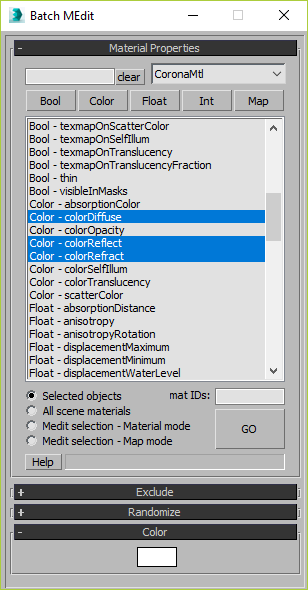
This script allows you batch edit multiple materials and bitmaps.

SceneShutter

0 votes

SceneShutter — Camera Viewport Export Tool for 3ds Max
Batch export clean, safe-frame camera previews with overlays and flexible aspect ratios — in seconds.

What is SceneShutter?
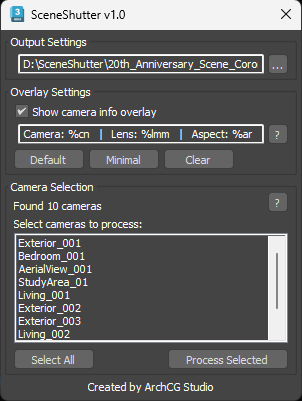
SceneShutter is a powerful yet lightweight tool for Autodesk 3ds Max that allows you to quickly export clean, safe-frame viewport previews from multiple cameras — without rendering.

Overnight Batch Render

3 votes

SubSpline 3dsmax script - banner

Full rendering job while you sleep!


Description

Overnight Batch Render is a simple yet powerful batch rendering tool for 3dsMax, capable to process multiple scene files sequentially on a single computer.

EBatcher/Econverter

2 votes

EBatcher is a max file cleaner, assets collector, Corona converter with legacy materials support that enhances your file’s performance. It can clean up your files and save them to previous versions in batch mode. EBatcher also provides a controllable subdirectory environment and has the ability to collect your assets and rename it to a desired folder.

Each license of this script can be activated on one computer only (With many max versions* and instances as you want) and this license covers ver 1.++ and it’s minor updates below ver 2.00.
Change log:

Batch Save 3ds Max Files to Previous Version

4 votes

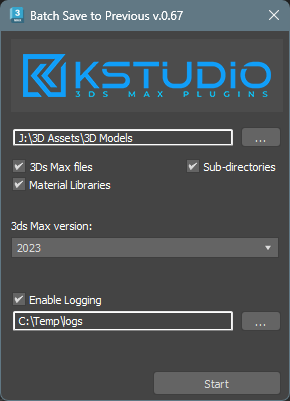
Script for saving 3ds Max files and Material Libraries* to the previous version in batch mode

*Batch saving Material Libraries to the previous version requires 3ds Max 2023 Update 1 or newest


Content Browser

2 votes

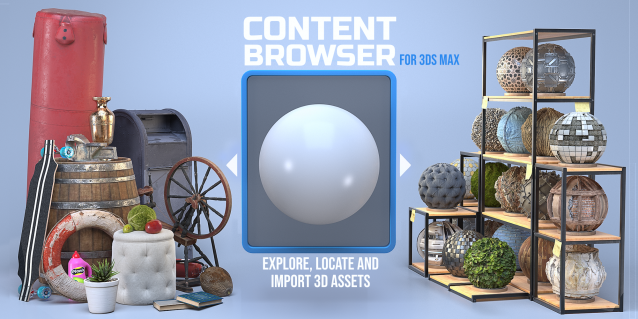
The Content Browser helps you quickly browse and import 3D assets on your computer.

Load any folder accessible on your machine and the Content Browser will find any materials, hdri’s, models, and max files. It will group, organize and display these files as assets, recognizing previews, LODs, mapping channels, resolutions and other important information automatically. 

It simplifies the importing and merging process for 3d models, max files, material creation and hdri environment maps by allowing you to directly browse, filter and drag all of your 3D assets from sources like MegaScans, PolyHaven, gameTextures, Poliigon, Arroway into 3ds max viewport or material editor. 

Main Features

  • Load any folder and find 3D models, max files, materials and hdri’s.
  • Show grouped files as assets, group matching assets and find preview images.
  • Drag and Drop asset into the 3ds max viewport or the Slate Material Editor
  • Import assets to Slate and Compact Material Editors
  • Default Merge and Import 3d files and max scenes, with automatic relinking filepaths
  • Choose LODs/resolution/variations and Import multiple assets at once
  • Folder hierarchy, File list and Preview Gallery

Syndicate content