Tagged 'batch'

Little Batch Render

33 votes

Vray - LittleBatchRender
Version 0.84

Description:
with the "LittleBatchRender"-script you can easily render multiple cameras in your scene with one Click
Features:


• correct autonaming for Render Elements
• NetRenderSupport
• Spawning can be disabled when rednering with NetRender
• consistent Naming for local and NetRender - no relinking in Compositing necessary
• Turning of and on individual Xrefs for individual Cameras

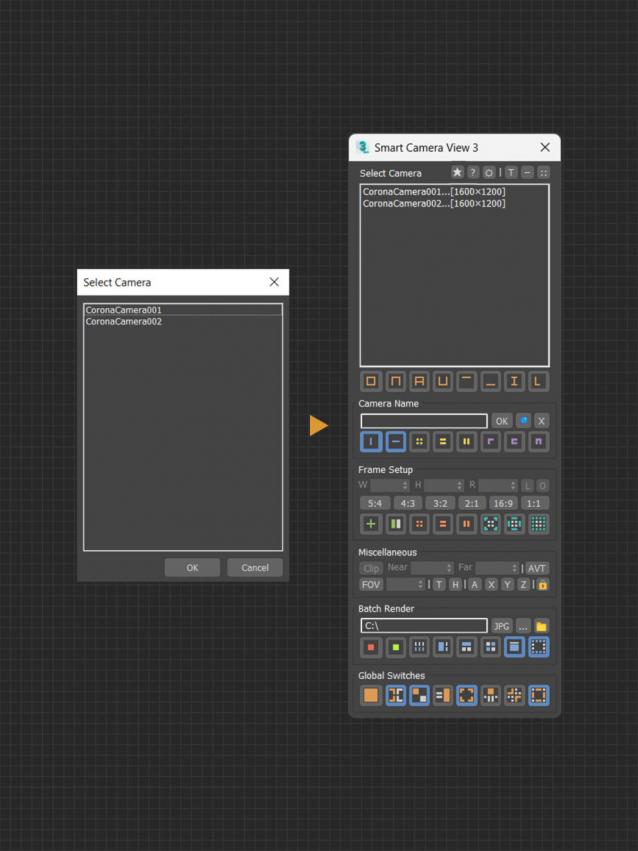
Smart Camera View 3

1 vote

A major upgrade from Smart Camera View 2. While still sharing the same idea as previous version, version 3 actually has been completely rewritten from scratch, based on a brand new algorithm and workflow, for speed and performance, with a lot of new features. This script is intended to replace the default Camera View (C) in 3dsMax with many cool functions. 


MAIN FEATURES

Multimaterial from Files

0 votes

The script lets you pick multiple image files from your drive and creates one material per file, with the image assigned as diffuse texture, and builds a multimaterial with all of them. Then assigns the multimaterial to the selected objects.

Batch Exporter

9 votes

Spline Cleaner

6 votes

Clean, repair and organize thousands of splines in no time!


Description

Spline Cleaner is an advanced batch processing tool for cleaning, repairing and managing spline curves in Autodesk 3ds Max.

Select, attach, detach and delete multiple shapes using smart filters: by size, by length, by proximity, by similarity, by wirecolor, by layer, etc.

Batch Loader

75 votes

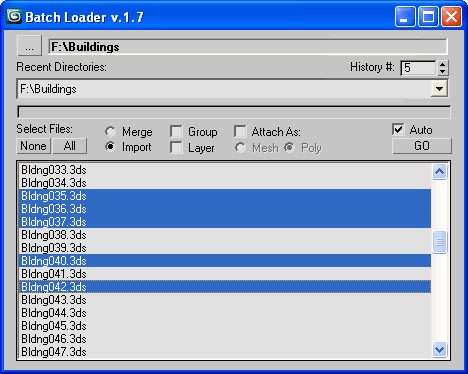
Quick Merge/Import multiple files.

UI v.1.7

Features:

  • Merge multiple .MAX files
  • Import multiple .* files (ie all that can be imported)!
  • Log all files where failed to load to Listener (if any)
  • Multiple history for recent used paths available
  • Limit count of recent paths to keep in history added
  • Group option available
  • Layer option available
  • Attach option available
  • "Auto" option (if is checked no prompt for Merge/Import) *

Layer Manager to files Exporter

6 votes

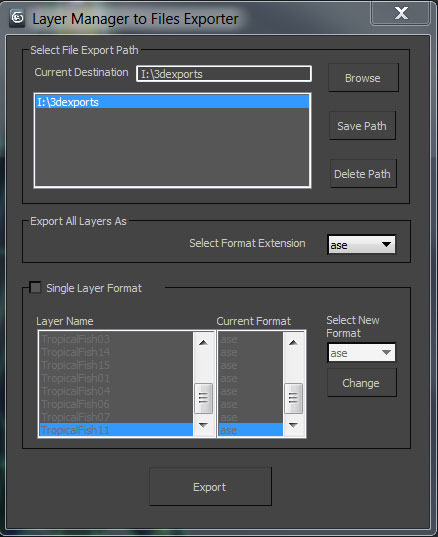
A simple tool designed for 3d modelers to save time on exporting multiple objects and to allow them the freedom to continue working in one max file. Script allows exporting to the following formats using the layer manager: FBX,OBJ,3DS,ASE, and separate max files.

Smart Merge 2

6 votes

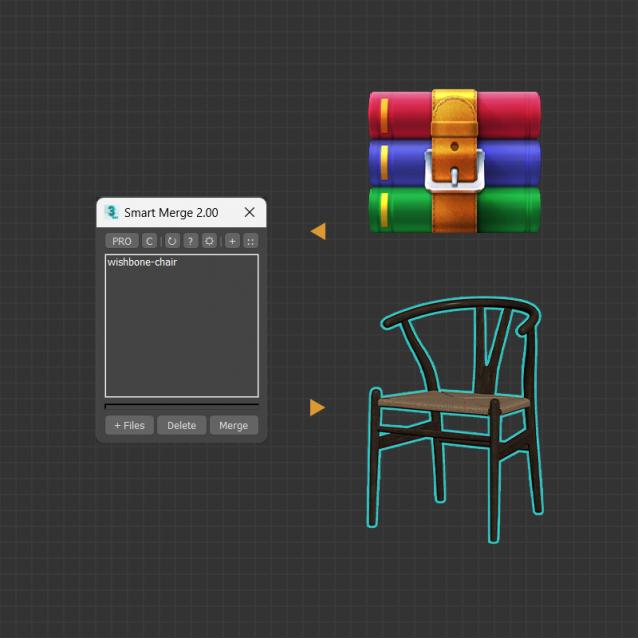
A tool for quick import/merge of 3dsmax files, or downloaded archives from 3D Stocks or Asset Libraries site. You can quickly batch load these files into the current scene by simply drag and drop, and then selecting the max files to merge from the list. This convenient script will save you a lot of time, especially when you have to merge many files into your project.


MAIN FEATURES

Spline to Stylized Hair

3 votes

in my hairstyle workflow i tried to turn each spline to stylized hairs but there was limitations such as lack of ability to deform a hair mesh along to all individual spline at once so i have made this MAXSCRIPT tool for helping myself turn a batch of splines to stylized hairs in one click. also there is multiple parameters for tweak hair segments ,thickness and rotation. i decided to publish this as a useful and time saving product 

Corona Copy Material Slot

1 vote

This is only for Corona Physical Materials, i might do a legacy version later..

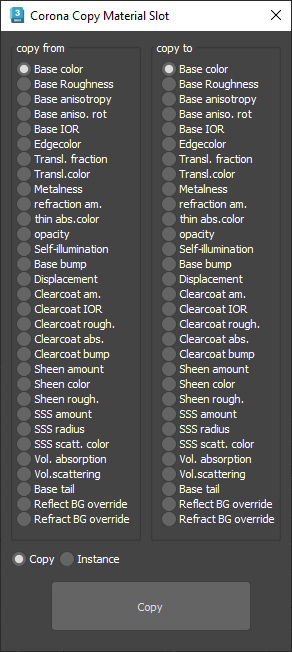
This script is intended to batch copy from slot to slot within the same material,

For example, you can copy a bump map to a displacement map or the diffuse map to selfillumination on multiple material at once.

you can use my other script to add some color correction with a saturation set to -1, to create bump or roughness maps from your diffuse map.

Syndicate content