3ds Max | All

Model: Same Named Copies

0 votes

Title: "Model: Same Named Copies"

Description:
-- This script creates multiple copies with same object name
-- This script works on all geometry types but it may also work on other types like lights, helpers, etc.

How to use this script:
-- First select a single object
-- Set the relative position with respect to this object in "Enter relative positions" options
-- In "No. of copies" option set the number of copies required
-- Then, press "Create copies" button

Here's the screenshot of the script -

Pop Chinese

2 votes

Working with texture assets which have Chinese characters in their filenames can get very confusing if you can’t read Chinese.

Overview

This script helps you out by adding English words to those texture filenames. These English words only serve to help you orient yourself when browsing these files, they don’t actually translate the Chinese text.

Frames-2-Milliseconds (Frames2MS)

1 vote

A quick converter from Frames to Milliseconds and vice versa

randofier

17 votes

hi there this is a new script i have done to collect the whole parameters in one place at my floater also i have added a new random to my script to make cool shapes crowd things with it so enjoy and have fun with it

installing
 after u run the script go to
Customize User Interface > Toolbars tab > under the category : polypic`s Tools > collect modifiers
just drag it to the main tool bar or whatever
enjoy

tested on max 32/64 2011 also watch the demo

EdgeSmooth

14 votes


EdgeSmooth is a free, open source plugin that makes smoothing in 3dsmax a lot easier. It allows you to smooth an editable poly by setting edges to "hard" or "soft". A "hard edge" means that the faces using the edge share no smoothing groups, a "soft edge" is the opposite. This will probably feel familiar to Maya users!

Remarks:
-The plugin uses smoothing groups, so you can mix it with using traditional smoothing. It may however change the smoothing groups on all faces in the object!

MCG SimpleGraphs

1 vote

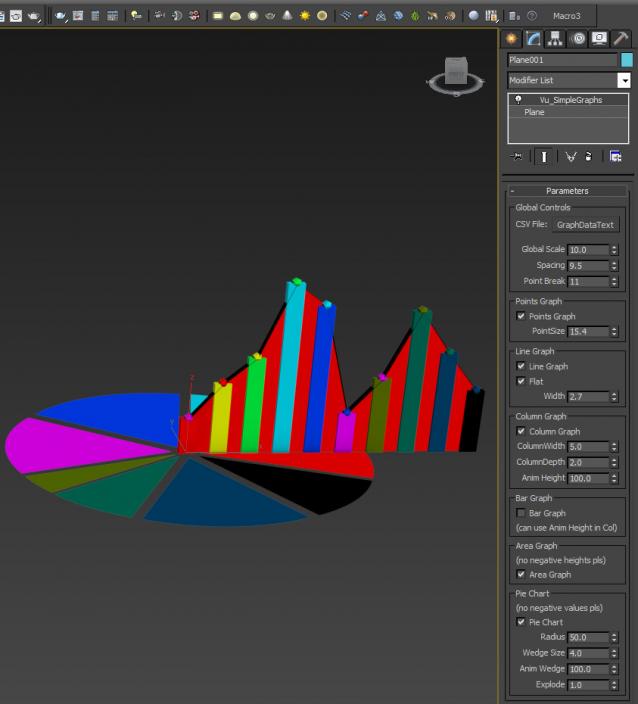
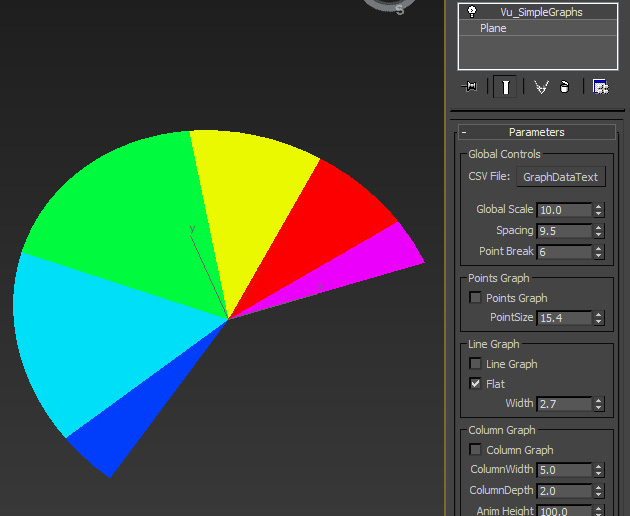
Thought this may be useful so I'll share. This reads in a CSV or plain text file, comma delimited (data in 2nd column) and produces various types of graph for it. It does not predict when the next GFC will hit...

I forgot to record this in the video but you can animate the wedges of a pie chart with 'Point Break' too as below pic...

UV to MESH

5 votes

- quickly detach mesh elements from UV seams.
- Flatten the Mesh following the UV.
- go from your mesh to the flatten one with a morpher

Updates :
– faster algorithm
– better edge separation, avoid separate triangle faces

Wirecolor Toolbox

40 votes

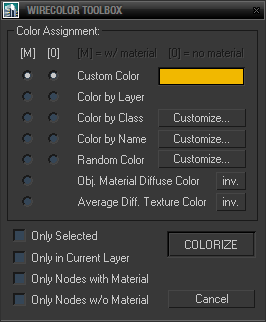
Simple toolbox for working with wirecolors based on various criteria including material diffuse color, average texture color and filters for node names and classes (for nodes wildcards and hierarchies are supported and encouraged).

Maxscript extended editor

46 votes

A script that adds some more functionality to the mxs editor.

SmartScripts Attach/Detach

1 vote

I am releasing these two small macroscripts i wrote to simplify my own workflow in 3dsmax.

they are inspired by the universal attach/detach macros made by Nik and feature much of the same functionality in addition to some extra ones. but code-wise they are complete rewrites.

SmartAttach MacroScript:
With single object selected does this:
-Disable any Turbosmooth/MeshSmooth/OpenSubDiv modifier(s) that are on top of the topmost "Edit modifier"
-Start attach mode

Syndicate content