3ds Max | All

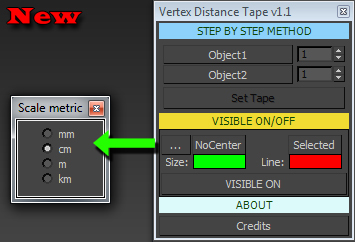
Vertex Distance Tape

3 votes

+Add new update


MCG MorphToUV

4 votes

This MCG will morph your geometry to UV, much like in ZBrush. Please note this is a morpher not an unwrapper. You'll notice in the video that after I applied the mcg, the geo appears faceted. This is the 'ways' of MCGs, it breaks up the verts/normals. I didn't put an mcg Weld in there coz it's a bit slow and crash prone with high res geos. A Welder modifier is also slow. So the best solution I've found is to simply add an Edit Poly on top, select all verts and weld with a very small threshold, say 0.01, then also set your smooth groups here.

ParticleshapeUpdate_Script

0 votes

It's a sample max file show how to use PF script update particle shape per frame.
sorry I don't know how to make it as a tool,
So,just open max file and see how it work.

only for 3dsmax 2011 upper.

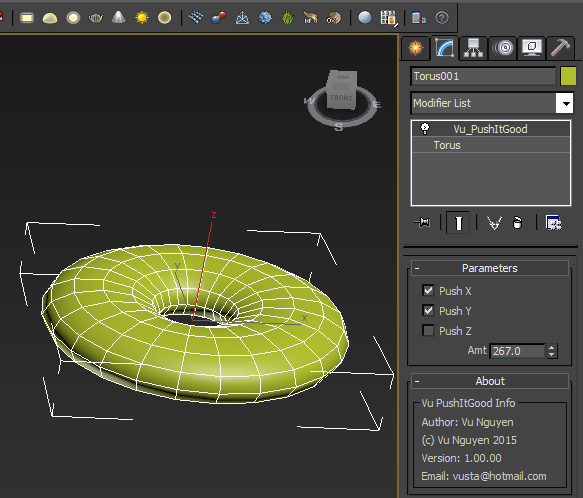
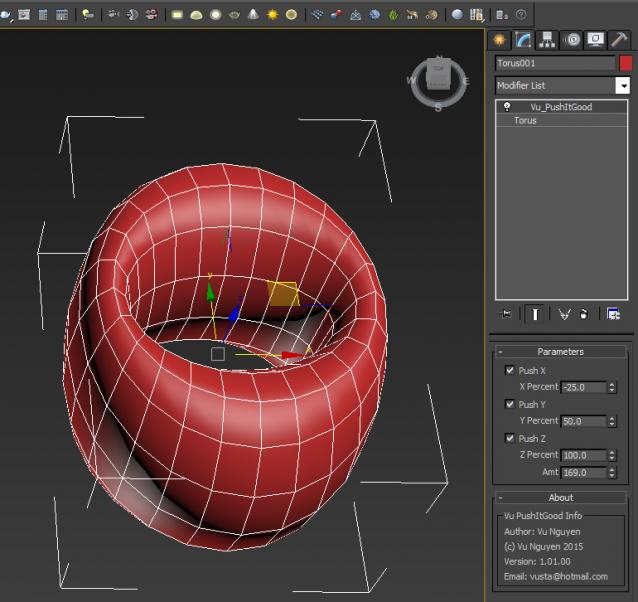
MCG Push with Axis Controls

2 votes

This MCG Push gives you axis controls so you can restrict which axis to push rather than a uniform push. I didn't implement a Relax in there as I found the default Relax modifier is better than the MCG Relax.

Ver 1.01.00: For ultimate control, I've added the ability to push AND pull at the same time with different axis. You can also vary different amount of influence for each axis.

MCG Sample Pack 2, Flux toolkit

3 votes

3ds Max 2016, the second Sample Pack

Polyline Pro

19 votes

CoronaProxy Lister

2 votes

TronoTools: Animated Gravity Helper / Projection Path

0 votes

How would your object be projected with gravity? Nothing is more annoying than to see basic physics being broken!

This little helper creates a help path for your object to show you the most realistic path it will follow when falling from it's initial path. Keep your objects to the right scale and speed, and this script should be 99% correct for almost any object. (Feathers excluded ;))

TronoTools: Out Of Range Type Handler

1 vote

Quick tool for handling Out of Range Type animation.

This tool lets you select multiple objects of all kinds and set or disable their out of range type (ORT). You can select to only affect the position, rotation, scale or modifier/custom attribute tracks as you want. If you need support for materials or similar the code should be easy to read and modifiy for any coder. Or just let me know and I might implement it ;)

3DS MaxTrackBar Markers Script

3 votes

This script marks specific frames in an animation, adds a note to each marked frame and save the list as xml.
The script is quite useful when juggling scenes and need to keep track of requiered changes, or team members need to share info among them.
The list will not be saved with the scene, it needs to be saved externally as xml to be used when re-opening the scene.

TrackBarMarkers XML AE v2.1.6 :

  • New AfterEffects script which imports and exports xml.
  • Syndicate content