3ds Max | All

Fast Fencing

1 vote

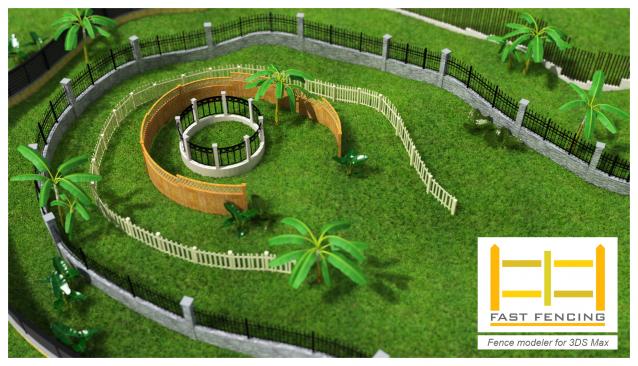
Fast Fencing generates an architectural structure through a custom procedural mesh object, you can change parameters and watch the results in real time. It's an easy and intuitive way to create a fence at a simple level, its versatility allows you to create your own style, useful for the creation of urban backgrounds.

This script creates a FA_Fence object which works as any 3ds Max object: any deformer can be applied, renderable, can be converted to mesh etc ... ​

Advanced Planar

0 votes

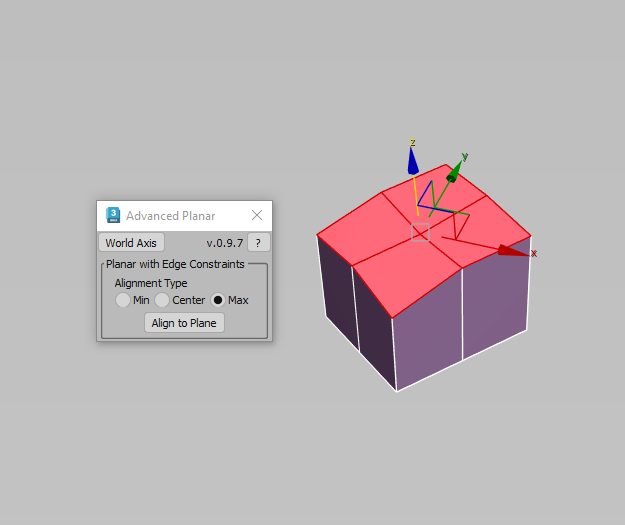
Description: This script makes sub-objects coplanar using Min, Center, and Max extremes, similar to what the standard Planar does, but much more flexible. The "Align To Axis" routine lets you align sub-objects by a specified world axis.

EffectsChannelSet

77 votes

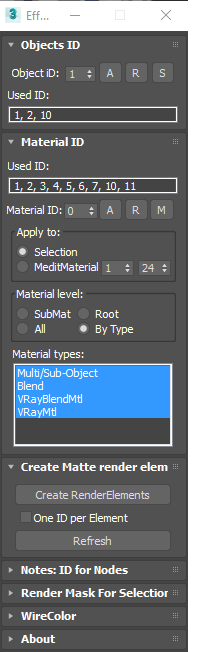
  • Management the Material ID and Objects ID.
  • Assigning a wirecolor for objects.
  • Automated creation MultiMatteElement for V-Ray renderer.
  • Automated creation MatteRenderElement for Mental Ray renderer.
  • Automate the creation of CMasking_Mask for Corona Renderer.


EffectsChannel 1.67.4

  • Some fixes and speed improvements

EffectsChannel v1.64

  • Fixes an issue with assigning ID to sub-materials in the version 1.62

EffectsChannel v1.62

  • This version speed-up opening on complex scenes. The time of opening on a very big scene decreased from 16 sec to 0.094sec.

EffectsChannel v1.60

  • Adds support to Corona Renderer: Automate creation of CMasking_Mask.

miauu's Materials Reducer

2 votes

EPassword

1 vote

EPassword – Premium File Lock for 3ds Max

Pattern Engine For 3ds Max

2 votes

Pattern Engine is a scripted tool for 3ds Max that can generate and edit a variety of 3D geometry types—such as parametric patterns, 3D tiles, partitions, shelves, wall art, upholstery, and more—much faster and more easily than other approaches.

Wire Chaos

4 votes

Wire Chaos

A 3dsMax-Tool written in MaxScript


2017 April 03 - Tommy Dräger

PipeSystem

2 votes

Pipe System

A 3dsMax-Tool written in MaxScript


2017 April 03 - Tommy Dräger

Activate Creation/ Modify Panel (ArchiViz scipt)

1 vote

In ArchiViz, 95% of selections of objects, is to manipulate or transform (move, scale, rotate) them....
Working in edit poly mode is not unknown ofcourse, but unless you are modeling some
specific furniture parts, opening modify panel, when select the object is useless...
...and cause hours of waiting per month.

I hope you know what I am talking about, you select some fancy sofa
with let's say 15 000 000 polys and you wait so long for modify panel to read the edit poly object....and over, and over, and over...

EReminder

2 votes

EReminder – Your Friendly Save Reminder for 3ds Max (Free Tool!)

Syndicate content