3ds Max | All

ProPal: Projection Tools Foliage and Tiling Textures

4 votes

ProPal is a scripted geometry plugin and special custom attributes to work with Projection modifiers and InodeBakeProjProperties and InodeBakeProperties to quickly convert geometry into tiling textures with various render elements. For any geometry that needs to be baked into a seamless U tile (or a seamless V tile) this tool helps you accomplish it very fast.

MCG Icon

0 votes

For anyone needing to create an icon for MCG Geometry object, just call the compound, the supplied tool is just for demo purposes.

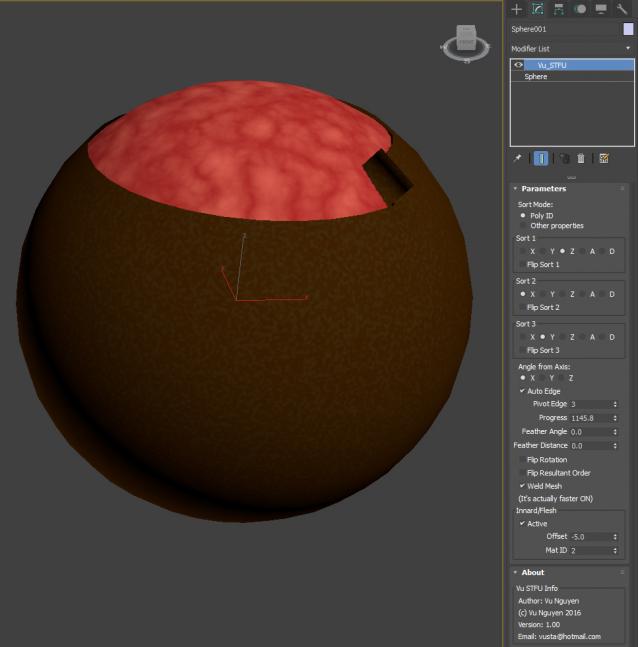
MCG STFU

2 votes

Collapse To Morpher

0 votes

This script allows you to collapse changes to an object but maintain the morpher modifiers with its data intact.

Its idea is to activate every single target 100% ,copy the mesh ,collapse then finally add all targets again, it also work with progressive morph targets.

Works on single objects and only one morpher modifier.

TurboSmooth Optimizer

0 votes

This script is used to reduce the number of polygons in the scene by changing the TurboSmooth iterations for TurboSmooth render iterations

PBR Material Importer

1 vote

postimage
A script i made during production that requiring importing a lot of PBR map into Vray.
This script require at least 4 map to run: Diffuse,reflection(specular),glossiness and normal.
It will create a Vray material with setting to look indentical to Quixel 3DO or substance viewport.
If your map have Mixed Dielectric and Metal , you will need to export Metalness Map.

Loop Mesh Animation Modifier

1 vote

This MCG modifier allows you to create a looping mesh animation by referencing a duplicate of the mesh and the modifer will use this copy to blend the mesh back to the first frame by the end of the animation.

Repeat Animation

1 vote

This MCG geometry object allows you to repeat the animation of a target object over and over again.  Use this with my other MCG for creating Looping animations and it is very powerful.

Inset Chamfer

9 votes

A pair of modifiers, the InsetBySmoothingGroup mcg modifier will inset mesh polygon groups by their smoothing groups, which helps to keep flat surfaces flat smoothed when chamfered instead of the usual mess. Keep in mind that for it to work, the smoothing groups should not be shared, i.e. no polygons that have both smoothing group 1, 2 etc. set. Note that the smoothing group edge borders are split afterwards, if you don't want that, you need to apply a Vertex Weld modifier.

Change Textures (Assets) Extensions

4 votes

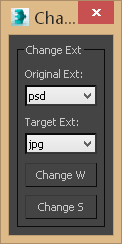
This small script will allow you to change the assigned texture extensions from one type to another either globally or to selected objects, the reason why I created this tool is you might face one of the following scenarios:

Syndicate content