3ds Max | All

MaxTennis

8 votes

This is a little Maxscript videogame I made using the 3Dsmax' viewport engine. The game in fact it's quite stupid - I know - but it's a good example to show some of the capabilities of the language

UI_Align_Pos_Rot_Scale_Center_To_Center.ms

8 votes

Align Position Rotation and Scale of selection to target from Center to Center

Random materials by object selected

8 votes

Apply selected material on selected oblect - not by ID but Object. 'Limit 10 materials'
Example: tile - roof or vegetation.

Copy_Paste_Selected_Properties

8 votes

get a node's properties, select some of them, an apply them to other objects.

AutoPlace

8 votes

This is a script like autogrid. You can move, instance and copy objects all over the place! ShiftPress the button for options (move, instance, copy, lock rotation and lock scale)

How it works: select an object and press the button. click and drag (left-right = scale, top-down:rotation)

If you select multiple objects it will choose a random one.

tested on Max 2012/2013

Log :

MCG Voxelizer

8 votes


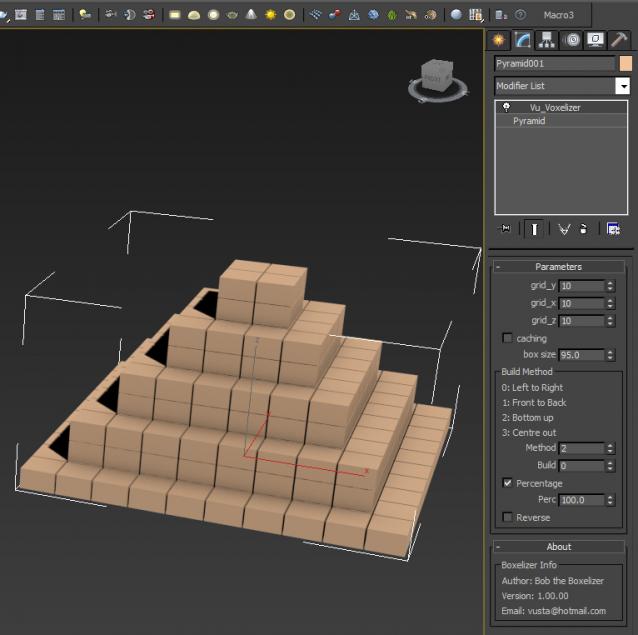
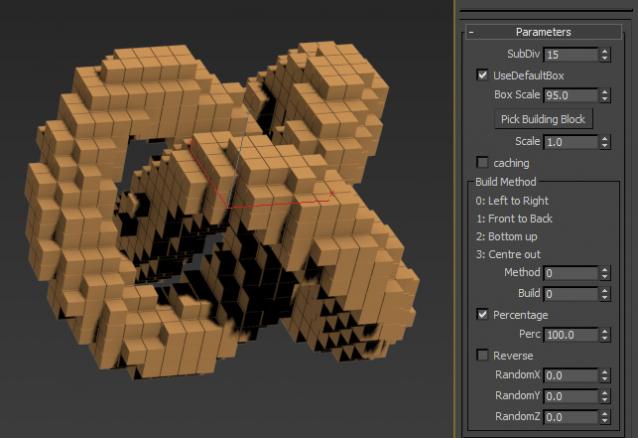
Bob the Boxelizer added some bells and whistles to Christopher Diggins' Voxelizer in the Sample Pack. Probably more useful to mographers....or use Bottom up method to illustrate 3D printing..

Video here: http://1drv.ms/1Itid08

Ver 1.01.00: the voxels are now 'cubic', ie. uniform in all dimensions, not oblong if your orig geo was oblong. Also added option to pick building block instead of default 'box'.

PowerCoreTools: 3ds Max's CPU management tool

8 votes

PowerCoreTools:

Just released version 1.2 of my PowerCoreTools CPU managment script for 3ds Max

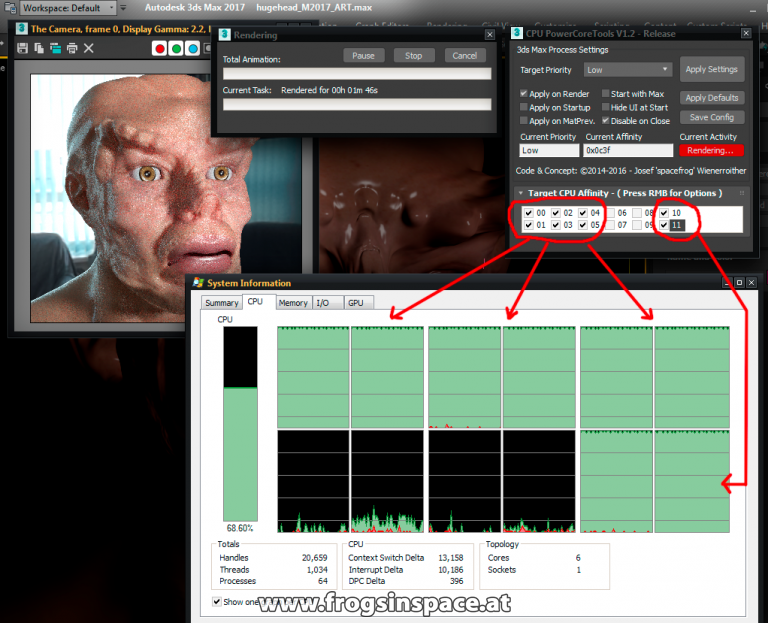
A tool to control CPU usage while 3ds Max is rendering. Automatically sets process priority and affinity ( the number of  CPU cores the render process uses) at render start. Restores the initial settings when the rendering is done. Can be configured to run in a complete transparent  No-UI mode, which is launched right after 3ds Max has started.
This keeps your workstation responsive for other tasks while rendering. A second 3ds Max session stays responsive and can be used to continue work on different tasks.

A look at the following screenshot will probably tell more than thousand words:

PowerCoreTools in Action

Safe Frame Render Effect

8 votes

Render Effect: Adds Safe Frame and/or Grid to your render.

Mesh Baker

8 votes

Changes animated mesh modifiers to vertex animation. Useful for game exporting.

SplineSurface

8 votes

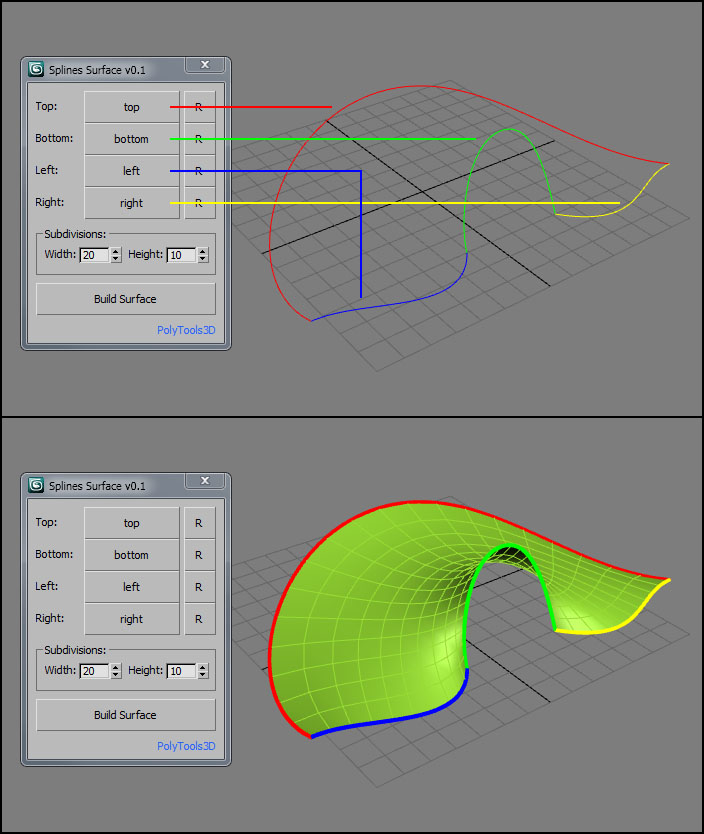
SplineSurface is a small tool that creates a quad surface based on 4 spline shapes.

Usage
Pick up your 4 splines, set the number of subdivisions and click on Build Surface. You can reverse the order of each shape with the "R" button.

Syndicate content