3ds Max | All

MaxTennis

8 votes

This is a little Maxscript videogame I made using the 3Dsmax' viewport engine. The game in fact it's quite stupid - I know - but it's a good example to show some of the capabilities of the language

UI_Align_Pos_Rot_Scale_Center_To_Center.ms

8 votes

Align Position Rotation and Scale of selection to target from Center to Center

Random materials by object selected

8 votes

Apply selected material on selected oblect - not by ID but Object. 'Limit 10 materials'
Example: tile - roof or vegetation.

Copy_Paste_Selected_Properties

8 votes

get a node's properties, select some of them, an apply them to other objects.

Replace "ColorCorrect" by 3ds max "Color Correction" plugin

8 votes

PURPOSE:
Future versions 3dsmax may does not have proper ColorCorrect version written in time. It might be a problem opening old scenes with ColorCorrect in new 3dsmax. The task is to ease this conversion.
OR if you just don`t like ColorCorrect plugin and wish to convert to standart Color Correction.

ACTION:
Replaces ColorCorrect instances with standart 3dsmax Color Correction saving this data:
- source color
- source map
- gamma
- HSV and HSL saturation values
- HSV and HSL hue values
- mono and invert switches
note: Be careful - other ColorCorrect data will be ignored.

Align Pivot to Direction

8 votes

 Align Pivot to DIrection(vector) allows you to align the X, Y,Z or XYZ axis of the local pivot of each of the selected objects to the direction(vector), defined by two picked in the scene points. SNAP will be turned ON automatically.  If the Shift key is down when the axis is choosen the pivot will be moved to the first picked point.

Version 1.1 should works properly with Pen(tablets).

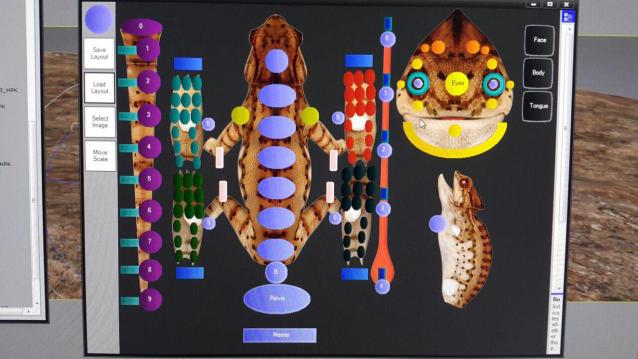
UI Character Picker Plugin [ .Net C# MaxScript ]

8 votes

UI Character Max Synops Layout Script Plugin

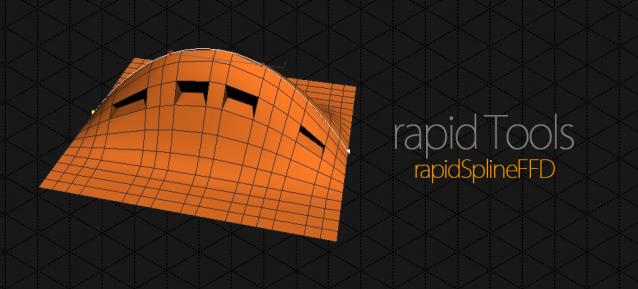
rapidSplineFFD

8 votes

This is the revision and combination of all Spline FFDs (Spline Deformers) that can be found over the internet, for 3dsmax. The script will be the part of the new rapidTools toolset, that will be available in the next few month.

Notice that the script is in beta phase, so it's still not available.

Features:

Expert Mode with Command Panel

8 votes

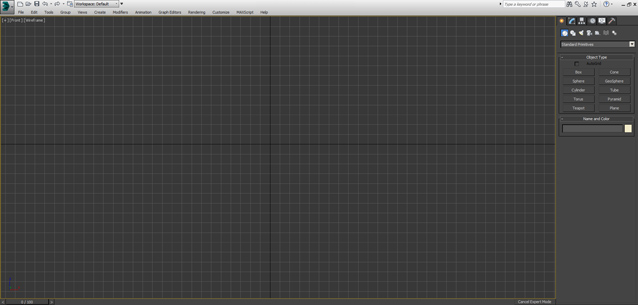
This is just small script - similar to Expert Mode (shortcut "Ctrl+X") but it keeps Command Panel visible

You can used as shortcut or toolbar button

P Explosion Generator

8 votes

Generates explosions for all those things you feel like blowing up.

Syndicate content