3ds Max | All

GetColorPicker

12 votes

On the discreet Maxscript forum Dave Stewert asked if there was a
function to call the color selector. Well there wasn't so I wrote this
maxscript extension. This function programmaticly calls the color
picker dialog. So here it is.

The syntax is like this:

<< color >> GetColorPicker << Title : String >> [alpha: boolean]

Nudge Keys

12 votes

Move objects or subobjects with the keyboard. subobject mode currently works for editable splines - lines - meshes - and polys. if you try it on an edit mesh/poly/spline modifier - it asks you it you want to collapse the stack up to that modifier or cancel.

CAD Cleaner

12 votes

A utility script to weld vertices and clean up smoothing in imported/converted CAD models. Works on Editable_Mesh objects in selection. Does not work on objects with an Edit_Mesh or Edit_Poly modifier applied. I use this to do a first-pass quick cleanup on imported SolidEdge models; it helps eliminate duplicate faces and odd smoothing groups.

speedometer

12 votes

So simple!
It tells you the speed of the selected object in [km/h] if your scene in meter unit.
You can easily modify to [mph] or [m/s].

If you would like, upgrade it and share for all of us! ;)
GiaNT

Delete Bad Frames on Backburner

12 votes

This script allows you to delete bad frames that were rendered by a given
node on backburner. This happens if the render farm is heterogeneous
(= different software or hardware configuration on the render nodes). Instead
of manually deleting the frames, it will delete all frames that were rendered
by a certain machine for a certain job. To find out which frames need to be
deleted it connects to the manager and fetches information about every
rendered frame. If the frame was rendered by the machine that has the name

Spline Scatter

12 votes

Step Gap Edge Loop - like modo selection

12 votes

Modo selections style in 3ds max, but only for edges.

Assign a hotkey(or button), select 2 verts/edges/faces woth desired gap between them and start pressing your hotkey.

Work only with Editable Poly objects

Instalation:
Drag-n-drop "StepGapEdgeLoopLR.mzp" and "StepGapEdgeLoopLR.mzp" in 3ds max. Go to Customize-Customize User Interface. Under "miauu" category you will find "Step Gap Edge Loop Right-Left" and "Step Gap Edge Loop Right-Left".

Big thanks to Anubis for his help.

Search Materials And Maps

12 votes


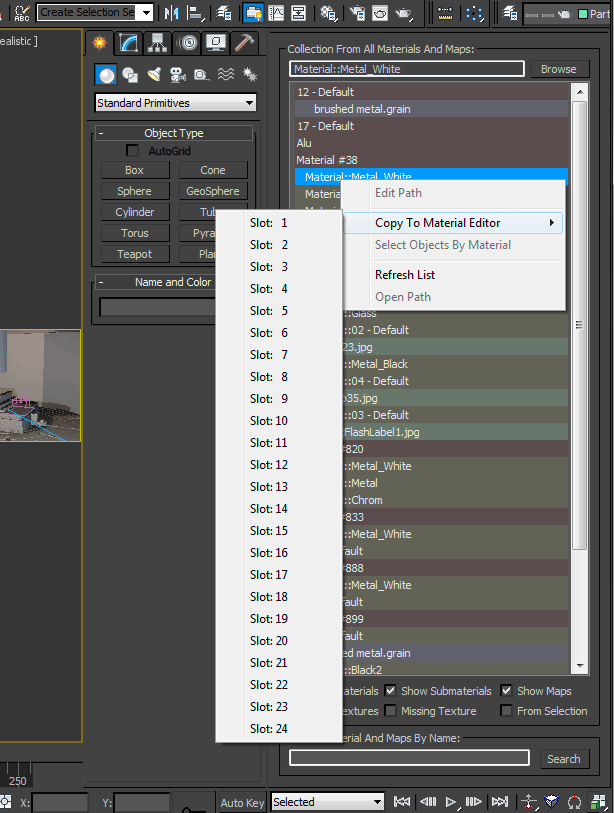
The script is also dockable and it has now a right click menu:


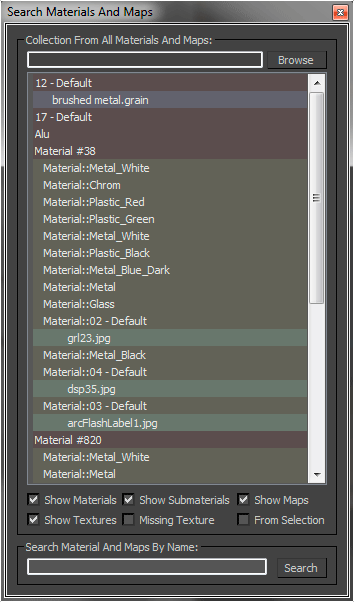
This MaxScript collecting all materials, maps and texture, it also allow to search materials, maps or textures by name. You can modify the texture path, also for multiple selections, and you can copy the selection to the material editor.

GTVFX_Toolbox

12 votes


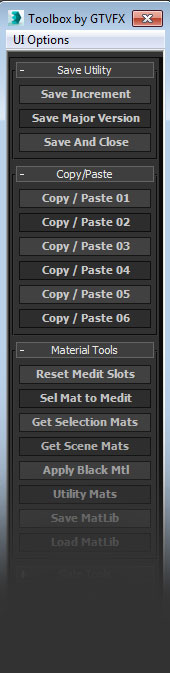
 Updates:

===================================================================================

08/16/2014:

v2.34

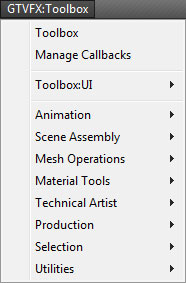
Some minor bug fixes to the Toolbox. Added additional tools to the system menu.

05/23/2014:

v2.32

Fixed a bug that prevented the system menu from generating.


04/20/2014:

v2.31

Go to next/previous frame/key

12 votes

This
is a collection of
four very simple scripts that allow you to set individual hotkeys to go
to the next and previous frames in your timeline and the next and
previous keyframes of your selected object. Basically I made
these because when it comes to navigating frames forward and
back
by hotkey, I prefer maya's way of doing it as opposed to max's toggle
approach.

Syndicate content