3ds Max | All

putPivot

7 votes

Places the pivot of the selected objects in one of 27 spots such as center - bottom - top - high left side - etc.

KenamicK AutoSave

7 votes

This is AutoSave MacroScript for 3dsmax 5 or latter.

Convert_Skinned_Object_To_Link.ms

7 votes

"This script will take an object that is skinned to a def object and delete the skin and link it to the "Def" objects' "Link" objectRequired File: TiM_Lib.ms"

Inheritance_Position_All_On.ms

7 votes

Enable all Position Inheritance for the selected objects

Invasion

7 votes

It's a game script for 3Dsmax (2009 or higher version). Try to catch the red flying saucer. :)

Point Cache Lag Tool

7 votes

POINT CACHE LAG TOOL 1.0
Created by Chad Ashley and Tim Little
www.chadashley.com
www.artoftimlittle.com

USAGE
Working with hundreds of rippling objects that carry complex modifier stacks can be slow. Why not point cache the first object and then simply offset the timing of the rest? This small script was developed during internal animation tests at Digital Kitchen to expedite the creation of time-delayed animations.

INSTRUCTIONS
Create an object and apply a point cache modifier to it.
Duplicate that object around your scene

MASS File Exporter

7 votes

MASS Batch EXPORTER

Maxscript to Batch Export Files to selected Format from a set of 3dsmax files.

" Faceengine " facial bone creator for 3ds max facial animations

7 votes

FACEENGINE TUTORIAL

To run the facial script :

1- Un-rar the "faceengine.rar" into your 3ds max programm folder.
for example ,

c:\program files\3ds max\faceengine

2-in 3ds max environment , run the "vertex recorder" script, if you have problems like " runtime error ..." , you need to run "3ds max.exe" as administrator , and re-run this script

3-With first button , select your 3d head model

4-With second button , select the vertices one by one according
to the visual quide on script window ( red dot on the quide model ) ,

After Effects transforms exporter

7 votes

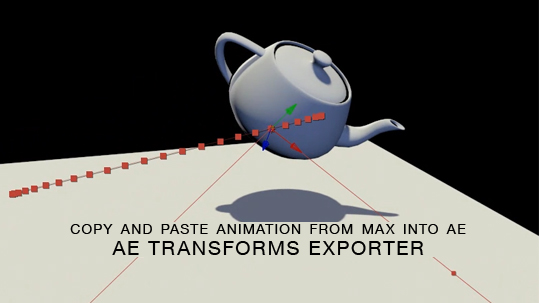
Here is a free tool for copying animation from 3ds Max into After Effects via the clipboard, and the native AE clipboard data. You will be able to copy and paste keyframe data for position, rotation and scale from 3ds Max onto objects in AE.

mmRegions

7 votes

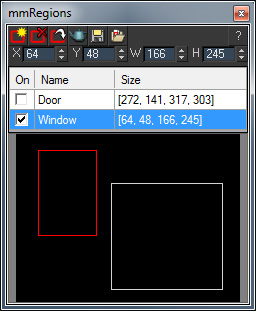
mmRegions is a free script which helps you manage the render regions in your scene. Use is to save/load different regions, and to batch-render multiple regions.

See the download link for installation instructions and additional info.

 V1.15 New Features:

  • Fixed: X/Y spinners had a wrong minimum range of 1, it has been fixed to 0.

V1.1 New Features:

Syndicate content