3ds Max | All

Copy/Paste Material to File

18 votes

This script was inspired by Copy/Paste Obects v0.2 by Christopher Grant .

Visual Studio Code - MaxScript support

6 votes

MaxScript language support

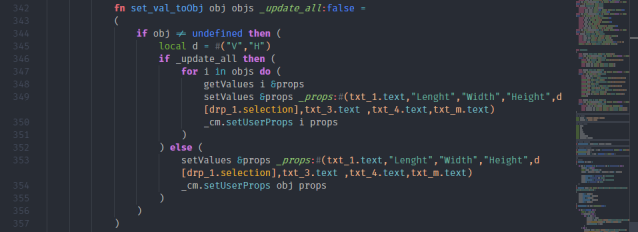
Autodesk 3ds Max Scripting language (MaxScript) support for vs code.

Cut the Puppet

3 votes

cutThePuppet

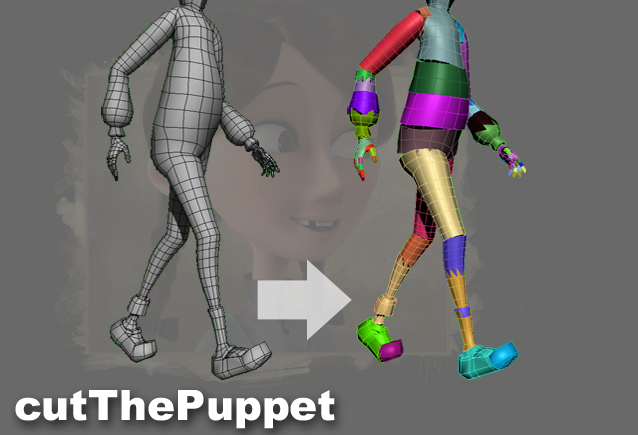
Animating a highpoly character can be very slow in the viewport, as the skinning needs to be calculated. In that case, a lowpoly version of the character can be cut into pieces which are then linked to the bones, so the animator has a good visual reference without any skinning happening. Cutting the pieces manually is quite time-consuming, so I wrote this script to automate it.

Material and Object Renamer

4 votes

Simple script for renaming Material and objects.
It also select objects based on object and material names.
Just right click in list view to select objects

To install script
1. Run script "Material and Objects renamer_v1.0.ms"
2. Go to Customize - Customize User Interface
3. Find "Material_renamer" under "Sharad Tools"
4. Assign shortcut for it.

Drive_files_Renamer

1 vote

Simple script for renaming files on HardDrive.
It also collects all the bitmaps in the scene.
Default collection folder is "new folder" on "D" drive.
If folder is not there script will create folder "new folder" on D drive.
Also you can choose custom folder to collect and rename files.

To install script
1. Run script "Drive files renamer_v1.0.ms"
2. Go to Customize - Customize User Interface
3. Find "Drive_files_Renamer" under "Sharad Tools"
4. Assign shortcut for it.

Visibility keys

2 votes

Its simple script for adding Visibility keys.
It also has functionality to delete all animation keys in scene.

3dsmax set input output gamma

0 votes

In this tutorial we will learn how to set the input and output gamma
using a simple expression inside Maxscript listener window.

3DS Max - Uninstall A MacroScript

1 vote

In this video, we will learn how to uninstall a MacroScript from 3DS Max. Also, we will learn how to delete the toolbar or the quad menu from the user interface. In addition, we will deal with the issue of the deleted UI element that, after deleting it, appears again after restarting 3DS Max.

Randomize Spline Material IDs

0 votes

Randomize the material IDs for the segments in your spline shapes.

Set random material IDs for the selected splines, either using the existing IDs or specifying a range of IDs.

Compatible with 3dsMax 2012 and higher.

Quick Manager

0 votes

This is simple script for renaming and managing objects on the go.

To install script Just
1. Unzip "Quick Manager v1.0.rar"
2. Keep "MyLibrary.mat" to that folder if you are going to keep that folder.
If you are going to delete that folder, then put "MyLibrary.mat" to following location - "C:\Program Files\Autodesk\3ds Max 2017\materiallibraries"
1. run "Quick_Manager_1.0.ms" from MAXScipt-Run Script.
2. Then go to Customize-Customize User Interface.
3. Find "Quick_Manager" Under "Sharad Tools"
4. Assign Shortcut for it.

Script will Renames objects

Syndicate content