3ds Max | Scripts

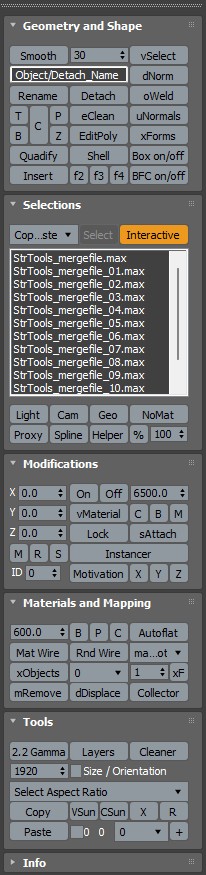
StrTools

14 votes

Quick tools in one place. Dockbar!

Layer Preset Manager

0 votes

Updated 2025/11/16

Layer Preset Manager for 3ds Max: a game-changer for artists. This tool streamlines the process of creating, customizing, editing, and reusing layers with ease. Featuring tokens for keyword definition that can be tailored with specific values for layer generation. Check out the video below for a demo of its capabilities.

Changelog

v0.0.1

- initial release

v0.0.2

- Improved visuals of tokens in editor

Bulk Editor

3 votes

Unlock unparalleled efficiency in 3ds Max with Bulk Editor, the essential tool for artists and designers looking to streamline their workflow. Bulk Editor allows you to effortlessly edit properties across multiple objects, saving you time and enhancing your creative process.

FloorGen Tools

6 votes

Script requires installed FloorGenerator

FS Scene Converter (FStorm)

6 votes

FS Converter is a scene convertor to come back from FStorm renderer or to only convert some objects.

This converter allow to convert all the Fstorm renderer feature to Vray or Corona and Redshift.

It's not a simplicity converter, it's keep all the compatible settings...
Compatible: Fstorm Camera, Fstorm materials, Fstorm proxie, Fstorm Lights (including SunLight), Fstorm Displacement...

Convert all the scene or only selected Object... See how many instance it's necessary to convert...

Real time informations for the convertion state.

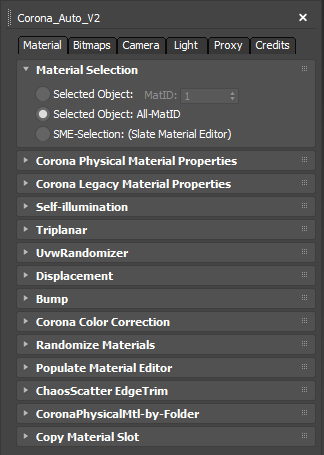
Corona Material Automator

3 votes


3D Measure Master

1 vote

 3D Measure Master 3ds Max Plugin

Get Materials (one click!)

4 votes

A very simple but EXTREMLY USEFUL script you will use all the time!

With just one click it opens the Slate Material Editor and displays all the materials for the selected objects well organized in a clean view.

Forget about the annoying material picker tool. Add this simple button to your toolbar and every time you want to see the material/s for your current selected object/s just click the button and... Voila!

It will save you a lot of time!

ChaosScatter Toolbox

4 votes

This script let you change any properties of multiple ChaosScatter at once.

Update 0.2: the loaded maps are now loaded in raw color profile, a new additional tool that can convert forestPack to ChaosScatter (you need to have ForestPack Lite or Pro installed), density maps loading was missing.

Update 0.3: A button to Convert all selected Chaos Scatter to geometry instances has been added. New buttons in additional tools tab has also been added, you can now add some distribution objects to existing ChaosScatter, and you can select either Scattered Objects or distribution objects.

miauu's Folder Bookmarks

1 vote

Syndicate content