3ds Max | Scripts

Poly Flow

22 votes

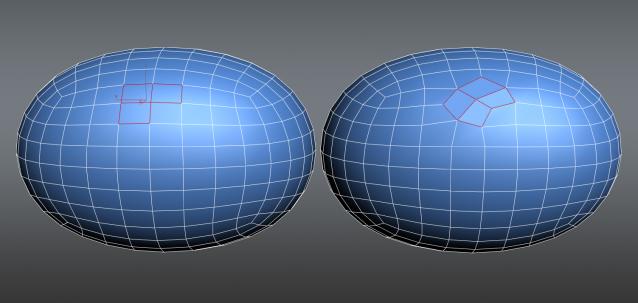
Poly Flow is a set of scripts designed to help the modeler with the everyday boring task of rearranging edges. It makes predictable changes to the topology giving you want you want.

LSSpiroGraph

15 votes

LSSpirograph was written as a tool to create interesting paths for particle emitters to follow. It was designed as an aid to special fx creation for Soul Forge. The script takes input - either from a drop down list of predetermined shapes - or from the sliders on the UI - and then creates two dimensional spline shapes - much like real SpiroGraphs do.

Auto Snap Mode

3 votes

This is a simple (free) script that detects viewport changes. It will automatically set the current snap mode to 3D snaps when the current viewport is perspective, camera, etc; it will switch to either 2D/2.5D if the current viewport is set to standard orthographic projections.

The function only changes the current snap mode if:

1: Snaps are On
2: Either the target snap mode is 2/2.5 and the current snap mode is 3D OR the target snap mode is 3D and it isn't currently set to 3D. (In other words, for top/left/front the mode won't change if it is 2 or 2.5--it uses the current 2 or 2.5.)

free memory v1

2 votes

A simple script for cleaning 3ds max data and free up memory.

*Terms of use:

The use of the script is an "As is". The author assumes no liability with regard to any kind of damage (hardware and software) caused by the use of this script. Are not responsible for any damage or cancellation or modification of the work, files, crash and or any problem in 3dsMax or computer. So if you installed the script,you accept the above conditions and declines any my responsibility.

Break and Form v2.0

13 votes

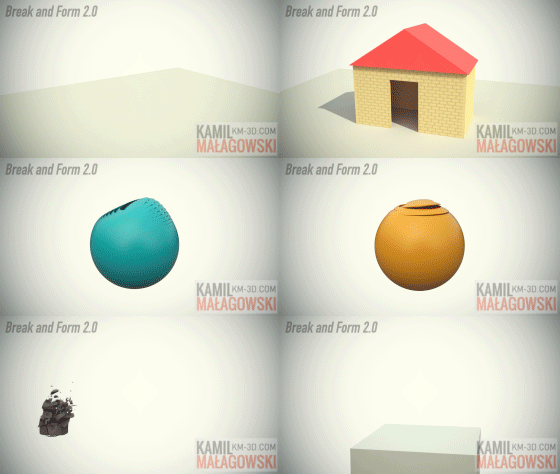
This script allows you to break an object into pieces by detaching its polygons or slicing it into chunks
(with or without volume preservation) and form this object again by manipulating the position, scale and rotation of
each piece. You can also make dispersion of your object by making the frames go backwards. Instead of object pieces
you can also work with elements - any mesh object you want.
The 2.0 version is much more powerful than the 1.0 version, watch the video and look what it can do.

CoronaProxy Lister

2 votes

Affinity Priority Switch

2 votes

This simple switch can decrease/increase Affinity for 1 thread. Also it changes priority to low/normal.

To install just drag-n-drop into 3dsMax viewport. Then look at the NikScripts category -> Priority switch.

Checked state of button on toolbar means - low priority, thread 0 disabled.

Unchecked state - normal priority and all threads enabled.

CopyPaste

8 votes

This maxscript allows you to copy a selected vertex into a clipboard and later paste. There are two versions of the maxscript - simple and advanced. Simple let's you copy and paste a single vertex's x -y - and z coordinates. The Advanced version let's you specify which dimension to paste (x -y - or z) and also can paste a single dimension value into several selected vertices.

Key Mover

5 votes

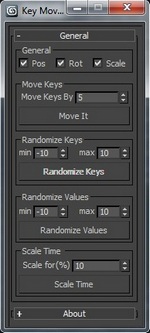
Key Mover MaxscriptUpdated: Some things changed and fixed.

Key mover is a script for keyframe's manipulation in 3ds max on one or more animated 3D objects at the same time. You can also perform key`s time and values randomization on multiple objects at once.

by Albero Art

VrayIES Presets

5 votes

This is my own script, it help lighting with vray ies more easy and faster.

Key features:

- Quick assigned 30 nice IES to vray light.
- IES folder browser and quickly assign to vray light.
- Change VrayIES and Vraylight settings as a group or individually.
- Fast create VrayIES light use geometry shape.
- Create VrayPhysical Camera from Perpective view.

Hope you guys enjoy, I'm still using it and it help me alot!

Install: Extract & copy all file to Script folder. Run script VrayIES_Presets.ms or just drag and drop it to max viewport.

Syndicate content