3ds Max | Scripts

Explode SketchUp

6 votes

I found when exporting from Sketchup in 3DS format I tended to use 'Export: Objects in Heirachy' which keeps the names of the objects in the transfer.

Explode Spline Elements

0 votes

A small tool for quickly exploding all selected splines and shapes elements into separate objects. Support for turning on and off Undo for speeding up the process.

Exploded View Generator

2 votes

Overall functionality and advantages

  • This script creates Exploded View effect by scaling the generated Master Controller (Box Helper)
  • The script works on a selection of multiple objects
  • It is very easy to use
  • Exploded View can also be animated

Exploder

3 votes

A detachment tool with a few extra options.
Work with (and convert to (if not a)) Edit Poly.
Currently tested on 3ds Max 2009.

ExplodeSpline

13 votes

Select spline and run the script. It will explode every spline to separate spline object.

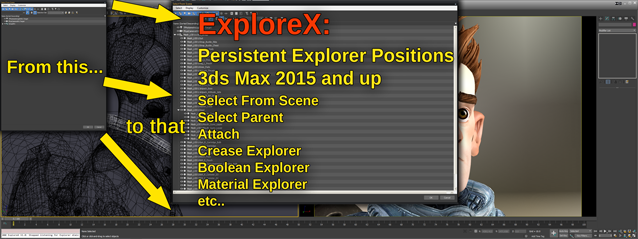
ExploreX

3 votes

SUMMARY:
"Select From Scene" and other 3ds Max Explorer based dialogs introduced over the last few years, tend to always open on top/left screen positions. They simply do not remember any user set positions. This script fixes that using it's own database to save and restore those dialog's positions. This works across 3ds Max sessions..

Export Camera to UE4

0 votes

Just select cameras(without target) and run the script. Script will create "Bake Cameras". Then you will need to export all cam in fbx(-z) and import in UE4.

--Support Target Camera, Free, and animation FoV

Script is free

Export Cleaner

1 vote

This free scripted modifier plugin is designed to clean up some things in a mesh to make it export more cleanly.

This can be helpful in situations where you have either applied multi-channel mapping to an object or used Vertex Paint on it, and later detached elements into other nodes--leaving unused mapping vertices in the node. With this modifier, you can remove those vertices without collapsing the stack, which might be beneficial depending on what you are doing.

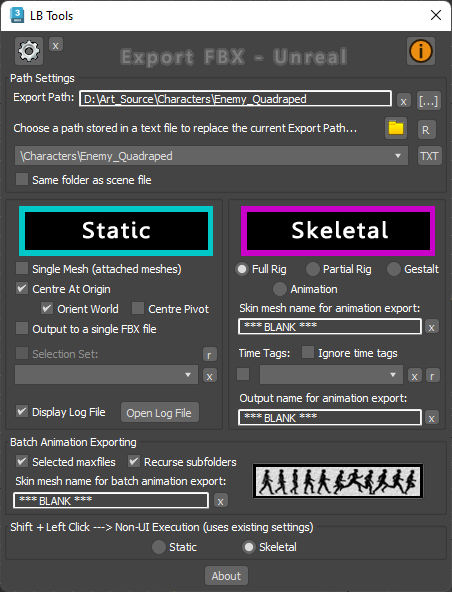
Export FBX to Unreal

3 votes

Designed specifically for Unreal workflow, this script provides a quick way to export scene data with minimal interaction with scene objects.

The script will quickly export static meshes and their existing collisions, skeletal meshes or skeletal animations using the FBX format.


See online guide in links section. 


Latest Updates:

Version 2.4;

Export Prep

7 votes

New with the second version, added JEEWiz exporter (see below), added
option to break up export prep steps, and added an effect pivot mode
button.

"Apply Above" button: resets the Xform, collapses the
modifier stack, places the objects pivot, based on settings, (default
xyz minimum extent of object), moves the object (default moves it to
the origin), for every object in selection.

Check List, button opens a file with were you can store exporting notes, and trouble shooting tips.

Syndicate content